
Amper Music
Use Amper Music as the anchor for a real shortlist.
Instead of returning to a broad directory, jump straight into the strongest adjacent matchups for pricing, workflow fit, and differentiation.
Overview
Overview
Amper Music is a cloud-based AI music composition platform designed to help users create original background music and sound effects without prior musical training. It utilizes algorithms to generate tracks based on user-selected parameters such as mood, tempo, and instrumentation. The tool is particularly popular in the video production and advertising industries for its ability to quickly produce professional-grade audio.
Key Features
- Style and Mood Selection: Choose from a wide range of musical genres and emotional tones.
- Customization Controls: Adjust tempo, key, and instrument mix to fit specific needs.
- Royalty-Free Licensing: All generated music comes with commercial rights.
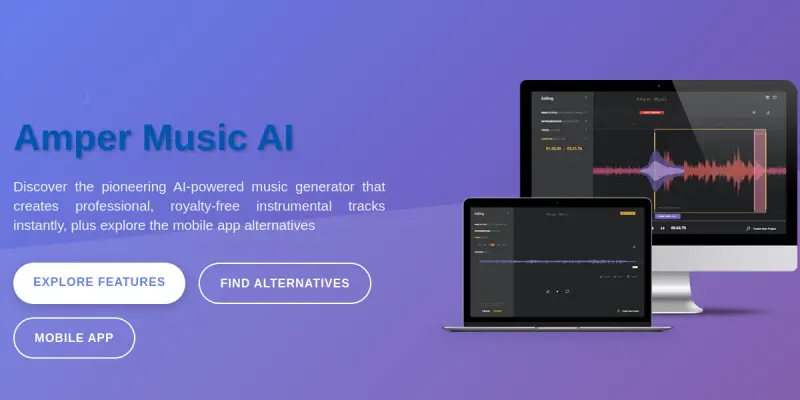
- Browser-Based Editor: Access the tool directly from a web browser without downloading software.
- Mobile Application: Available on iOS and Android for music creation on the go.
- API Access: Developers can integrate Amper Music into their own applications.
Use Cases
Video Production
Content creators use Amper Music to generate background scores for YouTube videos, commercials, and films. The ability to match the music to the visual pacing ensures a cohesive final product.
Podcasting
Podcasters utilize the tool to create intro and outro music, as well as ambient soundscapes that enhance the listening experience without distracting from the voiceover.
Advertising and Marketing
Marketers require high-quality, royalty-free audio for advertisements. Amper Music provides the speed and variety needed to produce distinct audio tracks for different campaigns.
Game Development
Indie game developers use the platform to create dynamic background music that changes based on game events, saving time and budget compared to hiring composers.
Pricing & Plans
Amper Music operates on a subscription-based model. Users must pay to access the full library of styles and advanced features. There is no free tier available for commercial use.
Integrations & Compatibility
The platform integrates with web browsers for direct editing. It also offers an API for developers. The mobile apps are available on the Apple App Store and Google Play Store.
Who Is It For?
This tool is designed for non-musicians, video editors, marketers, and developers who need high-quality audio but lack the skills or resources to commission original music.
Limitations
- The tool primarily focuses on instrumental music and lacks advanced vocal synthesis capabilities found in newer AI models.
- Subscription costs can add up for high-volume users.
- The learning curve, while gentle, requires some time to master the style selection process for desired results.
Final Verdict
Amper Music remains a solid option for those seeking quick, royalty-free instrumental tracks. While it lacks the vocal capabilities of newer competitors, its ease of use and established presence in the industry make it a reliable tool for video and podcast production.
Tool Facts
Screenshots & Interface
Pros
- ✓ Generates royalty-free instrumental tracks suitable for commercial licensing
- ✓ Offers a user-friendly interface designed for non-musicians
- ✓ Provides mobile applications for iOS and Android devices
Cons
- × Subscription-only pricing model with no free tier
- × Limited to instrumental generation; does not support vocal tracks
- × Output quality can be unpredictable without careful parameter tuning
How to Use Amper Music in Your Workflow
Integrating Amper Music into your professional toolkit enhances efficiency by automating manual steps. By configuring it to suit your specific project requirements, you can optimize output quality and reduce project cycle times. Standard workflows involve testing the tool on simple tasks before scaling its use to complex operations.
Frequently Asked Questions
What is Amper Music used for?
Amper Music generates royalty-free instrumental tracks for creators. It offers customizable styles and moods for video and podcast production.
What is the pricing model for Amper Music?
Amper Music uses a Paid pricing model.
What are the main advantages of Amper Music?
The key benefits of Amper Music include: Generates royalty-free instrumental tracks suitable for commercial licensing, Offers a user-friendly interface designed for non-musicians, Provides mobile applications for iOS and Android devices.
What are the main limitations of Amper Music?
Some limitations or cons of Amper Music are: Subscription-only pricing model with no free tier, Limited to instrumental generation; does not support vocal tracks, Output quality can be unpredictable without careful parameter tuning.
Alternative AI Tools

Amazon Polly
Amazon Polly is a cloud-based text-to-speech service that turns text into lifelike speech. It lets developers create applications that talk, using a wide selection of natural-sounding voices across multiple languages. Its key differentiator is deep integration with the AWS ecosystem for scalability and low latency.

Auphonic
Auphonic is an automated web service for audio post-production. It normalizes audio levels, reduces background noise, and adds metadata automatically. This tool streamlines podcast and broadcast workflows.

Soundful
Soundful is an AI music generator that helps content creators, musicians, and producers produce royalty-free tracks in various genres. It offers customization controls for tempo, key, and mood, enabling rapid music creation without specialized audio skills.
Rating Details
Based on 0 ratings
Quick Comparisons
Related Tools
More AI tools from the same workflow, industry, or category.
Opa Opa AI
Turn your selfie into the Opa Opa bouncy hair effect
SceneFlare
AI image and video creation workspace for models, tools, effects, and production-ready content
VORAvideo
AI Video Generator: Create Professional Videos in 3 Minutes
Cat Clapping
Turn photos of you and your cat into a clapping video.
Reviews
No reviews submitted yet. Be the first to share your experience.
Write a Review
Share Your Experience
Join the community to write reviews, submit ratings, and bookmark your favorite AI tools.