

Captions AI
Use Captions AI as the anchor for a real shortlist.
Instead of returning to a broad directory, jump straight into the strongest adjacent matchups for pricing, workflow fit, and differentiation.
Overview
Overview
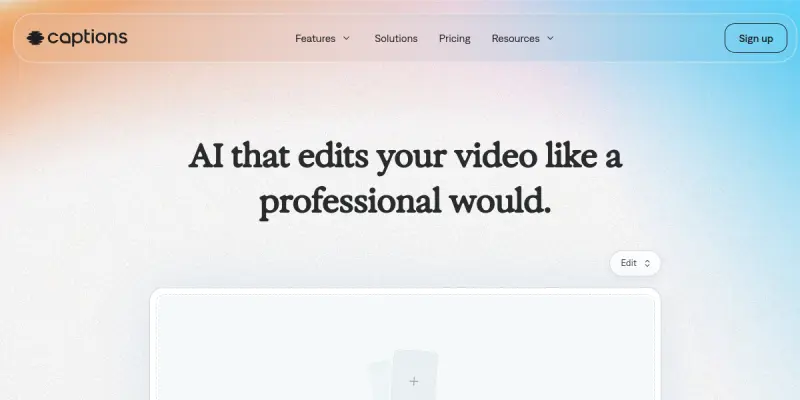
Captions AI is a mobile-first, AI-powered video creation and editing platform designed to help content creators, marketers, and social media managers produce professional-quality short-form videos quickly and easily. From automatic captioning and AI voiceovers to one-touch editing and real-time translation, it simplifies the entire video production workflow.
Key Features
- AI Auto-Captions: Automatically generates accurate, styled captions synced with speech, supporting multiple languages.
- AI Voiceover: Converts text into natural-sounding voiceovers in various accents and tones.
- One-Touch Editing: Applies professional editing presets — cuts, transitions, and effects — with a single tap.
- AI Script Generator: Generates optimized video scripts based on a topic or keyword input.
- Auto-Ducking: Automatically adjusts background music volume when speech is detected.
- Translation & Localization: Translates captions and voiceovers into over 30 languages.
- Eye Contact Correction: Adjusts gaze in videos to make the speaker appear to be looking directly at the camera.
- Multi-Track Timeline: Allows manual fine-tuning of clips, audio, and captions on a full timeline.
Use Cases
Social Media Content Creation
Creators can rapidly produce TikTok, Instagram Reels, and YouTube Shorts with polished captions, music, and transitions, all from a single app.
Marketing Video Production
Marketers can create product demos, ads, and brand story videos in minutes without needing a video editor or studio.
Educational & Tutorial Content
Educators and trainers can generate instructional videos with clear captions and voiceovers, improving accessibility and comprehension.
Global Content Localization
Businesses expanding internationally can translate and dub their video content into multiple languages, preserving timing and tone.
Pricing & Plans
Captions AI operates on a freemium model. The free tier includes basic editing tools, limited AI credits, and watermark-free exports. The Pro plan (subscription-based) unlocks unlimited AI features, advanced editing capabilities, and priority support. A business tier is also available with team collaboration and analytics. Specific pricing is subject to change and should be verified on the official website.
Integrations & Compatibility
Captions AI is primarily a mobile app (iOS and Android). It integrates natively with social media platforms like TikTok, Instagram, and YouTube for direct posting. It also supports exporting videos in standard formats compatible with most editing tools.
Who Is It For?
Content creators, social media managers, marketers, educators, small business owners, and anyone who needs to produce engaging short-form videos without technical video editing skills.
Limitations
- Requires a mobile device (iOS/Android) — no desktop or web version.
- Free tier has limited AI credits and features.
- Video length is capped on the free tier, typically up to 10 minutes.
- Some advanced features (eye contact correction) may not work perfectly with all lighting angles.
Final Verdict
Captions AI is a powerful, user-friendly video tool for anyone looking to create professional short-form content on the go. Its AI-driven features — particularly auto-captions and translation — set it apart from basic mobile editors. The freemium model allows entry-level experimentation, though serious users will likely need the Pro plan. It's an excellent choice for creators targeting social media, but lacks the depth needed for long-form or cinematic projects.
Tool Facts
Screenshots & Interface
Pros
- ✓ Auto-captions and AI voiceover significantly reduce video editing time.
- ✓ One-touch editing presets make professional-looking videos accessible to beginners.
- ✓ Multi-language translation and localization enable global content reach without extra tools.
- ✓ Eye contact correction feature improves on-camera presentation quality automatically.
- ✓ Free tier provides a functional entry point with no credit card required.
Cons
- × No desktop or web version restricts workflow to mobile devices only.
- × Free tier has limited AI credits, capping daily use for heavy creators.
- × Advanced AI features like eye contact correction can be inconsistent with poor lighting.
- × Video length is limited to 10 minutes on the free plan.
- × Some users report occasional caption timing errors in complex audio scenes.
How to Use Captions AI in Your Workflow
Integrating Captions AI into your professional toolkit enhances efficiency by automating manual steps. By configuring it to suit your specific project requirements, you can optimize output quality and reduce project cycle times. Standard workflows involve testing the tool on simple tasks before scaling its use to complex operations.
Frequently Asked Questions
What is Captions AI used for?
Captions AI is a mobile-first video creation tool that generates and edits short-form video content using AI. Designed for content creators and marketers, it offers automatic captions, AI voiceover, and one-touch editing to streamline video production.
What is the pricing model for Captions AI?
Captions AI uses a Freemium pricing model.
What are the main advantages of Captions AI?
The key benefits of Captions AI include: Auto-captions and AI voiceover significantly reduce video editing time., One-touch editing presets make professional-looking videos accessible to beginners., Multi-language translation and localization enable global content reach without extra tools., Eye contact correction feature improves on-camera presentation quality automatically., Free tier provides a functional entry point with no credit card required..
What are the main limitations of Captions AI?
Some limitations or cons of Captions AI are: No desktop or web version restricts workflow to mobile devices only., Free tier has limited AI credits, capping daily use for heavy creators., Advanced AI features like eye contact correction can be inconsistent with poor lighting., Video length is limited to 10 minutes on the free plan., Some users report occasional caption timing errors in complex audio scenes..
Alternative AI Tools

Smartling AI
Smartling AI is a cloud-based translation and localization platform that helps businesses manage multilingual content. It uses machine translation and AI to automate workflows and provides real-time analytics. The tool is designed for marketing teams and enterprises aiming for global reach.

Smartcat AI
Smartcat AI is a cloud-based translation and localization platform that uses artificial intelligence to streamline translation workflows. It helps businesses, translators, and content teams translate and generate content in multiple languages, with features such as AI translation, AI content generation, and AI-human collaboration workflows.

Texterify AI
Texterify is a translation and localization management platform designed for agile teams. It supports cloud and on-premise deployment with a freemium model.
Rating Details
Based on 0 ratings
Quick Comparisons
Related Tools
More AI tools from the same workflow, industry, or category.
fablepilot
FablePilot is a free AI story generator that turns a single prompt into a complete story — no sign-up required. Add illustrations or generate a plot outline.
Ghosts.app
Ghosts is an AI ghostwriter for agencies, creators, and law firms. It produces researched, cited drafts in a specific voice without requiring prompts. Users brief a specialist agent and approve a finished draft.
GrowthBar
GrowthBar is an AI tool for content generation, designed to boost productivity and streamline workflows for writers and content creators, with features like editing and tone adjustment.
GetGenie AI
GetGenie AI is an AI-powered writing and SEO assistant that helps content creators and marketers generate optimized content quickly. It includes built-in keyword research and SERP analysis to improve organic search performance.
Reviews
No reviews submitted yet. Be the first to share your experience.
Write a Review
Share Your Experience
Join the community to write reviews, submit ratings, and bookmark your favorite AI tools.