

Cleanup.pictures
Use Cleanup.pictures as the anchor for a real shortlist.
Instead of returning to a broad directory, jump straight into the strongest adjacent matchups for pricing, workflow fit, and differentiation.
Overview
Overview
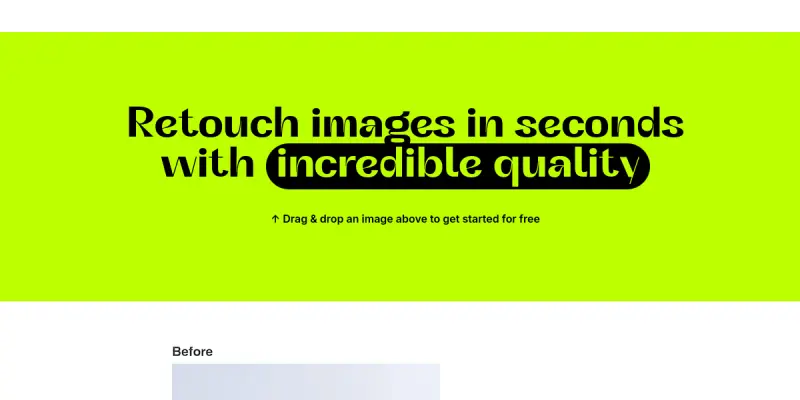
Cleanup.pictures is an AI-driven online tool designed to remove unwanted objects, people, text, and defects from images. Unlike traditional photo editors that require manual masking, this tool uses advanced inpainting algorithms to intelligently reconstruct the background, making it ideal for both casual users and professionals needing quick corrections.
Key Features
- AI Inpainting: Automatically removes unwanted objects like tourists, trash, or power lines.
- Text Removal: Erases watermarks, text overlays, or street signs seamlessly.
- Defect Removal: Fixes scratches, dust spots, and image noise.
- Batch Processing: Edit multiple images simultaneously to save time.
- Free Tier: Accessible for basic cleanup tasks without subscription.
- High-Resolution Output: Generates clear images suitable for professional use.
- User-Friendly Interface: No design skills required; simple drag-and-drop workflow.
Use Cases
E-commerce Product Photography
Cleanup.pictures helps sellers remove distracting background elements or unwanted text from product shots, ensuring clean listings for online stores.
Real Estate Staging
Real estate agents can remove cables, tourists, or clutter from property photos instantly, presenting a more polished and spacious view to potential buyers.
Social Media Content Creators
Use the tool to retouch selfies or clean up group photos before sharing on social platforms, ensuring the final image looks professional.
Pricing & Plans
Cleanup.pictures operates on a Freemium model. The free version allows users to remove a limited number of objects per month, which is suitable for occasional users. For users requiring high-resolution exports or processing large batches, a paid subscription is available. Details on exact pricing tiers are available on the official website.
Integrations & Compatibility
Currently, Cleanup.pictures is a web-based SaaS platform. It offers an API for developers looking to integrate AI image restoration into their own applications, though this requires technical setup.
Who Is It For?
This tool is designed for photographers, e-commerce managers, social media managers, and anyone who needs to quickly edit photos without the steep learning curve of professional software like Photoshop.
Limitations
- Internet Dependency: The tool requires a stable internet connection to process images as it runs on the cloud.
- Background Complexity: Highly complex backgrounds with intricate patterns may result in slightly imperfect inpainting compared to manual tools.
- Free Limits: The free plan imposes strict monthly credit limits on the number of images processed.
Final Verdict
Cleanup.pictures is a powerful utility for anyone needing to quickly remove unwanted elements from photos. While it lacks the granular control of desktop editing software, its speed and ease of use make it a top contender for casual to semi-professional image cleanup tasks.
Tool Facts
Screenshots & Interface
Pros
- ✓ Instantly erases objects, people, and text using AI inpainting technology.
- ✓ Free tier available for basic cleanup tasks without requiring a credit card.
- ✓ Batch processing capabilities allow editing multiple images simultaneously.
Cons
- × The free plan imposes strict monthly credit limits on the number of images.
- × Highly complex backgrounds with intricate patterns may result in imperfect inpainting.
- × Processing requires a stable internet connection as the tool is cloud-based.
How to Use Cleanup.pictures in Your Workflow
Integrating Cleanup.pictures into your professional toolkit enhances efficiency by automating manual steps. By configuring it to suit your specific project requirements, you can optimize output quality and reduce project cycle times. Standard workflows involve testing the tool on simple tasks before scaling its use to complex operations.
Frequently Asked Questions
What is Cleanup.pictures used for?
Cleanup.pictures uses AI to remove objects, people, and text from images. It offers a free tier for basic cleanup and quick restoration.
What is the pricing model for Cleanup.pictures?
Cleanup.pictures uses a Freemium pricing model.
What are the main advantages of Cleanup.pictures?
The key benefits of Cleanup.pictures include: Instantly erases objects, people, and text using AI inpainting technology., Free tier available for basic cleanup tasks without requiring a credit card., Batch processing capabilities allow editing multiple images simultaneously..
What are the main limitations of Cleanup.pictures?
Some limitations or cons of Cleanup.pictures are: The free plan imposes strict monthly credit limits on the number of images., Highly complex backgrounds with intricate patterns may result in imperfect inpainting., Processing requires a stable internet connection as the tool is cloud-based..
Alternative AI Tools
Magic Eraser
Magic Eraser is an AI photo editing tool for designers and creatives, streamlining workflow with automated editing, and offering advanced AI models for complex tasks.

Deep Dream Generator
Deep Dream Generator is an AI-powered art platform offering over 30 models for image and video generation. Designers and content creators can create unique visuals and edit images without prior artistic skills. Its key differentiator is the combination of text-to-image and AI video within a single tool.

Looka
Looka is an AI graphic design tool that simplifies complex tasks for businesses and individuals, offering a freemium pricing model and intuitive interface.
Rating Details
Based on 0 ratings
Related Tools
More AI tools from the same workflow, industry, or category.
Createimg.ai
Createimg.ai provides text-to-image generation and photo editing tools including background removal. It is designed for e-commerce sellers and creators needing free visual assets.
JetBrains AI
JetBrains AI is an AI-powered toolset integrated into JetBrains IDEs, offering code completion, debugging assistance, and intelligent suggestions for developers. It leverages large language models to help teams write, understand, and refactor code more efficiently. A key differentiator is its seamless integration with JetBrains' existing development environment.
Stable Diffusion Inpaint
Stable Diffusion Inpaint is an AI-powered tool that uses diffusion models to intelligently fill in or replace parts of an image. It is designed for photographers, designers, and content creators who need precise and context-aware image editing. Its key differentiator is the ability to generate new content that seamlessly blends with the existing image.
Crello AI
VistaCreate (formerly Crello) is a cloud-based design tool using AI to generate graphics from text prompts. It features 100K+ templates for social media and marketing.
Reviews
No reviews submitted yet. Be the first to share your experience.
Write a Review
Share Your Experience
Join the community to write reviews, submit ratings, and bookmark your favorite AI tools.