

Compose AI
Use Compose AI as the anchor for a real shortlist.
Instead of returning to a broad directory, jump straight into the strongest adjacent matchups for pricing, workflow fit, and differentiation.
Overview
Overview
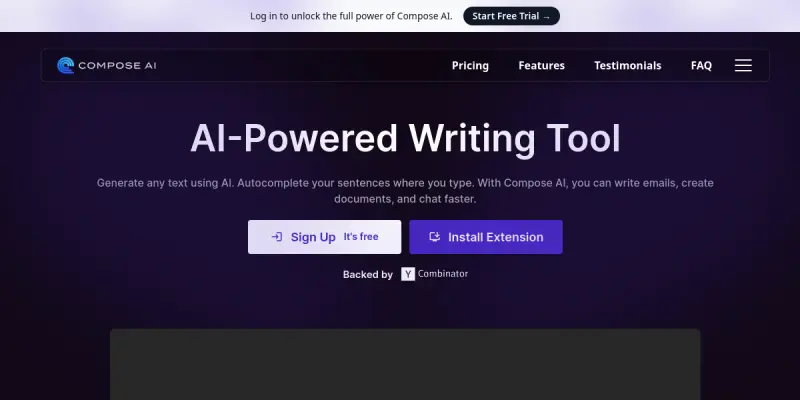
Compose AI is a generative AI writing assistant designed to boost productivity by automating repetitive writing tasks. It functions primarily as a Chrome extension, seamlessly integrating into existing workflows like Google Docs, Gmail, and Slack to provide real-time suggestions.
Key Features
- Autocomplete: Predicts and completes sentences to reduce typing time.
- Paraphrasing: Rewrites text to improve clarity, conciseness, or tone.
- Grammar & Spelling: Corrects errors in real-time.
- Tone Adjustment: Changes the voice of the text (e.g., formal, casual).
- Multi-language Support: Works with multiple languages including English, Spanish, French, etc.
- Integration: Connects with popular platforms like Google Workspace and Slack.
Use Cases
Email Communication
Compose AI is highly effective for drafting and replying to emails quickly. It can suggest full responses based on a brief prompt, saving professionals hours of time spent typing routine correspondence.
Content Creation
Writers and marketers can use the tool to generate blog post outlines, expand on ideas, and refine existing drafts. The paraphrasing feature helps in avoiding plagiarism and improving the flow of articles.
Business Communication
For teams using Slack or Teams, Compose AI assists in drafting professional messages, meeting notes, and project updates, ensuring consistent communication across the organization.
Pricing & Plans
Compose AI typically offers a freemium model. The free tier usually includes a limited number of characters or generations per month. Paid plans (often subscription-based) unlock unlimited access, advanced features like tone adjustment, and higher limits.
Integrations & Compatibility
The tool is available as a Chrome extension, making it compatible with web-based text editors. Key integrations include Google Docs, Gmail, Slack, Notion, and Microsoft Word (via browser extensions).
Who Is It For?
This tool is ideal for content writers, marketers, business professionals, students, and anyone who spends significant time typing emails or documents. It is particularly useful for those looking to speed up their writing process without sacrificing quality.
Limitations
- The tool requires an active internet connection to function, as it relies on cloud-based processing.
- Autocomplete suggestions may occasionally be inaccurate or irrelevant, requiring manual review.
- The free plan often restricts the volume of text you can process, which may be insufficient for high-volume users.
Final Verdict
Compose AI is a solid choice for users seeking to reduce typing effort and improve writing efficiency. Its integration capabilities make it a practical addition to any digital workspace, though users should verify its suggestions to ensure accuracy.
Tool Facts
Screenshots & Interface
Pros
- ✓ Accelerates typing with smart autocomplete suggestions
- ✓ Provides versatile paraphrasing and tone adjustment options
- ✓ Supports multiple languages and integrations with Google Docs and Slack
- ✓ Helps reduce grammar and spelling errors in real-time
Cons
- × Free tier has limited usage compared to paid plans
- × Autocomplete suggestions can sometimes be irrelevant or distracting
- × Requires an internet connection to function
How to Use Compose AI in Your Workflow
Integrating Compose AI into your professional toolkit enhances efficiency by automating manual steps. By configuring it to suit your specific project requirements, you can optimize output quality and reduce project cycle times. Standard workflows involve testing the tool on simple tasks before scaling its use to complex operations.
Frequently Asked Questions
What is Compose AI used for?
Compose AI is an AI writing assistant that accelerates content creation through smart autocomplete and paraphrasing tools. It integrates with text editors to help users write faster while maintaining grammar and flow. The tool supports multiple languages and various writing styles.
What is the pricing model for Compose AI?
Compose AI uses a Paid pricing model.
What are the main advantages of Compose AI?
The key benefits of Compose AI include: Accelerates typing with smart autocomplete suggestions, Provides versatile paraphrasing and tone adjustment options, Supports multiple languages and integrations with Google Docs and Slack, Helps reduce grammar and spelling errors in real-time.
What are the main limitations of Compose AI?
Some limitations or cons of Compose AI are: Free tier has limited usage compared to paid plans, Autocomplete suggestions can sometimes be irrelevant or distracting, Requires an internet connection to function.
Alternative AI Tools

Claude
Claude is an AI assistant by Anthropic focusing on safety and advanced reasoning. It excels at coding, creative writing, and complex analysis tasks.

Kafkai
Kafkai is an AI writing assistant that helps content creators generate articles, blog posts, and marketing copy from scratch. It supports multiple languages and offers features for editing, tone adjustment, and paraphrasing. The tool is designed for website owners, marketers, and agencies who need to scale content production efficiently.

GetResponse AI
GetResponse AI is a marketing automation platform that helps businesses create email campaigns, landing pages, and sales funnels. It is designed for small to medium-sized businesses and marketers looking to streamline lead generation and conversion. A key differentiator is its AI-powered copywriting assistant that generates marketing content directly within the platform.
Rating Details
Based on 0 ratings
Quick Comparisons
Related Tools
More AI tools from the same workflow, industry, or category.
fablepilot
FablePilot is a free AI story generator that turns a single prompt into a complete story — no sign-up required. Add illustrations or generate a plot outline.
Ghosts.app
Ghosts is an AI ghostwriter for agencies, creators, and law firms. It produces researched, cited drafts in a specific voice without requiring prompts. Users brief a specialist agent and approve a finished draft.
GrowthBar
GrowthBar is an AI tool for content generation, designed to boost productivity and streamline workflows for writers and content creators, with features like editing and tone adjustment.
GetGenie AI
GetGenie AI is an AI-powered writing and SEO assistant that helps content creators and marketers generate optimized content quickly. It includes built-in keyword research and SERP analysis to improve organic search performance.
Reviews
No reviews submitted yet. Be the first to share your experience.
Write a Review
Share Your Experience
Join the community to write reviews, submit ratings, and bookmark your favorite AI tools.