

Deep-Nostalgia AI
Use Deep-Nostalgia AI as the anchor for a real shortlist.
Instead of returning to a broad directory, jump straight into the strongest adjacent matchups for pricing, workflow fit, and differentiation.
Overview
Overview
Deep-Nostalgia AI is a photo animation tool developed by MyHeritage that uses deep learning algorithms to animate faces in still photographs. By applying a set of pre-recorded motion patterns to a detected face, it generates a short, realistic video clip where the person appears to blink, turn their head, and smile. The tool gained widespread attention for its ability to bring historical and family photos to life, making it a popular choice for genealogy enthusiasts and historians.
Key Features
- Deep Learning Animation: Uses a neural network trained on thousands of videos to apply natural-looking motions to faces in photos.
- One-Click Processing: Upload a photo and the tool automatically detects faces and generates an animated clip within seconds.
- High-Quality Output: Produces smooth, realistic animations that preserve the original photo's texture and lighting.
- Integration with MyHeritage: Seamlessly works within the MyHeritage platform, allowing users to combine photo animation with family tree building and DNA analysis.
- Preservation of Photo Integrity: The original image remains untouched; the animation creates a separate video file.
- Privacy-Focused: Animated photos are not stored or shared without user consent; users control their content.
- Batch Processing: Users can submit multiple photos in a single session for efficient workflow.
- Support for Multiple Face Types: Works on both frontal and slightly angled portraits, enhancing versatility.
Use Cases
Family History Research
Genealogy enthusiasts can animate old family portraits, making ancestors feel more present and engaging. This adds an emotional dimension to family history presentations and helps younger family members connect with their heritage.
Educational Presentations
Historians and educators can use Deep-Nostalgia AI to create compelling visual aids for lectures on historical figures. Animated portraits of figures like Abraham Lincoln or Queen Victoria make history more relatable to students.
Social Media Content
Users can create shareable, emotionally resonant content for platforms like Facebook, Instagram, or YouTube. Animated family photos often receive high engagement as they spark nostalgia and curiosity.
Personal Keepsakes
Families use Deep-Nostalgia AI to create unique digital memories from old photo albums, bringing deceased relatives to life in a respectful and touching manner.
Pricing & Plans
Deep-Nostalgia AI is included as a feature within the MyHeritage subscription plans.
- Basic (Free): Users can animate a limited number of photos without charge.
- Premium: For a monthly or annual fee, customers get unlimited animation credits, along with full access to MyHeritage's genealogy tools, DNA matching, and historical records.
- Complete Plan: Includes everything in Premium plus additional storage and advanced family tree features.
Pricing details are available on the MyHeritage website and vary by region.
Integrations & Compatibility
Deep-Nostalgia AI operates entirely through the MyHeritage web platform. It is compatible with all modern web browsers (Chrome, Firefox, Safari, Edge) and can be accessed on both desktop and mobile devices via the MyHeritage mobile app (iOS and Android). Uploaded photos must be in JPEG or PNG format, with a minimum resolution of 400x400 pixels for best results.
Who Is It For?
- Genealogy enthusiasts and family historians looking to preserve and enliven old photographs.
- Educators and content creators preparing engaging visual materials.
- General users who want to create nostalgic, shareable video clips from family photos.
- MyHeritage subscribers seeking added value from their subscription.
Limitations
- Face Detection Requirements: The tool requires a clear, front-facing portrait to work effectively. Group photos or obscured faces may not animate correctly.
- Internet Dependency: As a web-based tool, a stable internet connection is necessary for upload and processing.
- Limited to Faces: Deep-Nostalgia AI only animates faces; it cannot animate other parts of the photo or add environmental motion.
- Ethical Concerns: Some users feel the animation may be unsettling (the "uncanny valley" effect) or inappropriate for certain deceased individuals.
Final Verdict
Deep-Nostalgia AI is a unique, emotionally impactful tool that sets itself apart in the photo animation space. Its integration with MyHeritage's genealogy ecosystem offers added value for those already invested in family history research. While it has clear limitations regarding face detection and internet reliance, its ease of use and impressive output quality make it a valuable addition to any digital historian's toolkit.
Tool Facts
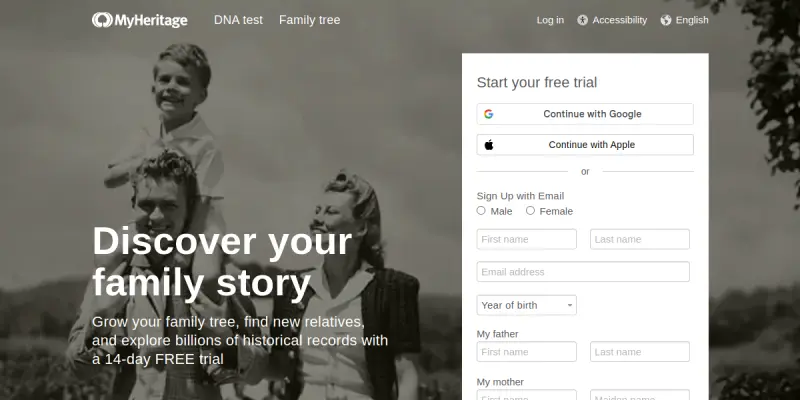
Screenshots & Interface
Pros
- ✓ Deep-Nostalgia AI creates realistic facial animations from a single photo in seconds.
- ✓ The tool integrates seamlessly with the MyHeritage platform for genealogy workflows.
- ✓ Output videos are high-resolution and preserve original image quality.
- ✓ It works on both desktop and mobile via the MyHeritage app.
- ✓ A limited free tier allows users to test the service before committing.
Cons
- × Deep-Nostalgia AI only animates faces and cannot add movement to backgrounds or objects.
- × The tool requires a clear, front-facing portrait; group photos or obscured faces may produce poor results.
- × Some users find the animations unnerving due to the uncanny valley effect.
- × Full unlimited use requires a paid MyHeritage subscription.
How to Use Deep-Nostalgia AI in Your Workflow
Integrating Deep-Nostalgia AI into your professional toolkit enhances efficiency by automating manual steps. By configuring it to suit your specific project requirements, you can optimize output quality and reduce project cycle times. Standard workflows involve testing the tool on simple tasks before scaling its use to complex operations.
Frequently Asked Questions
What is Deep-Nostalgia AI used for?
Deep-Nostalgia AI animates old family photos by bringing still faces to life with realistic movements. Designed for genealogy enthusiasts and historians, it uses advanced neural networks to create short video clips from portraits. The tool is part of the MyHeritage platform, blending photo animation with family history research.
What is the pricing model for Deep-Nostalgia AI?
Deep-Nostalgia AI uses a Paid pricing model.
What are the main advantages of Deep-Nostalgia AI?
The key benefits of Deep-Nostalgia AI include: Deep-Nostalgia AI creates realistic facial animations from a single photo in seconds., The tool integrates seamlessly with the MyHeritage platform for genealogy workflows., Output videos are high-resolution and preserve original image quality., It works on both desktop and mobile via the MyHeritage app., A limited free tier allows users to test the service before committing..
What are the main limitations of Deep-Nostalgia AI?
Some limitations or cons of Deep-Nostalgia AI are: Deep-Nostalgia AI only animates faces and cannot add movement to backgrounds or objects., The tool requires a clear, front-facing portrait; group photos or obscured faces may produce poor results., Some users find the animations unnerving due to the uncanny valley effect., Full unlimited use requires a paid MyHeritage subscription..
Alternative AI Tools

Restoration AI
Restoration AI helps contractors estimate and supplement insurance claims using AI. It automates documentation to ensure accurate payouts and faster approvals.

Skylum AI
Skylum AI is a photo editing software that uses artificial intelligence to automate tasks like background removal, sky replacement, and portrait retouching. It is designed for photographers of all skill levels who want to speed up their editing workflow without sacrificing quality.

Evoto AI
Evoto AI is an AI-powered photo editing platform designed for photographers and studios. It streamlines RAW editing, color grading, and portrait retouching into a single automated workflow. The tool is trusted by over one million users globally.
Rating Details
Based on 0 ratings
Related Tools
More AI tools from the same workflow, industry, or category.
fr3n
fr3n is a creator platform that combines a link-in-bio page, digital storefront, community spaces, and newsletters into one hub. It helps creators sell digital products, run memberships, and build an audience with first-party data.
Aveva AI
Aveva AI optimizes industrial processes and predictive maintenance by leveraging AI models to detect anomalies and support risk-based decision-making in manufacturing.
Paddle AI
Paddle AI streamlines billing, tax compliance, and revenue management for digital businesses. This SaaS platform automates financial operations, supporting global revenue generation for apps like n8n and AdGuard. It integrates essential payment processing tools into a single interface.
Honeywell Forge AI
Honeywell Forge is an industrial IoT platform that combines digital twin technology with AI to optimize facility operations. It is designed for industrial manufacturers seeking predictive maintenance and operational efficiency.
Reviews
No reviews submitted yet. Be the first to share your experience.
Write a Review
Share Your Experience
Join the community to write reviews, submit ratings, and bookmark your favorite AI tools.