

Eklipse
Use Eklipse as the anchor for a real shortlist.
Instead of returning to a broad directory, jump straight into the strongest adjacent matchups for pricing, workflow fit, and differentiation.
Overview
Overview
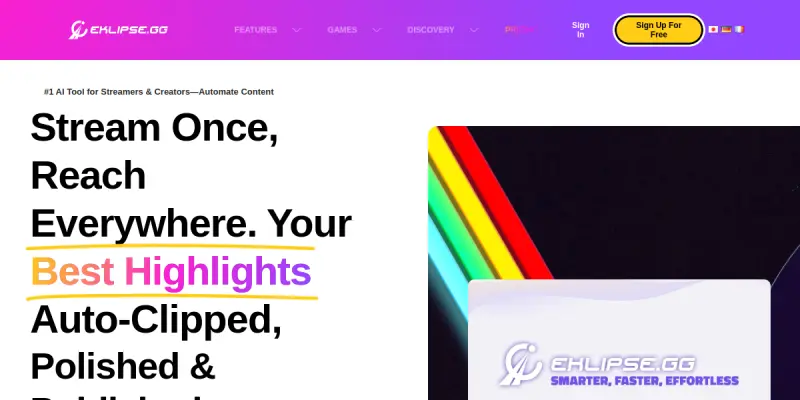
Eklipse is an AI-powered tool designed for gamers and content creators to transform long Twitch streams into engaging short-form videos. By automating the editing process, it allows streamers to repurpose their content for various social media platforms without needing advanced video editing skills. The platform focuses on efficiency, enabling users to capture high-energy moments and publish them immediately.
Key Features
- Auto-Clipping: Automatically identifies and extracts high-energy or memorable moments from Twitch live streams.
- Multi-Platform Export: Directly exports and formats clips for TikTok, Instagram Reels, and YouTube Shorts.
- Auto-Captions: Generates automatic captions for clips to improve accessibility and engagement.
- Stream Integration: Connects directly to Twitch accounts to pull data in real-time.
- Custom Branding: Allows users to add logos, overlays, and watermarks to their clips.
- Audio Enhancement: Includes tools to balance audio levels and remove silence.
Use Cases
For Twitch Streamers
Streamers can repurpose hours of content into digestible clips, increasing their reach on platforms like TikTok and Shorts while maintaining their channel activity schedule.
For Content Creators
YouTubers and digital marketers can use Eklipse to quickly find viral moments from live events or gaming sessions for secondary content loops.
For Gaming Communities
Community managers can curate the best moments from community streams to foster engagement and loyalty.
Pricing & Plans
Eklipse operates on a freemium model. The free tier allows users to generate a limited number of clips per month, which may include watermarks. Premium tiers likely offer higher clip limits, watermark removal, and advanced editing features, though specific pricing details should be verified on their website.
Integrations & Compatibility
The tool integrates primarily with Twitch for data ingestion and major social media platforms (TikTok, Instagram, YouTube) for publishing. API access may be available for developers looking to integrate Eklipse into their own workflows.
Who Is It For?
Eklipse is specifically tailored for gamers, esports organizations, and content creators who stream on Twitch and want to grow their presence on TikTok and Instagram Reels. It is not designed for general-purpose video editing or animation creation from scratch.
Limitations
- Platform Dependency: The tool relies on a live Twitch stream connection; it cannot process pre-recorded video files directly without a specific workaround or manual upload (if supported).
- Watermarks: The free tier typically includes a watermark on exported videos.
- Clip Quality: Output quality is dependent on the resolution of the original stream source.
Final Verdict
Eklipse serves as a powerful utility for streamers looking to maximize their content output. While it lacks the granular manual control of professional editing suites, its automation capabilities make it an excellent time-saver for social media repurposing.
Tool Facts
Screenshots & Interface
Pros
- ✓ Automates the extraction of highlights directly from Twitch streams
- ✓ Supports direct publishing to TikTok, Instagram Reels, and YouTube Shorts
- ✓ Includes auto-captioning features to boost engagement
Cons
- × The free tier typically includes watermarks on exported videos
- × Relies on an active Twitch stream connection for processing
- × Limited manual editing controls compared to dedicated video editors
How to Use Eklipse in Your Workflow
Integrating Eklipse into your professional toolkit enhances efficiency by automating manual steps. By configuring it to suit your specific project requirements, you can optimize output quality and reduce project cycle times. Standard workflows involve testing the tool on simple tasks before scaling its use to complex operations.
Frequently Asked Questions
What is Eklipse used for?
Eklipse automates the creation of short-form video clips from Twitch streams for social media sharing. It extracts highlight moments and formats them for TikTok, Reels, and Shorts without manual editing.
What is the pricing model for Eklipse?
Eklipse uses a Free pricing model.
What are the main advantages of Eklipse?
The key benefits of Eklipse include: Automates the extraction of highlights directly from Twitch streams, Supports direct publishing to TikTok, Instagram Reels, and YouTube Shorts, Includes auto-captioning features to boost engagement.
What are the main limitations of Eklipse?
Some limitations or cons of Eklipse are: The free tier typically includes watermarks on exported videos, Relies on an active Twitch stream connection for processing, Limited manual editing controls compared to dedicated video editors.
Alternative AI Tools

Jupitrr AI
Jupitrr AI offers an all-in-one video operating system that helps businesses research, script, edit, and publish videos daily. It integrates AI agents, automated cutting tools, and an AI-powered video editor. The platform is suitable for teams seeking a streamlined video production workflow.

Deep Swap AI
AI-powered face swap and creative media editing platform for videos, photos, and GIFs in seconds.
Powtoon AI
Powtoon AI is a video creation platform that uses artificial intelligence to generate animated clips and presentations from text inputs. It is designed for marketers, educators, and content creators who need to produce engaging video content quickly without advanced editing skills. The tool distinguishes itself with an extensive library of templates and characters for rapid customization.
Rating Details
Based on 0 ratings
Quick Comparisons
Related Tools
More AI tools from the same workflow, industry, or category.
Opa Opa AI
Turn your selfie into the Opa Opa bouncy hair effect
SceneFlare
AI image and video creation workspace for models, tools, effects, and production-ready content
VORAvideo
AI Video Generator: Create Professional Videos in 3 Minutes
Cat Clapping
Turn photos of you and your cat into a clapping video.
Reviews
No reviews submitted yet. Be the first to share your experience.
Write a Review
Share Your Experience
Join the community to write reviews, submit ratings, and bookmark your favorite AI tools.