

Fadr
Use Fadr as the anchor for a real shortlist.
Instead of returning to a broad directory, jump straight into the strongest adjacent matchups for pricing, workflow fit, and differentiation.
Overview
Overview
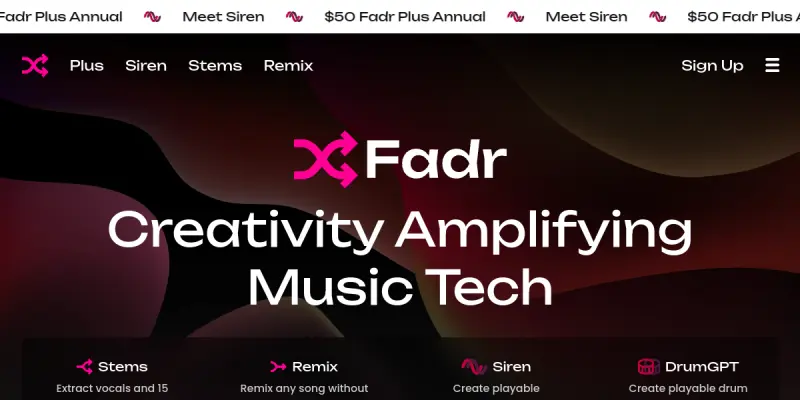
Fadr is a comprehensive web-based platform that provides a suite of AI-powered tools for music creation and audio processing. Designed for musicians, producers, DJs, and hobbyists, Fadr enables users to analyze, manipulate, and remix audio tracks directly in the browser. The platform handles tasks such as vocal isolation, song decomposition, and musical key detection, making professional-grade audio editing accessible without expensive software.
Key Features
- Vocal Remover: Isolate vocals or remove them from any track using AI, enabling acapella or instrumental creation.
- Song Splitter: Separate a song into individual stems such as drums, bass, melody, and vocals with high accuracy.
- Key & Tempo Detector: Automatically detect the musical key, BPM, and chord progression of any uploaded song.
- Remix Maker: Create remixes by recombining stems, adjusting tempo, and adding effects through an intuitive interface.
- Mashup Maker: Blend two or more tracks together, matching keys and tempos for seamless transitions.
- DJ Controller: Simulate DJ mixing with crossfader, EQ, and effect controls entirely in the browser.
- Unlimited Free Tier: Approximately 95% of features are available for free with no daily or usage caps, making it accessible for casual users and serious creators alike.
- No Installation Required: All tools run in the web browser, removing the need for downloads or plugin installations.
Use Cases
Music Production
Producers can use Fadr to quickly obtain clean stems for sampling, remixing, or reimagining existing tracks without needing a full DAW. The key and tempo detection aids in aligning samples harmonically.
DJ Preparation
DJs can analyze tracks for BPM and key before a set, create custom edits or mashups, and even practice mixing using the built-in DJ controller feature.
Content Creation
YouTubers, podcasters, and social media creators can remove vocals or extract instrumentals to create background music or sound effects, all without copyright concerns when using properly licensed tracks.
Music Education
Teachers and students can use the chord and key detection to analyze songs for theory study, or create practice tracks by isolating certain instruments.
Pricing & Plans
Fadr operates on a freemium model. The free tier includes unlimited use of the vast majority of features, including vocal removal, song splitting, key/tempo detection, and basic remixing. A paid subscription unlocks premium features such as higher audio quality exports, additional effect plugins, and advanced mixing controls. Specific pricing details are available on the Fadr website.
Integrations & Compatibility
Fadr is entirely web-based and works on any modern browser (Chrome, Firefox, Safari, Edge) on desktop and mobile devices. It supports common audio file formats including MP3, WAV, FLAC, and AAC. There is no native API or direct integration with DAWs, but stems can be exported for use in any external software.
Who Is It For?
Fadr is ideal for beginner to intermediate musicians, hobbyist producers, DJs, and content creators who want quick, browser-based audio manipulation without a steep learning curve. It also serves educators and anyone exploring music theory or remixing for fun.
Limitations
- Users must have a stable internet connection as all processing is done server-side.
- The free tier limits export quality to standard resolution; high-quality exports require a subscription.
- Advanced controls and automation are less robust compared to professional DAWs like Ableton Live or Logic Pro.
- The platform currently lacks an API, preventing integration into automated workflows or third-party applications.
Final Verdict
Fadr offers an impressive array of AI audio tools that are accessible, powerful, and mostly free. Its browser-based nature makes it convenient for quick tasks, though it may not replace a full digital audio workstation for professional production. For casual users and those needing rapid stem extraction or remixing, Fadr is a valuable and user-friendly resource.
Tool Facts
Screenshots & Interface
Pros
- ✓ Offers high-accuracy vocal removal and stem separation in seconds.
- ✓ Most core features are available for free with unlimited usage.
- ✓ Web-based interface requires no installation and works on any modern browser.
- ✓ Includes built-in key, tempo, and chord detection to aid music analysis.
- ✓ Combines a DJ controller, remix maker, and mashup maker in a single platform.
Cons
- × A stable internet connection is required for all processing as it is server-side.
- × Export quality is limited on the free tier, and high-quality exports require a paid plan.
- × Lacks a public API, preventing integration into automated or third-party workflows.
- × Advanced mixing and automation features are less comprehensive than those in professional DAWs.
How to Use Fadr in Your Workflow
Integrating Fadr into your professional toolkit enhances efficiency by automating manual steps. By configuring it to suit your specific project requirements, you can optimize output quality and reduce project cycle times. Standard workflows involve testing the tool on simple tasks before scaling its use to complex operations.
Frequently Asked Questions
What is Fadr used for?
Fadr is a web-based AI music platform that offers tools for vocal removal, song splitting, and key/tempo/chord detection. It also provides remix and mashup creation features, with most core tools available for free unlimited use.
What is the pricing model for Fadr?
Fadr uses a Freemium pricing model.
What are the main advantages of Fadr?
The key benefits of Fadr include: Offers high-accuracy vocal removal and stem separation in seconds., Most core features are available for free with unlimited usage., Web-based interface requires no installation and works on any modern browser., Includes built-in key, tempo, and chord detection to aid music analysis., Combines a DJ controller, remix maker, and mashup maker in a single platform..
What are the main limitations of Fadr?
Some limitations or cons of Fadr are: A stable internet connection is required for all processing as it is server-side., Export quality is limited on the free tier, and high-quality exports require a paid plan., Lacks a public API, preventing integration into automated or third-party workflows., Advanced mixing and automation features are less comprehensive than those in professional DAWs..
Alternative AI Tools
Tactiq AI
Tactiq is a real-time meeting transcription tool for Google Meet and Zoom. It uses AI to generate summaries and action items, helping teams save time on note-taking.

Krisp
Krisp is an AI-powered noise cancellation tool that removes background noise during calls and meetings. It includes features like an AI note-taker and accent identification to improve communication clarity. The software supports video conferencing platforms like Zoom and Microsoft Teams.

Wavtool
Wavtool is a browser-based Digital Audio Workstation (DAW) that integrates generative AI to create music and sound effects directly within the interface.
Rating Details
Based on 0 ratings
Quick Comparisons
Related Tools
More AI tools from the same workflow, industry, or category.
ClipTrend.ai
ClipTrend.ai is an AI image-to-video workspace for creators, marketers, and short-form video teams.
SongR
SongR is a text-to-song app that generates custom music tracks from a few keywords. It is designed for content creators and social media users who need quick, royalty-free songs in genres like pop, rock, hip-hop, and chant. Its key differentiator is instant generation without requiring musical expertise.
Quantum Capture
Quantum Capture generates AI-powered talking head videos from text input. It is designed for content creators and marketers who need quick, studio-quality video clips without expensive equipment. The platform specializes in creating realistic avatars with consistent lip-sync and facial expressions.
Kaltura AI
Kaltura is an enterprise video platform that combines cloud hosting with AI tools for content creation, marketing, and learning management. It helps businesses create branded video experiences for webinars, social media, and internal training.
Reviews
No reviews submitted yet. Be the first to share your experience.
Write a Review
Share Your Experience
Join the community to write reviews, submit ratings, and bookmark your favorite AI tools.