

Ginger
Use Ginger as the anchor for a real shortlist.
Instead of returning to a broad directory, jump straight into the strongest adjacent matchups for pricing, workflow fit, and differentiation.
Overview
Overview
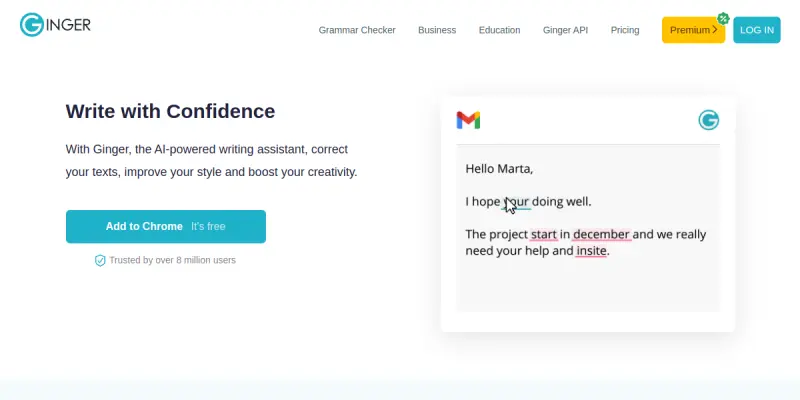
Ginger is an AI-powered writing assistant designed to help users improve their grammar, spelling, style, and overall clarity in written communication. Available as desktop software and mobile apps, Ginger integrates with popular browsers, email clients, and social media platforms to provide real-time editing suggestions. It targets professionals, students, and non-native English speakers who want to write more confidently and efficiently.
Key Features
- Grammar and Spell Check: Detects and corrects grammar, punctuation, and spelling errors in real time across multiple platforms.
- Sentence Rephraser: Suggests alternative phrasings to improve sentence structure and clarity.
- Translation: Supports translation into over 40 languages, enabling users to write in one language and convert to another.
- Personal Dictionary: Allows users to add custom words and phrases that the tool will recognize and not flag.
- Text-to-Speech: Reads highlighted text aloud, helping with proofreading and pronunciation.
- Integration with Popular Apps: Works with Microsoft Office, Google Chrome, Safari, and other common tools.
- Tone Detection: Analyzes writing tone to help users adjust their message for different audiences.
- Plagiarism Checker: Available in premium plans to detect potential content duplication.
Use Cases
Professional Communication
Professionals can use Ginger to ensure emails, reports, and presentations are error-free and clear, improving workplace communication and credibility.
Academic Writing
Students and researchers can rely on Ginger for proofreading essays, papers, and dissertations, reducing errors and improving academic tone.
Language Learning
Non-native English speakers benefit from Ginger's grammar explanations and translation features, helping them learn correct usage while writing.
Content Creation
Bloggers, marketers, and writers can speed up content creation by using Ginger's rephraser and tone detection to refine drafts quickly.
Everyday Writing
From social media posts to personal messages, Ginger helps casual users write with confidence and avoid common mistakes.
Pricing & Plans
Ginger operates on a freemium model. The Free plan provides basic grammar and spell check with limited suggestions. The Premium plan (typically around $11.99/month) adds features like sentence rephrasing, translation up to 40+ languages, tone detection, and a plagiarism checker. A Premium+ plan (around $19.99/month) includes all Premium features plus advanced translation services and priority support. Enterprise and team pricing is available upon request.
Integrations & Compatibility
Ginger integrates with major web browsers (Chrome, Safari, Firefox, Edge) via extensions, and with Microsoft Office (Word, Outlook, PowerPoint) on Windows. It also offers dedicated desktop apps for Windows and macOS, and mobile apps for iOS and Android. The tool works across email clients, social media platforms, and web-based text editors.
Who Is It For?
Ginger is ideal for non-native English speakers, students, professionals, and anyone who writes regularly and needs real-time grammar and style assistance. It also appeals to multilingual users who need translation features within their writing workflow.
Limitations
- Limited macOS Integration: Compared to Windows, Ginger's integration with Microsoft Office for Mac is less comprehensive.
- Contextual Understanding: The AI sometimes misinterprets complex sentences or industry-specific jargon, requiring manual review.
- No Built-in SEO Tools: Unlike some competitors, Ginger does not offer SEO-specific suggestions for content optimization.
- Occasional False Positives: The grammar checker may flag correct informal or idiomatic phrasing.
Final Verdict
Ginger is a reliable AI writing assistant that excels at real-time grammar correction and multilingual support. Its freemium model makes it accessible for personal use, while premium features cater to more demanding writing tasks. However, limited macOS integration and occasional contextual errors mean it may not fully replace a human editor for professional-grade content. It is best suited for everyday writing improvement and language learning.
Tool Facts
Screenshots & Interface
Pros
- ✓ Accelerates content creation workflows with real-time grammar and style suggestions.
- ✓ Supports translation into over 40 languages, aiding multilingual writing tasks.
- ✓ Integrates seamlessly with Microsoft Office and major web browsers for inline editing.
- ✓ Provides a text-to-speech feature for proofreading and pronunciation practice.
Cons
- × Output may require manual editing to match specific brand voice or tone.
- × The AI can occasionally produce repetitive or generic phrasing in rephrased sentences.
- × Fact-checking is required for any informational content the tool may generate.
- × macOS integration with Microsoft Office is less comprehensive than on Windows.
How to Use Ginger in Your Workflow
Integrating Ginger into your professional toolkit enhances efficiency by automating manual steps. By configuring it to suit your specific project requirements, you can optimize output quality and reduce project cycle times. Standard workflows involve testing the tool on simple tasks before scaling its use to complex operations.
Frequently Asked Questions
What is Ginger used for?
Ginger is an AI-powered writing assistant that helps users improve grammar, style, and clarity across desktop and mobile devices. It is suited for professionals, students, and non-native English speakers who need real-time editing support. Its key differentiator is seamless integration into everyday applications like email and social media.
What is the pricing model for Ginger?
Ginger uses a Freemium pricing model.
What are the main advantages of Ginger?
The key benefits of Ginger include: Accelerates content creation workflows with real-time grammar and style suggestions., Supports translation into over 40 languages, aiding multilingual writing tasks., Integrates seamlessly with Microsoft Office and major web browsers for inline editing., Provides a text-to-speech feature for proofreading and pronunciation practice..
What are the main limitations of Ginger?
Some limitations or cons of Ginger are: Output may require manual editing to match specific brand voice or tone., The AI can occasionally produce repetitive or generic phrasing in rephrased sentences., Fact-checking is required for any informational content the tool may generate., macOS integration with Microsoft Office is less comprehensive than on Windows..
Alternative AI Tools

Pictory
Pictory is an AI-powered video generator for content creators and marketers. It transforms text, URLs, presentations, and media into professional branded videos with automatic captions and voiceovers, reducing production time from hours to minutes.

Animoto
Animoto is a free video maker for marketers to combine photos, clips, and music into professional videos quickly.

InstaText
InstaText is an AI-powered writing and editing tool that helps users improve clarity, tone, and readability. It is suitable for professionals, students, and non-native speakers who want to polish their written content. A key differentiator is its ability to rewrite sentences while preserving the original meaning and context.
Rating Details
Based on 0 ratings
Quick Comparisons
Related Tools
More AI tools from the same workflow, industry, or category.
fablepilot
FablePilot is a free AI story generator that turns a single prompt into a complete story — no sign-up required. Add illustrations or generate a plot outline.
Ghosts.app
Ghosts is an AI ghostwriter for agencies, creators, and law firms. It produces researched, cited drafts in a specific voice without requiring prompts. Users brief a specialist agent and approve a finished draft.
GrowthBar
GrowthBar is an AI tool for content generation, designed to boost productivity and streamline workflows for writers and content creators, with features like editing and tone adjustment.
GetGenie AI
GetGenie AI is an AI-powered writing and SEO assistant that helps content creators and marketers generate optimized content quickly. It includes built-in keyword research and SERP analysis to improve organic search performance.
Reviews
No reviews submitted yet. Be the first to share your experience.
Write a Review
Share Your Experience
Join the community to write reviews, submit ratings, and bookmark your favorite AI tools.