

Mailshake AI
Use Mailshake AI as the anchor for a real shortlist.
Instead of returning to a broad directory, jump straight into the strongest adjacent matchups for pricing, workflow fit, and differentiation.
Overview
Overview
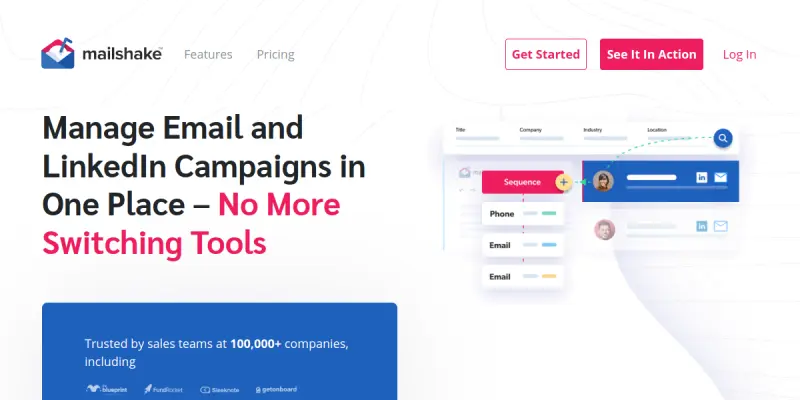
Mailshake is a comprehensive sales engagement platform designed to automate the outreach process for B2B teams. It combines email, phone, and social media activities into a single dashboard to help sales professionals manage prospecting efforts more effectively. By streamlining repetitive tasks, the tool allows users to focus on closing deals rather than manual data entry.
Key Features
- Email Tracking & Analytics: Monitor open rates, click-throughs, and reply times to optimize campaigns.
- LinkedIn Integration: Automatically connect with prospects and send personalized messages directly from the platform.
- Automated Sequences: Create multi-step campaigns that send emails, calls, and LinkedIn messages based on prospect responses.
- A/B Testing: Test subject lines and content to identify the most effective messaging strategies.
- CRM Integration: Seamlessly sync data with Salesforce, HubSpot, and Pipedrive.
- Team Collaboration: Share campaigns and track team performance across different sales territories.
Use Cases
Cold Email Campaigns
Generate leads by sending personalized emails to thousands of prospects at once. This is particularly useful for SDRs and startups looking to scale their initial outreach efforts.
Re-engagement Campaigns
Win back lost contacts by sending automated sequences to inactive leads, effectively cleaning up the sales pipeline and recovering potential revenue.
High-Volume Lead Generation
Scale prospecting efforts for sales teams without significantly increasing headcount, ensuring consistent follow-up across large contact lists.
Account-Based Marketing
Target specific companies and decision-makers with tailored outreach messages, ensuring high relevance and engagement with key prospects.
Pricing & Plans
Mailshake operates on a Freemium model, allowing users to test the platform with limited sending volume and basic features. Paid tiers, such as Growth and Pro, offer increased sending limits, advanced analytics, and priority support. Detailed pricing for the paid plans varies based on the selected tier and is available on the official website.
Integrations & Compatibility
Mailshake integrates with major email providers like Gmail and Outlook. It connects with popular CRM platforms including Salesforce, HubSpot, and Pipedrive. Additionally, it supports LinkedIn Sales Navigator for enhanced prospecting data.
Who Is It For?
This tool is designed for Sales Development Representatives (SDRs), Account Executives, and business owners who need to scale their outreach efforts. It is ideal for teams looking to automate repetitive tasks and improve response rates.
Limitations
- Spam Filtering: High-volume sending can sometimes trigger spam filters, requiring careful list management.
- Learning Curve: The platform offers many features, which can be overwhelming for new users.
- Data Quality: The effectiveness of campaigns relies heavily on the accuracy and hygiene of the contact lists.
Final Verdict
Mailshake provides a robust solution for automating sales outreach. While the interface can be complex, its powerful automation features and integrations make it a valuable asset for scaling sales teams.
Tool Facts
Screenshots & Interface
Pros
- ✓ Integrates directly with LinkedIn Sales Navigator for automated prospecting.
- ✓ Offers detailed email tracking and heatmaps to monitor campaign performance.
- ✓ Allows users to create complex automated cadences without coding.
Cons
- × High-volume sending can sometimes trigger spam filters.
- × The interface can feel cluttered due to the number of features.
- × The free plan is quite limited in terms of sending volume.
How to Use Mailshake AI in Your Workflow
Integrating Mailshake AI into your professional toolkit enhances efficiency by automating manual steps. By configuring it to suit your specific project requirements, you can optimize output quality and reduce project cycle times. Standard workflows involve testing the tool on simple tasks before scaling its use to complex operations.
Frequently Asked Questions
What is Mailshake AI used for?
Mailshake automates sales outreach via email, phone, and social campaigns. It helps users build automated cadences to improve response rates. The platform integrates with CRMs like Salesforce and HubSpot.
What is the pricing model for Mailshake AI?
Mailshake AI uses a Freemium pricing model.
What are the main advantages of Mailshake AI?
The key benefits of Mailshake AI include: Integrates directly with LinkedIn Sales Navigator for automated prospecting., Offers detailed email tracking and heatmaps to monitor campaign performance., Allows users to create complex automated cadences without coding..
What are the main limitations of Mailshake AI?
Some limitations or cons of Mailshake AI are: High-volume sending can sometimes trigger spam filters., The interface can feel cluttered due to the number of features., The free plan is quite limited in terms of sending volume..
Alternative AI Tools

Snov.io AI
Snov.io is a cold outreach platform for sales teams and marketers. It automates email campaigns and manages lead generation workflows from prospect to deal.

RocketReach AI
RocketReach AI helps sales professionals find accurate contact data and generate leads using AI. It integrates with popular CRM platforms to streamline outreach workflows. Its key differentiator is the ability to enrich lead profiles with verified email addresses and phone numbers.

Leadfeeder
Leadfeeder identifies companies visiting your website through IP tracking and reveals anonymous traffic. It connects with your CRM to turn anonymous visitors into actionable sales opportunities. The platform provides detailed company data to help prioritize leads.
Rating Details
Based on 0 ratings
Related Tools
More AI tools from the same workflow, industry, or category.
KalTalk
KalTalk is an AI-powered sales and support tool for businesses that centralizes customer interactions into a shared inbox. It offers visitor intent tracking and a grounded knowledge base to help teams respond faster and more accurately across multiple channels.
SimilarTech AI
SimilarTech identifies the technologies websites use, including web servers and CMS platforms. It provides traffic data and competitor insights for B2B research.
Agile CRM AI
Agile CRM AI is a freemium customer relationship management platform that uses artificial intelligence to help sales teams automate workflows, prioritize leads, and manage contacts. It is ideal for small to medium businesses seeking an affordable AI-powered CRM.
Revenue.io AI
Revenue.io offers a sales engagement platform with real-time coaching and dialer features. It helps teams automate outreach and improve call performance using conversation intelligence.
Reviews
No reviews submitted yet. Be the first to share your experience.
Write a Review
Share Your Experience
Join the community to write reviews, submit ratings, and bookmark your favorite AI tools.