

Maket AI
Use Maket AI as the anchor for a real shortlist.
Instead of returning to a broad directory, jump straight into the strongest adjacent matchups for pricing, workflow fit, and differentiation.
Overview
Overview
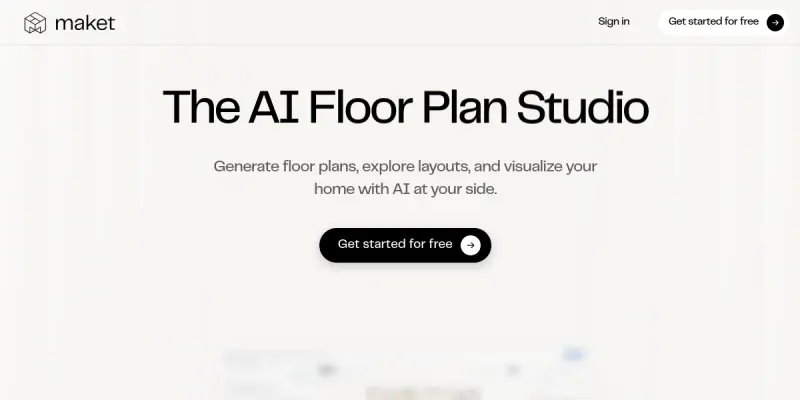
Maket is an AI-powered platform designed to streamline the residential architecture and interior design process. By leveraging generative AI models, it allows users to transition from simple text descriptions or rough sketches into detailed, photorealistic visualizations. This tool bridges the gap between conceptual ideation and tangible design plans, reducing the time required for initial drafts.
Key Features
- Text-to-Image Generation: Converts descriptive prompts into architectural layouts and 3D renders.
- Smart Layout Optimization: Automatically suggests spatial arrangements based on room dimensions.
- Real-Time Design Iteration: Allows users to modify styles, colors, and materials instantly.
- High-Resolution Exports: Supports high-quality image downloads suitable for presentations or client reviews.
- Style Variations: Offers multiple architectural styles, from modern to traditional, to suit client preferences.
- Collaborative Workspace: Facilitates sharing of design drafts with stakeholders for feedback.
Use Cases
Homeowners Renovating Interiors
Homeowners can visualize how new furniture and paint colors will look in their living spaces before making a purchase. Maket helps in creating mood boards and detailed room previews without the need for a professional designer.
Architects and Builders
Professionals can use Maket to quickly generate preliminary concepts for client presentations. It speeds up the initial approval phase by providing multiple visual options based on the client's brief.
Real Estate Marketing
Real estate agents can generate virtual staging for empty properties to attract potential buyers, enhancing the property listing's appeal.
Interior Designers
Designers can experiment with different layout configurations and furniture placements to find the most efficient use of space before finalizing the blueprint.
Pricing & Plans
Maket operates on a Freemium model. This allows users to access basic generative features for free, with limitations on the number of generations and resolution. For users requiring higher resolution outputs, commercial usage rights, and advanced iteration features, a paid subscription is required. Specific pricing tiers are available on their website.
Integrations & Compatibility
Maket is a web-based SaaS platform, meaning it runs in any modern web browser without requiring local software installation. While specific API integrations were not explicitly detailed in the initial audit, the platform is designed for seamless integration into web workflows.
Who Is It For?
Maket is specifically tailored for residential design stakeholders. This includes:
- Homeowners: For DIY design and renovation planning.
- Architects: For rapid prototyping and client visualization.
- Interior Designers: For mood boarding and space planning.
- Real Estate Agents: For property marketing and staging.
Limitations
- Not a CAD Replacement: The tool is not designed for technical blueprinting or construction documentation.
- Cloud Dependency: As a web-based tool, performance relies on a stable internet connection.
- Input Sensitivity: The quality of the generated output is heavily dependent on the specificity and clarity of the user's prompts.
Final Verdict
Maket AI represents a significant step forward for anyone involved in residential design who needs to bridge the gap between abstract ideas and visual reality. Its intuitive interface and generative capabilities make it a valuable asset for rapid prototyping, though it should be viewed as a visualization aid rather than a replacement for professional architectural software.
Tool Facts
Screenshots & Interface
Pros
- ✓ Generates architectural visualizations from text prompts in seconds
- ✓ Provides real-time feedback on design adjustments
- ✓ Streamlines the initial concept phase for residential projects
Cons
- × Limited customization options compared to professional CAD software
- × Subscription costs can accumulate for extensive projects
- × Text-to-image generation quality varies with prompt specificity
How to Use Maket AI in Your Workflow
Integrating Maket AI into your professional toolkit enhances efficiency by automating manual steps. By configuring it to suit your specific project requirements, you can optimize output quality and reduce project cycle times. Standard workflows involve testing the tool on simple tasks before scaling its use to complex operations.
Frequently Asked Questions
What is Maket AI used for?
Maket leverages generative AI to transform residential architecture concepts into visual designs. It empowers homeowners, architects, and builders to plan and visualize projects without specialized technical skills.
What is the pricing model for Maket AI?
Maket AI uses a Freemium pricing model.
What are the main advantages of Maket AI?
The key benefits of Maket AI include: Generates architectural visualizations from text prompts in seconds, Provides real-time feedback on design adjustments, Streamlines the initial concept phase for residential projects.
What are the main limitations of Maket AI?
Some limitations or cons of Maket AI are: Limited customization options compared to professional CAD software, Subscription costs can accumulate for extensive projects, Text-to-image generation quality varies with prompt specificity.
Alternative AI Tools

Arnold AI
Arnold AI helps users accomplish goals by creating a team of AI specialists that debate and solve problems collaboratively. It is designed for professionals needing structured, multi-perspective reasoning on complex tasks. A key differentiator is its debate-driven agent workflow.

Autodesk Forma AI
Autodesk Forma uses AI to analyze sustainability and design performance, helping architects optimize daylighting, shadows, and energy usage in real-time.

Rhino AI
Rhino AI is an AI-powered platform for architects and designers that generates optimized 3D models and building layouts from text prompts. It helps professionals explore design alternatives rapidly using generative design and machine learning. Key differentiator lies in its integration with common BIM tools for seamless workflow.
Rating Details
Based on 0 ratings
Quick Comparisons
Related Tools
More AI tools from the same workflow, industry, or category.
fr3n
fr3n is a creator platform that combines a link-in-bio page, digital storefront, community spaces, and newsletters into one hub. It helps creators sell digital products, run memberships, and build an audience with first-party data.
Aveva AI
Aveva AI optimizes industrial processes and predictive maintenance by leveraging AI models to detect anomalies and support risk-based decision-making in manufacturing.
Paddle AI
Paddle AI streamlines billing, tax compliance, and revenue management for digital businesses. This SaaS platform automates financial operations, supporting global revenue generation for apps like n8n and AdGuard. It integrates essential payment processing tools into a single interface.
Honeywell Forge AI
Honeywell Forge is an industrial IoT platform that combines digital twin technology with AI to optimize facility operations. It is designed for industrial manufacturers seeking predictive maintenance and operational efficiency.
Reviews
No reviews submitted yet. Be the first to share your experience.
Write a Review
Share Your Experience
Join the community to write reviews, submit ratings, and bookmark your favorite AI tools.