

Movebot AI
Use Movebot AI as the anchor for a real shortlist.
Instead of returning to a broad directory, jump straight into the strongest adjacent matchups for pricing, workflow fit, and differentiation.
Overview
Overview
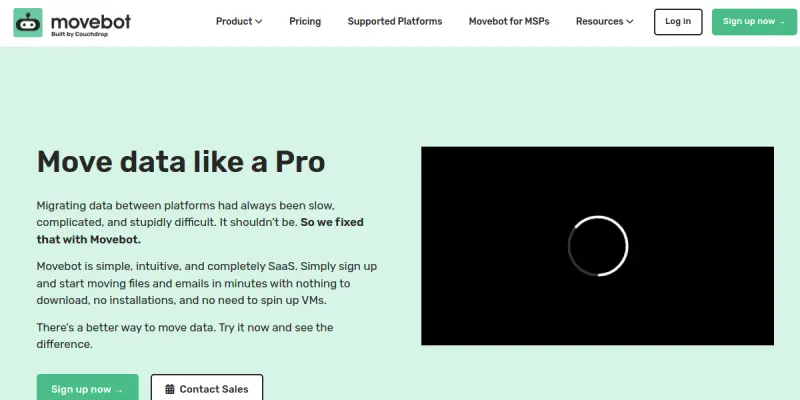
Movebot is a cloud-native data migration and file transfer automation platform designed to simplify moving files between various environments. Unlike traditional manual methods, it utilizes a drag-and-drop interface and robust API integrations to handle complex data movements.
Key Features
- Multi-Platform Support: Connects with over 100 different platforms, including cloud storage services (AWS S3, Google Drive, OneDrive) and on-premise servers.
- Automation & Scheduling: Set up automated workflows that run on a schedule or trigger based on specific events to ensure data stays current.
- Large File Handling: Efficiently manages the transfer of massive files and directories without interruption, using a resume capability if transfers fail.
- Protocol Support: Supports standard protocols such as FTP, SFTP, HTTP, and HTTPS for versatile connectivity.
- Audit Logging: Provides comprehensive logs of all migration activities for compliance and security auditing.
- API Access: Offers a REST API for developers to integrate Movebot directly into custom applications and pipelines.
Use Cases
Cloud-to-Cloud Migration
Businesses frequently need to move data from legacy on-premise storage to modern cloud environments. Movebot streamlines this process by allowing direct transfers between Google Drive, Dropbox, and AWS S3 without manual downloads or uploads.
Automated Daily Backups
For teams requiring regular data synchronization, Movebot can be configured to automatically sync folders between servers or to cloud backups, ensuring data redundancy and safety with minimal manual intervention.
Moving Large Media Archives
Creative agencies often have massive archives of video or image files. Movebot is optimized for handling high-bandwidth transfers, ensuring that these heavy files are moved reliably and quickly.
Development and Staging Environments
Developers can use Movebot to synchronize code repositories or assets between local machines and remote staging servers, ensuring consistency across the development lifecycle.
Pricing & Plans
Movebot offers a Free Tier for users to explore the platform's capabilities and perform basic migrations. This tier is suitable for individuals or small-scale tasks. For higher volume transfers and advanced automation features, paid tiers are available.
Integrations & Compatibility
Movebot integrates with a wide array of services via its web interface and API. It supports standard file transfer protocols and connects with major cloud storage providers. It is compatible with any system that supports standard web browsing or API calls.
Who Is It For?
This tool is ideal for IT administrators, system engineers, and project managers who manage data across multiple environments. It is also suitable for developers looking to automate file workflows and businesses undergoing digital transformation who need to move large datasets to the cloud.
Limitations
- Technical Learning Curve: While the interface is user-friendly, configuring complex migration rules or API integrations may require some technical knowledge.
- Internet Dependency: Since it is a cloud-native tool, all transfers require a stable internet connection.
- Free Tier Limitations: The free plan may have restrictions on transfer volume or the number of concurrent tasks.
Final Verdict
Movebot is a powerful solution for anyone looking to automate data migration and file transfers. Its wide range of supported platforms and robust automation features make it a standout tool in the data management space, particularly for those moving away from manual file handling.
Tool Facts
Screenshots & Interface
Pros
- ✓ Automates complex file transfers between legacy systems and modern cloud storage
- ✓ Supports over 100 different platforms and protocols including FTP and SFTP
- ✓ Efficiently handles large files with resume capabilities and automated scheduling
- ✓ Provides comprehensive audit logs for compliance and security tracking
Cons
- × The interface and configuration may require a learning curve for non-technical users
- × Relies on a stable internet connection as it is a cloud-native solution
- × Free tier may have limitations on transfer volume or concurrent tasks
How to Use Movebot AI in Your Workflow
Integrating Movebot AI into your professional toolkit enhances efficiency by automating manual steps. By configuring it to suit your specific project requirements, you can optimize output quality and reduce project cycle times. Standard workflows involve testing the tool on simple tasks before scaling its use to complex operations.
Frequently Asked Questions
What is Movebot AI used for?
Movebot is a cloud-native data migration tool that automates file transfers across over 100 platforms, including cloud storage and FTP servers.
What is the pricing model for Movebot AI?
Movebot AI uses a Free pricing model.
What are the main advantages of Movebot AI?
The key benefits of Movebot AI include: Automates complex file transfers between legacy systems and modern cloud storage, Supports over 100 different platforms and protocols including FTP and SFTP, Efficiently handles large files with resume capabilities and automated scheduling, Provides comprehensive audit logs for compliance and security tracking.
What are the main limitations of Movebot AI?
Some limitations or cons of Movebot AI are: The interface and configuration may require a learning curve for non-technical users, Relies on a stable internet connection as it is a cloud-native solution, Free tier may have limitations on transfer volume or concurrent tasks.
Alternative AI Tools

Plask
Plask performs AI motion capture using a webcam or video files, creating rigged 3D characters without hardware.

Polycam AI
Polycam AI transforms smartphones into 3D scanners for creating digital twins, floor plans, and drone maps on iOS, Android, and web.

Wombo
Wombo generates AI images and videos from text prompts. It is designed for content creators and marketers who need quick visual assets. The tool offers over 100 curated artistic styles.
Rating Details
Based on 0 ratings
Quick Comparisons
Related Tools
More AI tools from the same workflow, industry, or category.
ClipTrend.ai
ClipTrend.ai is an AI image-to-video workspace for creators, marketers, and short-form video teams.
SongR
SongR is a text-to-song app that generates custom music tracks from a few keywords. It is designed for content creators and social media users who need quick, royalty-free songs in genres like pop, rock, hip-hop, and chant. Its key differentiator is instant generation without requiring musical expertise.
Quantum Capture
Quantum Capture generates AI-powered talking head videos from text input. It is designed for content creators and marketers who need quick, studio-quality video clips without expensive equipment. The platform specializes in creating realistic avatars with consistent lip-sync and facial expressions.
Kaltura AI
Kaltura is an enterprise video platform that combines cloud hosting with AI tools for content creation, marketing, and learning management. It helps businesses create branded video experiences for webinars, social media, and internal training.
Reviews
No reviews submitted yet. Be the first to share your experience.
Write a Review
Share Your Experience
Join the community to write reviews, submit ratings, and bookmark your favorite AI tools.