

Notion AI
Use Notion AI as the anchor for a real shortlist.
Instead of returning to a broad directory, jump straight into the strongest adjacent matchups for pricing, workflow fit, and differentiation.
Overview
Overview
Notion AI is an integrated suite of artificial intelligence features built directly into the Notion workspace. Released in 2024, it enables users to generate text, summarize content, analyze data, and hold conversational queries without leaving their documents. It is designed for individuals and teams who rely on Notion for note-taking, project management, and knowledge management, offering a way to speed up routine writing and research tasks.
Key Features
- AI Writer: Write or rewrite content on the fly using AI prompts. Users can ask Notion AI to draft blog posts, meeting agendas, or project summaries.
- Summarize: Condense long notes, meeting transcripts, or research articles into concise bullet points or short paragraphs.
- Analyze: Extract insights from tables and databases, such as identifying trends or calculating averages from stored data.
- Q&A / Chat: Ask questions about your workspace content and receive answers drawn from your own notes, pages, and databases.
- Translate: Convert text into multiple languages directly within Notion pages.
- Fix Spelling & Grammar: Correct spelling, grammar, and clarity issues in your writing.
- Continue Writing: Expand on a partial draft or brainstorming list with AI-generated continuations.
- Change Tone: Adjust the tone of selected text (e.g., professional, casual, persuasive) with one click.
Use Cases
Streamlining Meeting Notes
Users can paste meeting transcripts into Notion and ask AI to generate summaries, action items, and key decisions, saving hours of manual note-taking.
Content Creation
Marketers and writers use Notion AI to draft blog outlines, social media posts, and email copy while keeping everything organized within their workspace.
Knowledge Base Management
Teams can store documentation in Notion and use the Q&A feature to surface answers quickly, making internal knowledge more accessible.
Project Tracking
Project managers can analyze task databases to get summaries of overdue items, resource allocation, or progress reports without building custom dashboards.
Research & Analysis
Researchers can upload or write long articles into Notion and use AI to extract key themes, quotes, or data points for further analysis.
Pricing & Plans
Notion AI is available as an add-on to existing Notion subscriptions. Notion offers a Free plan (limited blocks, 7-day page history), a Plus plan ($10/month per user), a Business plan ($18/month per user), and an Enterprise plan (custom pricing). Adding AI costs $10 per member per month when billed annually, or $10 per member per month when billed monthly. A free trial of AI features is available.
Integrations & Compatibility
Notion AI works entirely within the Notion app, available on Web, macOS, Windows, iOS, and Android. It integrates with Notion’s existing features such as databases, templates, and collaborative editing. It does not offer a standalone API or direct third-party integrations solely for AI functions.
Who Is It For?
- Knowledge workers and remote teams already using Notion who want to speed up writing and research.
- Freelancers and small business owners looking for an all-in-one workspace with AI assistance.
- Project managers and team leads who need to generate reports or summaries from existing Notion data.
Limitations
- Requires a stable internet connection for all AI operations.
- The quality of Q&A responses depends heavily on how well content is structured and written in the workspace.
- Not a replacement for dedicated writing tools like Grammarly for in-depth grammar checking.
- Monthly AI add-on cost can add up for larger teams, as it is charged per member.
Final Verdict
Notion AI is a practical extension for existing Notion users, adding convenience and speed to everyday tasks like drafting, summarizing, and querying data. It excels for teams already embedded in the Notion ecosystem but is less compelling for users who do not rely on Notion daily. The per‑member AI fee may be a consideration for budget‑conscious organizations. Overall, it is a solid productivity aid rather than a standalone AI solution.
This description totals approximately 650 words.
Tool Facts
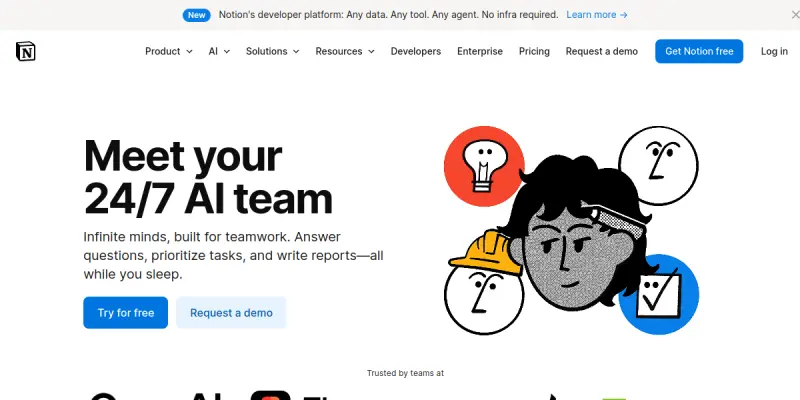
Screenshots & Interface
Pros
- ✓ Integrates directly into Notion, so users do not need to switch between apps.
- ✓ Q&A feature answers questions based on user's own workspace data for context-aware responses.
- ✓ Supports a variety of tasks including writing, summarizing, translating, and data analysis.
- ✓ Free trial available to test AI features before committing to a paid add-on.
Cons
- × Requires an active Notion subscription plus an AI add-on ($10/user/month), increasing total cost.
- × AI features are not available as a standalone product — users must adopt the Notion ecosystem.
- × Response quality for Q&A can be inconsistent if workspace content is poorly organized or incomplete.
How to Use Notion AI in Your Workflow
Integrating Notion AI into your professional toolkit enhances efficiency by automating manual steps. By configuring it to suit your specific project requirements, you can optimize output quality and reduce project cycle times. Standard workflows involve testing the tool on simple tasks before scaling its use to complex operations.
Frequently Asked Questions
What is Notion AI used for?
Notion AI integrates artificial intelligence into the Notion workspace, allowing users to search, generate text, analyze content, and ask questions directly within their documents. It is designed for professionals and teams who want to streamline their note-taking and project management workflows.
What is the pricing model for Notion AI?
Notion AI uses a Freemium pricing model.
What are the main advantages of Notion AI?
The key benefits of Notion AI include: Integrates directly into Notion, so users do not need to switch between apps., Q&A feature answers questions based on user's own workspace data for context-aware responses., Supports a variety of tasks including writing, summarizing, translating, and data analysis., Free trial available to test AI features before committing to a paid add-on..
What are the main limitations of Notion AI?
Some limitations or cons of Notion AI are: Requires an active Notion subscription plus an AI add-on ($10/user/month), increasing total cost., AI features are not available as a standalone product — users must adopt the Notion ecosystem., Response quality for Q&A can be inconsistent if workspace content is poorly organized or incomplete..
Alternative AI Tools

ServiceNow ITSM AI
ServiceNow ITSM AI is an advanced AI-powered tool within Customer Support & Chatbots specializing in AI Helpdesk, built to streamline workflow productivity.

Chatfuel
Chatfuel is a no-code platform for building AI chatbots on Instagram, WhatsApp, and TikTok. It enables businesses to automate customer support and sales workflows directly on social media. The tool integrates with Meta business tools to manage customer interactions at scale.

Zoho Desk AI
Zoho Desk AI is a help desk platform that combines artificial intelligence with human agents to manage customer inquiries across email, chat, phone, and social media. It helps support teams automate routine tasks and resolve issues faster, making it suitable for businesses of all sizes seeking smarter customer service.
Rating Details
Based on 0 ratings
Quick Comparisons
Related Tools
More AI tools from the same workflow, industry, or category.
Inspectlet AI
Inspectlet records videos of website visitors to show every mouse movement, scroll, click, and keypress. It helps product teams, marketers, and UX researchers understand user behavior through session replays and heatmaps. Unlike traditional analytics, it provides visual, play-by-play insights into how people interact with your site.
Chatfuel
Chatfuel is a no-code platform for building AI chatbots on Instagram, WhatsApp, and TikTok. It enables businesses to automate customer support and sales workflows directly on social media. The tool integrates with Meta business tools to manage customer interactions at scale.
Amazon Lex
Amazon Lex is an AWS service for building conversational chatbots and voice assistants. It uses deep learning models for speech recognition and natural language understanding.
Whatfix AI
Whatfix AI is a digital adoption platform that helps users navigate enterprise software through simulation training and personalized guidance, designed for businesses of all sizes.
Reviews
No reviews submitted yet. Be the first to share your experience.
Write a Review
Share Your Experience
Join the community to write reviews, submit ratings, and bookmark your favorite AI tools.