

Presentations.AI
Use Presentations.AI as the anchor for a real shortlist.
Instead of returning to a broad directory, jump straight into the strongest adjacent matchups for pricing, workflow fit, and differentiation.
Overview
Overview
Presentations.AI is a SaaS platform that uses artificial intelligence to generate professional PowerPoint presentations from user-provided content such as documents, notes, or raw data. It is designed for business professionals, educators, and anyone who needs to create slide decks quickly without investing significant time in design or layout. The tool aims to reduce the friction of starting a presentation from scratch by automating slide structure, visual design, and content organization.
Key Features
- AI-Powered Deck Generation: Users can input text, documents, or data, and the AI produces a complete slide deck with consistent formatting and logical flow.
- Integration with Source Files: The platform accepts common file formats like Word documents, PDFs, and spreadsheets to extract and structure content into slides.
- Customizable Templates: A library of professional templates allows users to apply different visual styles to their presentations.
- Real-Time Collaboration: Teams can co-edit presentations simultaneously, with changes synced in real time.
- Export to PowerPoint: Finished decks can be exported as .pptx files for further editing or sharing with stakeholders.
- Cloud-Based Accessibility: Being a web application, it works across devices without requiring installation.
Use Cases
Business Presentations
Sales teams can quickly convert product data sheets into compelling pitch decks. Consultants can transform research reports into client-ready slide decks within minutes.
Education and Training
Educators can turn lesson notes or textbook excerpts into structured teaching slides. Trainers can create workshop materials from existing documentation.
Internal Reporting
Managers can compile quarterly updates from spreadsheet data and narrative summaries into cohesive presentation decks for leadership meetings.
Conference Talks
Speakers can outline their talk and let the AI generate initial slides, then refine the content and design to match their personal style.
Pricing & Plans
Presentations.AI offers a free tier with limited credits and basic features. Paid subscriptions unlock additional credits, advanced export options, priority support, and full access to premium templates. Team and enterprise plans are available for organizations requiring collaboration features and dedicated support. Exact pricing is not publicly disclosed on the main site.
Integrations & Compatibility
Presentations.AI integrates with Microsoft PowerPoint for export and supports importing content from Word documents, PDFs, and plain text files. It does not currently offer direct integrations with other presentation tools like Google Slides or Keynote.
Who Is It For?
This tool is ideal for business professionals, educators, content creators, and anyone who regularly creates presentations and wants to reduce manual design work. It is best suited for users who have content ready and need a fast way to format it into slides.
Limitations
- The AI-generated slides may require manual refinement to match specific branding guidelines or complex visual requirements.
- Accuracy of the output depends heavily on the quality and clarity of the input content.
- Internet connectivity is required for all functions; there is no offline mode.
- Advanced formatting options (e.g., custom animations, intricate charting) are not available within the tool.
Final Verdict
Presentations.AI excels at turning raw content into structured slide decks quickly, saving users time on formatting and layout. While it may not replace manual design for highly customized presentations, it is a practical tool for anyone who needs to produce professional slides efficiently. The free tier offers a risk-free way to evaluate its capabilities.
Tool Facts
Screenshots & Interface
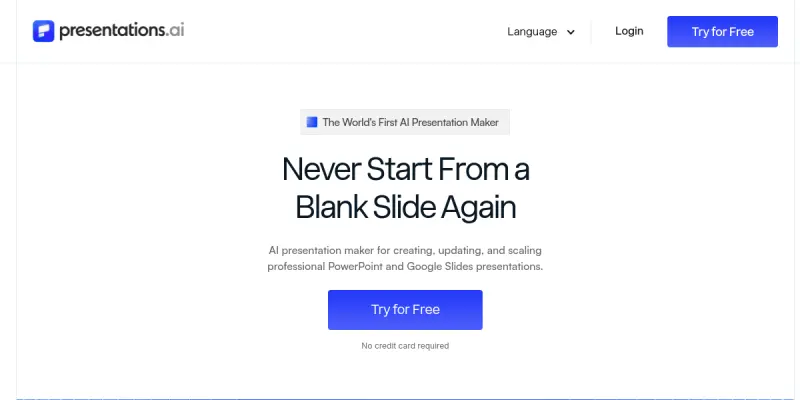
Pros
- ✓ Generates complete slide decks from raw content, saving hours of manual formatting.
- ✓ Supports multiple input formats including Word documents, PDFs, and plain text.
- ✓ Real-time collaboration enables teams to work on presentations simultaneously.
- ✓ Cloud-based platform works on any device without installation.
- ✓ Free tier allows users to test core features before committing to a paid plan.
Cons
- × AI-generated slides often require manual refinement to match exact branding or complex designs.
- × No offline mode; all features require an internet connection.
- × Advanced customization like custom animations and intricate charts is not supported.
- × Limited format export options may not suit all presentation workflows.
How to Use Presentations.AI in Your Workflow
Integrating Presentations.AI into your professional toolkit enhances efficiency by automating manual steps. By configuring it to suit your specific project requirements, you can optimize output quality and reduce project cycle times. Standard workflows involve testing the tool on simple tasks before scaling its use to complex operations.
Frequently Asked Questions
What is Presentations.AI used for?
Presentations.AI transforms ideas, documents, and data into polished PowerPoint decks in minutes. It targets professionals who need efficient slide creation without manual design work. Its key differentiator is direct integration with existing content sources for rapid deck generation.
What is the pricing model for Presentations.AI?
Presentations.AI uses a Paid pricing model.
What are the main advantages of Presentations.AI?
The key benefits of Presentations.AI include: Generates complete slide decks from raw content, saving hours of manual formatting., Supports multiple input formats including Word documents, PDFs, and plain text., Real-time collaboration enables teams to work on presentations simultaneously., Cloud-based platform works on any device without installation., Free tier allows users to test core features before committing to a paid plan..
What are the main limitations of Presentations.AI?
Some limitations or cons of Presentations.AI are: AI-generated slides often require manual refinement to match exact branding or complex designs., No offline mode; all features require an internet connection., Advanced customization like custom animations and intricate charts is not supported., Limited format export options may not suit all presentation workflows..
Alternative AI Tools

SlideAI
SlideAI converts text inputs into formatted presentation slides using artificial intelligence. It serves business professionals and students requiring rapid deck creation. The tool distinguishes itself through automated layout and design generation.

Slidebean AI
Slidebean AI is a pitch deck creation tool that uses artificial intelligence to help startup founders build investor-ready presentations. It includes a pitch deck design agency service for those who want professional design help. Its key differentiator is combining AI automation with expert human review.

FounderHub AI
FounderHub AI provides founders with 12 specialized AI agents that act as a virtual executive team. It helps entrepreneurs launch, grow, and scale their startups by automating executive-level tasks. A key differentiator is its multi-agent approach covering strategy, marketing, and operations.
Rating Details
Based on 0 ratings
Related Tools
More AI tools from the same workflow, industry, or category.
Mailbutler AI
Mailbutler AI is an email extension that integrates AI-powered writing, scheduling, and tracking features directly into your existing inbox. It helps professionals and teams streamline email workflows and save time on routine communication tasks.
Lucidspark AI
Lucidspark AI is a virtual whiteboard tool that helps teams brainstorm, organize ideas, and move from concept to execution. It is designed for remote and hybrid teams seeking a structured yet flexible collaboration space. Its integration with Lucidchart sets it apart for end-to-end visual workflow planning.
SignNow AI
SignNow AI automates document signing and workflow management for businesses. It uses AI to extract fields, send documents for signature, and track completion. Ideal for HR, legal, and sales teams.
ProtonMail AI
ProtonMail AI is an integrated writing assistant for secure email, leveraging Swiss privacy standards to draft, summarize, and translate messages within the Proton Mail interface.
Reviews
No reviews submitted yet. Be the first to share your experience.
Write a Review
Share Your Experience
Join the community to write reviews, submit ratings, and bookmark your favorite AI tools.