

Read AI
Use Read AI as the anchor for a real shortlist.
Instead of returning to a broad directory, jump straight into the strongest adjacent matchups for pricing, workflow fit, and differentiation.
Overview
Overview
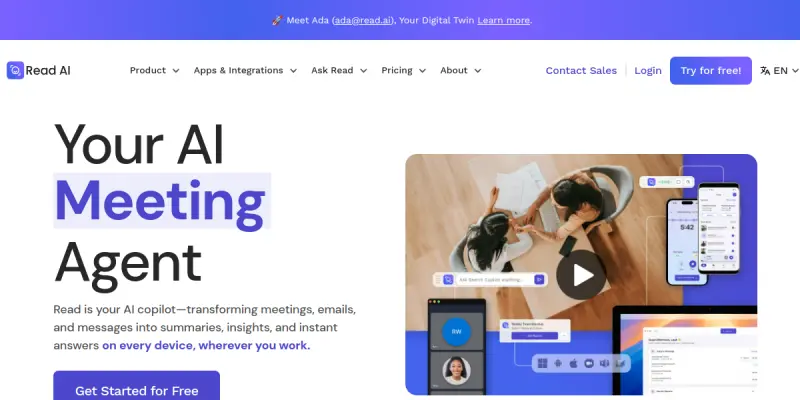
Read AI is a comprehensive AI meeting assistant designed to automate the documentation of professional conversations. By capturing audio and video from meetings, it provides real-time transcription and generates smart summaries. The platform allows users to search across all their meeting content, including transcripts, notes, and attached documents, to quickly retrieve specific information. This functionality transforms static meeting recordings into a searchable knowledge base, significantly reducing the time spent on administrative follow-ups.
Key Features
- Real-Time Transcription: Provides live, accurate transcripts for meetings hosted on Zoom, Google Meet, and Microsoft Teams.
- Smart Summaries: Generates concise AI summaries that highlight key discussion points, decisions, and action items for quick review.
- AI-Powered Search: Enables users to search across all meeting recordings, transcripts, and attached documents to find specific topics or quotes instantly.
- Action Item Extraction: Automatically identifies and lists action items and next steps, ensuring accountability and follow-through.
- CRM Integration: Seamlessly integrates with Salesforce and other CRM tools to sync meeting data directly into contact records.
- Meeting Recaps: Generates detailed recaps for missed meetings or long recordings, ensuring no context is lost.
- Multi-Platform Connectivity: Connects with productivity tools like Slack, Notion, and Google Calendar to automate workflows.
Use Cases
For Remote Teams
Remote teams often struggle with meeting fatigue and the burden of manual note-taking. Read AI automates this process, allowing team members to focus entirely on the conversation rather than taking notes. It ensures that all participants have access to the same accurate transcript, reducing miscommunication and ensuring everyone remains aligned on project updates regardless of their physical location.
For Sales and Outreach
Sales professionals can use Read AI to analyze past calls with prospects. By searching through transcripts, they can understand prospect pain points, previous objections, and decision-making patterns. This data-driven approach leads to more personalized follow-ups and improved conversion rates, helping sales teams refine their strategies based on historical data.
For Project Management
Project managers can leverage the AI search feature to quickly find specific information discussed during previous planning sessions. This helps in maintaining continuity on projects and ensures that decisions made months ago are easily retrievable when new issues arise. It acts as a historical record that supports decision-making processes.
For Internal Training
New employees can use Read AI transcripts to learn about company culture and past project details without needing to attend every meeting. It serves as a searchable knowledge base for organizational history and processes, onboarding new hires faster and reducing the need for repetitive explanations.
Pricing & Plans
Read AI operates on a freemium model. The free tier allows users to transcribe a limited number of meetings per month, providing basic transcripts and summaries. The Pro plan (paid) unlocks unlimited transcription, advanced AI search, and integrations with CRM tools. Enterprise plans are available for larger organizations requiring custom onboarding, dedicated support, and advanced administrative controls.
Integrations & Compatibility
Read AI integrates natively with major video conferencing platforms including Zoom, Google Meet, and Microsoft Teams. It connects with communication and knowledge management tools such as Slack, Notion, and Salesforce. These integrations ensure that meeting data flows seamlessly into existing workflows, automating the documentation process without requiring manual data entry.
Who Is It For?
Read AI is ideal for professionals who spend a significant amount of time in meetings, including remote workers, sales teams, project managers, and customer support representatives. It is also useful for anyone looking to digitize and organize their meeting history for easy retrieval and analysis.
Limitations
- Internet Dependency: The real-time transcription feature requires a stable and high-speed internet connection to function properly.
- Audio Quality: The accuracy of transcription can be affected by background noise, poor microphone quality, or accents.
- Privacy Concerns: As it records meeting audio, users must ensure compliance with their organization's data privacy and recording policies.
- Learning Curve: While intuitive, mastering all features and integrations may require a short adjustment period for new users.
Final Verdict
Read AI effectively addresses the pain point of meeting documentation. Its combination of real-time transcription, smart summarization, and powerful search capabilities makes it a valuable tool for productivity. While it requires a stable connection and careful consideration of privacy policies, it offers significant time savings for teams relying on frequent meetings.
Tool Facts
Screenshots & Interface
Pros
- ✓ Real-time transcription and summaries for Zoom, Google Meet, and Microsoft Teams
- ✓ AI-powered search across all recorded meetings, transcripts, and attached documents
- ✓ Automates note-taking to significantly reduce manual administrative work
- ✓ Seamless CRM integration with Salesforce to sync meeting data directly
- ✓ Action item extraction ensures accountability and follow-through on decisions
Cons
- × Requires a stable and high-speed internet connection for live transcription to function
- × Privacy considerations regarding the storage and processing of audio data
- × Transcription accuracy can be impacted by background noise or poor audio quality
How to Use Read AI in Your Workflow
Integrating Read AI into your professional toolkit enhances efficiency by automating manual steps. By configuring it to suit your specific project requirements, you can optimize output quality and reduce project cycle times. Standard workflows involve testing the tool on simple tasks before scaling its use to complex operations.
Frequently Asked Questions
What is Read AI used for?
Read AI is an AI meeting assistant that provides real-time transcription, summaries, and AI-powered search across meetings and documents.
What is the pricing model for Read AI?
Read AI uses a Paid pricing model.
What are the main advantages of Read AI?
The key benefits of Read AI include: Real-time transcription and summaries for Zoom, Google Meet, and Microsoft Teams, AI-powered search across all recorded meetings, transcripts, and attached documents, Automates note-taking to significantly reduce manual administrative work, Seamless CRM integration with Salesforce to sync meeting data directly, Action item extraction ensures accountability and follow-through on decisions.
What are the main limitations of Read AI?
Some limitations or cons of Read AI are: Requires a stable and high-speed internet connection for live transcription to function, Privacy considerations regarding the storage and processing of audio data, Transcription accuracy can be impacted by background noise or poor audio quality.
Alternative AI Tools

Speak AI
Speak AI is an AI-powered platform that automates customer communication across channels including chat, email, and phone. It helps businesses capture, qualify, respond to, and follow up with leads around the clock. Designed for sales and support teams, it aims to reduce response times and increase conversion rates.
Speechpad AI
Speechpad AI provides human-powered transcription with 99%+ accuracy, aimed at professionals needing reliable speech-to-text. It offers faster turnaround and lower pricing compared to major competitors, making it suitable for businesses and individuals seeking cost-effective transcription solutions.

Loopin AI
Loopin AI is an AI-powered meeting assistant that automatically records, transcribes, and summarizes your conversations. It helps remote teams capture key decisions and action items without manual note-taking, integrating seamlessly with popular calendars and video conferencing tools.
Rating Details
Based on 0 ratings
Quick Comparisons
Related Tools
More AI tools from the same workflow, industry, or category.
Mailbutler AI
Mailbutler AI is an email extension that integrates AI-powered writing, scheduling, and tracking features directly into your existing inbox. It helps professionals and teams streamline email workflows and save time on routine communication tasks.
Lucidspark AI
Lucidspark AI is a virtual whiteboard tool that helps teams brainstorm, organize ideas, and move from concept to execution. It is designed for remote and hybrid teams seeking a structured yet flexible collaboration space. Its integration with Lucidchart sets it apart for end-to-end visual workflow planning.
SignNow AI
SignNow AI automates document signing and workflow management for businesses. It uses AI to extract fields, send documents for signature, and track completion. Ideal for HR, legal, and sales teams.
ProtonMail AI
ProtonMail AI is an integrated writing assistant for secure email, leveraging Swiss privacy standards to draft, summarize, and translate messages within the Proton Mail interface.
Reviews
No reviews submitted yet. Be the first to share your experience.
Write a Review
Share Your Experience
Join the community to write reviews, submit ratings, and bookmark your favorite AI tools.