

Remini AI
Use Remini AI as the anchor for a real shortlist.
Instead of returning to a broad directory, jump straight into the strongest adjacent matchups for pricing, workflow fit, and differentiation.
Overview
Overview
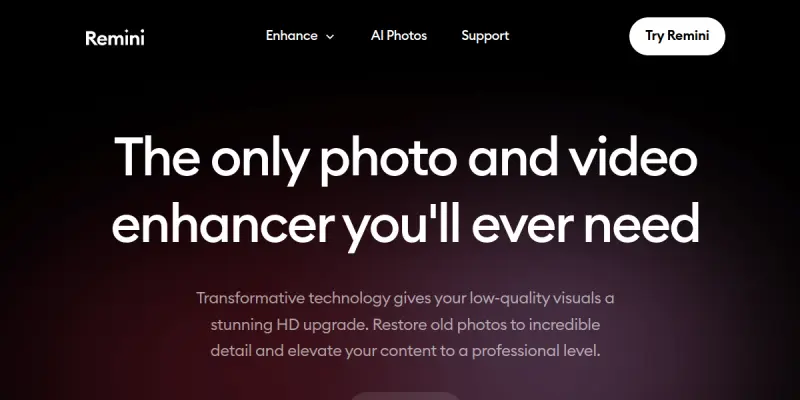
Remini AI is a cloud-based photo enhancement and restoration tool that leverages artificial intelligence to improve the quality of old, blurry, or low-resolution images. It is widely used by individuals and professionals to restore family photos, enhance portrait shots, and upscale images for social media or printing. The tool processes images in seconds, delivering sharp, high-definition results that often surpass traditional editing methods.
Key Features
- AI Enhancement: Automatically sharpens and adds detail to faces, objects, and backgrounds in photos.
- Old Photo Restoration: Removes scratches, noise, and discoloration from vintage images.
- Upscaling: Increases image resolution without losing quality, suitable for printing or digital use.
- Batch Processing: Allows users to enhance multiple photos in one go (subject to plan limits).
- Video Enhancement: Improves the quality of short video clips (available in premium plans).
- Web & Mobile Access: Available as a web app and via iOS/Android apps for on-the-go editing.
- User-Friendly Interface: Simple drag-and-drop or upload workflow with minimal learning curve.
- Real-Time Preview: See the enhanced version alongside the original before saving.
Use Cases
Personal Photo Restoration
Users can restore cherished family photos from decades past, removing grain and bringing back clarity to faces and details that were lost over time.
Portrait Enhancement for Social Media
Content creators and influencers use Remini to sharpen selfies and portraits, making them pop on platforms like Instagram and TikTok.
E-commerce Product Images
Small online businesses can upscale and enhance product photos taken with basic equipment, improving the visual appeal of their listings without expensive photography.
Archival and Digital Preservation
Museums, libraries, and historians can use Remini to restore and digitize old photographs and documents, preserving historical records with better quality.
Pricing & Plans
Remini offers a free tier with limited enhancements per day. Paid plans start from around $9.99/month for the Premium plan, which removes daily caps and adds batch processing and video enhancement. An annual subscription provides discounted rates. Pricing may vary by region.
Integrations & Compatibility
Remini is available as a standalone web app and as mobile apps for iOS and Android. It does not natively integrate with other software, but users can upload images from their device or cloud storage. Output images can be downloaded and used in any other application.
Who Is It For?
Remini is designed for anyone who needs to improve photo quality quickly without learning complex photo editing software. This includes individuals restoring old family photos, social media users, e-commerce sellers, and professionals in archival work.
Limitations
- Requires a stable internet connection as processing is done on cloud servers.
- Free tier is limited to a small number of enhancements per day.
- Results can be inconsistent on heavily damaged or extremely low-resolution images.
- No desktop offline application; relies on web or mobile apps.
Final Verdict
Remini AI is a powerful and accessible tool for photo enhancement and restoration, especially for users who want fast results without technical skills. Its main strength lies in its AI-powered upscaling and restoration capabilities. However, users may find the free tier too restrictive, and results are not always perfect for all image types. Overall, it is a solid choice for quick photo improvements but may not replace professional software for critical projects.
Tool Facts
Screenshots & Interface
Pros
- ✓ Restores and enhances old photos to HD quality in seconds using AI.
- ✓ Simple drag-and-drop interface that requires no photo editing experience.
- ✓ Batch processing available on premium plans saves time for multiple images.
- ✓ Video enhancement feature is a unique addition for improving short clips.
- ✓ Available on web and mobile for editing on any device.
Cons
- × Requires a stable internet connection; no offline mode available.
- × Free tier is very limited, offering only a few daily enhancements.
- × Results can be inconsistent on extremely damaged or very low-resolution images.
- × No desktop app; only web and mobile versions are supported.
How to Use Remini AI in Your Workflow
Integrating Remini AI into your professional toolkit enhances efficiency by automating manual steps. By configuring it to suit your specific project requirements, you can optimize output quality and reduce project cycle times. Standard workflows involve testing the tool on simple tasks before scaling its use to complex operations.
Frequently Asked Questions
What is Remini AI used for?
Remini AI is a photo enhancement tool that uses AI to restore and upscale old, blurry, or low-resolution photos. It targets consumers and photographers who want to improve image quality quickly. Its key differentiator is the ability to produce high-definition results from poor quality inputs in seconds.
What is the pricing model for Remini AI?
Remini AI uses a Free pricing model.
What are the main advantages of Remini AI?
The key benefits of Remini AI include: Restores and enhances old photos to HD quality in seconds using AI., Simple drag-and-drop interface that requires no photo editing experience., Batch processing available on premium plans saves time for multiple images., Video enhancement feature is a unique addition for improving short clips., Available on web and mobile for editing on any device..
What are the main limitations of Remini AI?
Some limitations or cons of Remini AI are: Requires a stable internet connection; no offline mode available., Free tier is very limited, offering only a few daily enhancements., Results can be inconsistent on extremely damaged or very low-resolution images., No desktop app; only web and mobile versions are supported..
Alternative AI Tools

Deep-Nostalgia AI
Deep-Nostalgia AI animates old family photos by bringing still faces to life with realistic movements. Designed for genealogy enthusiasts and historians, it uses advanced neural networks to create short video clips from portraits. The tool is part of the MyHeritage platform, blending photo animation with family history research.

Let's Enhance AI
Let's Enhance AI provides AI-powered tools for image and video enhancement, upscaling, generation, and editing. It serves designers, photographers, and developers seeking automated visual content improvement without manual editing. Its key differentiator is the unified platform combining multiple editing functions with a developer API.

ImageColorizer AI
ImageColorizer AI restores black-and-white photos using advanced AI algorithms. It features batch processing capabilities for restoring multiple images at once.
Rating Details
Based on 0 ratings
Related Tools
More AI tools from the same workflow, industry, or category.
fr3n
fr3n is a creator platform that combines a link-in-bio page, digital storefront, community spaces, and newsletters into one hub. It helps creators sell digital products, run memberships, and build an audience with first-party data.
Aveva AI
Aveva AI optimizes industrial processes and predictive maintenance by leveraging AI models to detect anomalies and support risk-based decision-making in manufacturing.
Paddle AI
Paddle AI streamlines billing, tax compliance, and revenue management for digital businesses. This SaaS platform automates financial operations, supporting global revenue generation for apps like n8n and AdGuard. It integrates essential payment processing tools into a single interface.
Honeywell Forge AI
Honeywell Forge is an industrial IoT platform that combines digital twin technology with AI to optimize facility operations. It is designed for industrial manufacturers seeking predictive maintenance and operational efficiency.
Reviews
No reviews submitted yet. Be the first to share your experience.
Write a Review
Share Your Experience
Join the community to write reviews, submit ratings, and bookmark your favorite AI tools.