

Rokoko
Use Rokoko as the anchor for a real shortlist.
Instead of returning to a broad directory, jump straight into the strongest adjacent matchups for pricing, workflow fit, and differentiation.
Overview
Overview
Rokoko is a motion capture platform that uses wireless sensors to capture body, finger, and facial movements for 3D animation. Designed for animators, game developers, and filmmakers, it streamlines the process of recording realistic human motion without the need for expensive studio equipment or optical marker setups. The system streams data directly into popular 3D software, enabling real-time preview and rapid iteration.
Key Features
- Wireless Sensor Suit: Rokoko’s suit includes multiple sensors that track full-body motion with high precision and low latency.
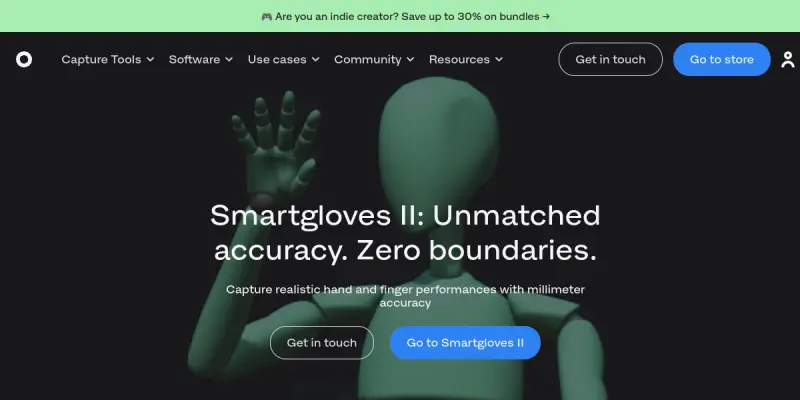
- Finger Tracking: Integrated gloves capture individual finger movements, essential for detailed hand animations.
- Facial Capture: An optional face-rig accessory records facial expressions using a lightweight camera, synced with body and finger data.
- Real-Time Streaming: Motion data streams wirelessly to software like Unity, Unreal Engine, and Blender for immediate playback.
- SmartSuit Pro: The flagship suit offers 60 hours of battery life on a single charge and supports multiple simultaneous actors.
- Rokoko Studio: The companion software provides recording, editing, cleanup, and export tools, including retargeting to custom characters.
- Cloud Collaboration: Teams can share and review motion data via Rokoko’s cloud platform, enabling remote collaboration.
- Export Formats: Supports FBX, BVH, and Alembic, compatible with most 3D pipelines.
Use Cases
Game Development
Indie and AAA game developers use Rokoko to capture realistic character animations quickly, reducing the time spent manually keyframing. The real-time integration with Unity and Unreal means animators can see their characters move in-engine immediately.
Film and Virtual Production
Filmmakers leverage Rokoko for previsualization and on-set virtual production. The portable suit allows actors to perform anywhere, and the data can be streamed into virtual cameras for real-time composition.
Education and Research
Universities and research labs use Rokoko for studying human motion, biomechanics, and creating digital human models. The ease of setup makes it suitable for classroom environments.
Content Creation
Streamers, YouTubers, and VTubers use Rokoko to bring their digital avatars to life with full-body tracking, enhancing viewer engagement.
Pricing & Plans
Rokoko uses a freemium model. The basic Rokoko Studio software is free to use for recording and editing motion data. Hardware bundles (SmartSuit Pro, gloves, face rig) are paid products, priced similarly to a professional-grade investment. Cloud storage and advanced export features are available through a subscription plan. For current hardware and plan pricing, visit the official website.
Integrations & Compatibility
Rokoko integrates with Unity, Unreal Engine, Blender, Maya, 3ds Max, Cinema 4D, MotionBuilder, and Houdini. It also supports streaming via OSC (Open Sound Control) and can be connected to other real-time engines like NVIDIA Omniverse.
Who Is It For?
Rokoko is intended for 3D animators, game developers, filmmakers, VR/AR creators, and educators who need high-quality motion capture without a fixed studio setup.
Limitations
- Hardware cost is significant, especially when purchasing the full suit, gloves, and face rig together.
- Environmental factors like metal structures or strong magnetic fields can interfere with sensor accuracy.
- The system requires a clear Wi-Fi connection for low-latency streaming, which may not be reliable in all locations.
- Fine details such as subtle finger positions may require manual cleanup post-capture.
Final Verdict
Rokoko delivers a compelling, wireless motion capture solution that balances accuracy with affordability compared to traditional optical systems. Its integration with major 3D tools makes it a versatile choice for studios of all sizes. While the upfront hardware cost and environmental sensitivity are drawbacks, the quality of capture and ease of use make it a strong option for professionals seeking to modernize their animation pipeline.
Tool Facts
Screenshots & Interface
Pros
- ✓ Wireless sensors enable motion capture anywhere without a dedicated studio space.
- ✓ Real-time streaming to game engines allows immediate feedback during recording.
- ✓ Battery life of up to 60 hours supports extended capture sessions without interruption.
- ✓ Finger and face tracking inclusion eliminates the need for multiple separate systems.
- ✓ Freemium software makes basic editing and export accessible to users without upfront cost.
Cons
- × Hardware purchase cost is a barrier for hobbyists or small indie teams.
- × Sensor accuracy can be affected by magnetic interference from nearby metal or electronics.
- × Requires a robust Wi-Fi network for low-latency streaming to software.
- × Post-capture cleanup may be needed for micro-movements like finger details.
How to Use Rokoko in Your Workflow
Integrating Rokoko into your professional toolkit enhances efficiency by automating manual steps. By configuring it to suit your specific project requirements, you can optimize output quality and reduce project cycle times. Standard workflows involve testing the tool on simple tasks before scaling its use to complex operations.
Frequently Asked Questions
What is Rokoko used for?
Rokoko is a motion capture system for 3D animators that captures body, finger, and facial movements using sensors. It is designed for professionals in game development, film, and virtual production who need accurate, real-time animation data. The key differentiator is its wireless sensor-based approach that offers high-fidelity tracking without a dedicated studio.
What is the pricing model for Rokoko?
Rokoko uses a Freemium pricing model.
What are the main advantages of Rokoko?
The key benefits of Rokoko include: Wireless sensors enable motion capture anywhere without a dedicated studio space., Real-time streaming to game engines allows immediate feedback during recording., Battery life of up to 60 hours supports extended capture sessions without interruption., Finger and face tracking inclusion eliminates the need for multiple separate systems., Freemium software makes basic editing and export accessible to users without upfront cost..
What are the main limitations of Rokoko?
Some limitations or cons of Rokoko are: Hardware purchase cost is a barrier for hobbyists or small indie teams., Sensor accuracy can be affected by magnetic interference from nearby metal or electronics., Requires a robust Wi-Fi network for low-latency streaming to software., Post-capture cleanup may be needed for micro-movements like finger details..
Alternative AI Tools

Movebot AI
Movebot is a cloud-native data migration tool that automates file transfers across over 100 platforms, including cloud storage and FTP servers.
Camtasia AI
Turn images and screenshots into professional videos using AI. Create animated tutorials, presentations, and social media clips without video editing skills.
Vidyard AI
Vidyard AI is a video platform that uses AI to generate screen recordings and personalized video messages. It helps teams create engaging content for sales outreach and marketing. The tool simplifies the video creation process without requiring advanced editing skills.
Rating Details
Based on 0 ratings
Quick Comparisons
Related Tools
More AI tools from the same workflow, industry, or category.
ClipTrend.ai
ClipTrend.ai is an AI image-to-video workspace for creators, marketers, and short-form video teams.
SongR
SongR is a text-to-song app that generates custom music tracks from a few keywords. It is designed for content creators and social media users who need quick, royalty-free songs in genres like pop, rock, hip-hop, and chant. Its key differentiator is instant generation without requiring musical expertise.
Quantum Capture
Quantum Capture generates AI-powered talking head videos from text input. It is designed for content creators and marketers who need quick, studio-quality video clips without expensive equipment. The platform specializes in creating realistic avatars with consistent lip-sync and facial expressions.
Kaltura AI
Kaltura is an enterprise video platform that combines cloud hosting with AI tools for content creation, marketing, and learning management. It helps businesses create branded video experiences for webinars, social media, and internal training.
Reviews
No reviews submitted yet. Be the first to share your experience.
Write a Review
Share Your Experience
Join the community to write reviews, submit ratings, and bookmark your favorite AI tools.