

Scrivener AI
Use Scrivener AI as the anchor for a real shortlist.
Instead of returning to a broad directory, jump straight into the strongest adjacent matchups for pricing, workflow fit, and differentiation.
Overview
Overview
Scrivener AI is a comprehensive writing software developed by Literature & Latte. It is built specifically for long-form writing projects such as novels, screenplays, and non-fiction books. The software provides a powerful organizational framework that helps writers plan, structure, and revise their work efficiently.
Key Features
- Corkboard: Visually arrange and rearrange index cards representing scenes or chapters.
- Outliner: Create and manage a hierarchical outline of your manuscript.
- Scrivenings Mode: Combine separate document sections into a single continuous view for seamless editing.
- Split Screen: View two documents side by side for easy reference.
- Full-Screen Composition: Distraction-free writing environment.
- Compile: Export to a variety of formats including PDF, DOCX, EPUB, and Kindle.
- Metadata & Keywords: Tag and classify content for quick searching and filtering.
- Targets & Progress Tracking: Set word count goals and track daily progress.
Use Cases
Novel Writing
Plan and draft novels with complex plot structures. Use the corkboard to outline chapters and scenes, then write in the composition mode. The compile feature allows you to export the final manuscript in a standard format.
Screenwriting
Although Scrivener does not include screenplay formatting natively, many screenwriters use it for outlining and research. For script writing, users often pair it with dedicated screenplay software.
Academic Writing
Researchers and academics can organize notes, citations, and drafts within a single project. The ability to split the screen and view references alongside the manuscript improves workflow.
Pricing & Plans
Scrivener is available for macOS ($59.99), Windows ($59.99), and iOS ($19.99). There is a free 30-day trial for macOS and Windows (counts only days of actual use). Volume discounts are available for educational institutions.
Integrations & Compatibility
Scrivener integrates with reference managers like Zotero and Mendeley via the compile feature. It syncs projects across devices using Dropbox or iCloud. Files can be exported to Word, PDF, and other common formats.
Who Is It For?
Scrivener is designed for serious writers working on long-form projects: novelists, screenwriters, non-fiction authors, academics, and journalists. It is not ideal for short-form content or collaborative writing.
Limitations
- No real-time collaboration features.
- Mobile version (iOS) has limited functionality compared to desktop.
- No integrated grammar or style checker.
- Steep learning curve for new users.
Final Verdict
Scrivener is a powerful tool for organizing and drafting lengthy documents. Its strength lies in its flexibility and structure, but it requires an investment in learning. For writers who need robust project management, it is an excellent choice.
Tool Facts
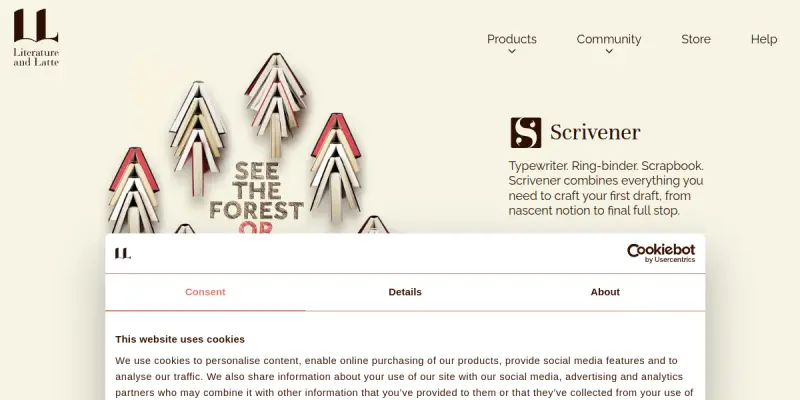
Screenshots & Interface
Pros
- ✓ Provides a corkboard view for visually organizing scenes and chapters.
- ✓ Offers a distraction-free full-screen composition mode for focused writing.
- ✓ Enables exporting to multiple formats including PDF, DOCX, and EPUB.
- ✓ Supports splitting the screen to view research notes alongside the manuscript.
- ✓ Tracks word count goals and daily progress to help writers stay productive.
Cons
- × No built-in real-time collaboration for team writing projects.
- × The iOS app has limited features compared to the desktop version.
- × New users face a steep learning curve due to the complex interface.
- × Does not include integrated grammar or style checking tools.
How to Use Scrivener AI in Your Workflow
Integrating Scrivener AI into your professional toolkit enhances efficiency by automating manual steps. By configuring it to suit your specific project requirements, you can optimize output quality and reduce project cycle times. Standard workflows involve testing the tool on simple tasks before scaling its use to complex operations.
Frequently Asked Questions
What is Scrivener AI used for?
Scrivener AI is a creative writing tool designed for novelists, screenwriters, and non-fiction authors. It provides organizational features for planning, drafting, and revising long-form documents. A standout feature is its corkboard view for visually arranging scenes and chapters.
What is the pricing model for Scrivener AI?
Scrivener AI uses a Paid pricing model.
What are the main advantages of Scrivener AI?
The key benefits of Scrivener AI include: Provides a corkboard view for visually organizing scenes and chapters., Offers a distraction-free full-screen composition mode for focused writing., Enables exporting to multiple formats including PDF, DOCX, and EPUB., Supports splitting the screen to view research notes alongside the manuscript., Tracks word count goals and daily progress to help writers stay productive..
What are the main limitations of Scrivener AI?
Some limitations or cons of Scrivener AI are: No built-in real-time collaboration for team writing projects., The iOS app has limited features compared to the desktop version., New users face a steep learning curve due to the complex interface., Does not include integrated grammar or style checking tools..
Alternative AI Tools

Fliki
Fliki converts text scripts into videos using 2,000+ AI voices across 80+ languages. This tool requires no camera or editing experience, making it accessible for beginners and content creators.

QuillBot
QuillBot is an AI-powered paraphrasing tool that also checks grammar and summarizes text. It helps students, writers, and professionals produce clearer and more polished writing. Its key differentiator is multiple modes for customizing the tone and style of paraphrased output.
Trinka AI
Trinka AI is an automated proofreading and editing tool for academic and professional writing. It corrects grammar, style, and tone while suggesting improvements for clarity. Its key differentiator is deep grammar checking tuned for technical and scholarly language.
Rating Details
Based on 0 ratings
Quick Comparisons
Related Tools
More AI tools from the same workflow, industry, or category.
fablepilot
FablePilot is a free AI story generator that turns a single prompt into a complete story — no sign-up required. Add illustrations or generate a plot outline.
Ghosts.app
Ghosts is an AI ghostwriter for agencies, creators, and law firms. It produces researched, cited drafts in a specific voice without requiring prompts. Users brief a specialist agent and approve a finished draft.
GrowthBar
GrowthBar is an AI tool for content generation, designed to boost productivity and streamline workflows for writers and content creators, with features like editing and tone adjustment.
GetGenie AI
GetGenie AI is an AI-powered writing and SEO assistant that helps content creators and marketers generate optimized content quickly. It includes built-in keyword research and SERP analysis to improve organic search performance.
Reviews
No reviews submitted yet. Be the first to share your experience.
Write a Review
Share Your Experience
Join the community to write reviews, submit ratings, and bookmark your favorite AI tools.