

Sweep AI
Use Sweep AI as the anchor for a real shortlist.
Instead of returning to a broad directory, jump straight into the strongest adjacent matchups for pricing, workflow fit, and differentiation.
Overview
Overview
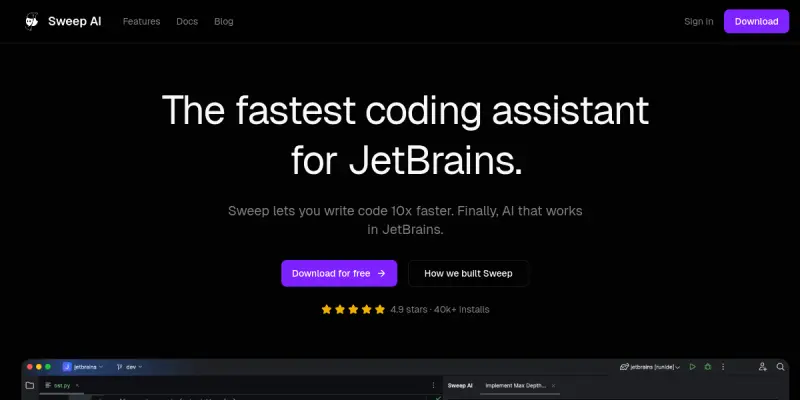
Sweep AI is an AI-powered coding assistant that integrates directly into JetBrains IDEs, such as IntelliJ IDEA, PyCharm, WebStorm, and others. It combines real-time code autocomplete with an interactive AI agent that can interpret natural language prompts, generate code snippets, refactor code, and answer programming questions within the editor. The tool is aimed at developers who want to accelerate their coding speed and reduce repetitive tasks while working in a JetBrains environment.
Key Features
- AI Autocomplete: Provides intelligent code suggestions as you type, powered by advanced language models that understand context and project structure.
- AI Agent Chat: An interactive agent that can write code, explain complex logic, debug errors, and suggest improvements based on natural language instructions.
- Context-Aware Suggestions: The tool analyzes your current file, project dependencies, and coding patterns to offer relevant completions.
- Multi-Language Support: Supports a wide range of programming languages including Java, Python, JavaScript, TypeScript, Go, and more.
- Seamless IDE Integration: Installs as a plugin in JetBrains IDEs and works without disrupting existing workflows.
- Real-Time Learning: Adapts to your coding style over time by learning from your edits and corrections.
- Refactoring Assistance: The AI agent can propose and execute refactoring tasks such as renaming variables, extracting methods, and reorganizing code.
- Documentation and Help: Offers inline documentation and can explain code snippets or programming concepts on demand.
Use Cases
Accelerating Routine Coding Tasks
Developers can use Sweep AI to write boilerplate code, generate getters/setters, or create repetitive structures quickly. The autocomplete feature reduces typing and helps avoid syntax errors.
Debugging and Troubleshooting
When encountering an error or unexpected behavior, the AI agent can analyze the code, suggest fixes, or provide insight into potential root causes. This is particularly useful for less experienced developers or when working with unfamiliar libraries.
Learning New Languages or Frameworks
Sweep AI can assist developers who are transitioning to a new programming language or framework by generating examples, explaining syntax, and providing best practices inline.
Code Review and Refactoring
The AI agent can review selected code and propose improvements for readability, performance, or adherence to coding standards. It can also execute refactoring operations to clean up code.
Pricing & Plans
Currently, Sweep AI offers a free tier with access to core features including autocomplete and basic agent interactions. Pricing details for premium tiers or enterprise plans are not publicly disclosed. Users should check the official website for the most up-to-date pricing information.
Integrations & Compatibility
Sweep AI is specifically designed for JetBrains IDEs and is available as a plugin. It works with IntelliJ IDEA, PyCharm, WebStorm, GoLand, Rider, and other IntelliJ-based IDEs. The tool requires an internet connection to communicate with its AI servers.
Who Is It For?
Sweep AI is primarily for software developers who use JetBrains IDEs. It benefits individual programmers, small teams, and large enterprises looking to improve coding speed, code quality, and developer productivity.
Limitations
- The tool requires a stable internet connection to function, which may be a constraint in offline or low-connectivity environments.
- Accuracy of AI suggestions can vary depending on the complexity of the codebase and the clarity of user prompts.
- The free tier may have usage limits or reduced capabilities compared to paid plans.
- As with many AI coding assistants, there is a learning curve to effectively use the AI agent for complex tasks.
Final Verdict
Sweep AI offers a solid AI assistant for JetBrains users, combining autocomplete with an interactive agent. It is especially useful for boosting productivity in routine coding and debugging tasks. While the free tier is generous, advanced users may eventually need a paid plan for full capabilities. Overall, Sweep AI is a valuable addition to the JetBrains ecosystem for developers seeking AI-assisted coding.
Tool Facts
Screenshots & Interface
Pros
- ✓ Provides intelligent autocomplete that reduces typing and speeds up code writing.
- ✓ Includes an AI agent that can generate code, explain logic, and help with debugging.
- ✓ Integrates seamlessly as a plugin in multiple JetBrains IDEs.
- ✓ Supports a wide range of popular programming languages.
- ✓ Offers a free tier with access to core features.
Cons
- × Requires a stable internet connection to function, limiting offline use.
- × The free tier may have usage caps and limited features compared to paid plans.
- × The accuracy of AI suggestions can be inconsistent, especially with complex or ambiguous code.
- × Currently only available for JetBrains IDEs, excluding developers using other editors.
How to Use Sweep AI in Your Workflow
Integrating Sweep AI into your professional toolkit enhances efficiency by automating manual steps. By configuring it to suit your specific project requirements, you can optimize output quality and reduce project cycle times. Standard workflows involve testing the tool on simple tasks before scaling its use to complex operations.
Frequently Asked Questions
What is Sweep AI used for?
Sweep AI is an AI-powered coding assistant built for JetBrains IDEs. It helps developers write code faster by offering intelligent code completion and an AI agent that assists with complex development tasks. This tool is designed for programmers looking to automate portions of their workflow within JetBrains environments.
What is the pricing model for Sweep AI?
Sweep AI uses a Free pricing model.
What are the main advantages of Sweep AI?
The key benefits of Sweep AI include: Provides intelligent autocomplete that reduces typing and speeds up code writing., Includes an AI agent that can generate code, explain logic, and help with debugging., Integrates seamlessly as a plugin in multiple JetBrains IDEs., Supports a wide range of popular programming languages., Offers a free tier with access to core features..
What are the main limitations of Sweep AI?
Some limitations or cons of Sweep AI are: Requires a stable internet connection to function, limiting offline use., The free tier may have usage caps and limited features compared to paid plans., The accuracy of AI suggestions can be inconsistent, especially with complex or ambiguous code., Currently only available for JetBrains IDEs, excluding developers using other editors..
Alternative AI Tools

CropX AI
CropX AI optimizes crop management through data-driven insights. Designed for farmers and agronomists, it simplifies workflow productivity to improve agricultural outcomes.

Meteomatics AI
Meteomatics AI provides weather intelligence, combining real-time data and high-resolution forecasts for various industries. It specializes in delivering precise weather data for sectors like agriculture and energy. The platform leverages AI to improve forecast accuracy.

ClimaCell AI
ClimaCell AI provides hyperlocal weather forecasts and historical data using proprietary sensing technology. It serves developers, agricultural planners, and logistics teams who need precise weather insights. Its key differentiator is the integration of diverse data sources for block-level accuracy.
Rating Details
Based on 0 ratings
Quick Comparisons
Related Tools
More AI tools from the same workflow, industry, or category.
EroLove
An AI companion chat for adults (18+), with hand-written characters who remember you and a page where you can see and correct what they remember. Scenes, group rooms, photos and voice notes in the chat. Free to start.
AskMed
AskMed answers clinical questions with citations from medical journals, guidelines and drug labels. Built for doctors, residents, medical students and researchers.
LawAsked
LawAsked is a free AI legal-information site: ask a legal question in plain language and get a clear general explanation of the law, with answers organized by topic. Informational only, not legal advice.
ImageHub
Use ImageHub free AI image tools to generate images, remove backgrounds and objects, upscale photos, restore old pictures, and try on outfits online.
Reviews
No reviews submitted yet. Be the first to share your experience.
Write a Review
Share Your Experience
Join the community to write reviews, submit ratings, and bookmark your favorite AI tools.