

Topaz Photo AI
Use Topaz Photo AI as the anchor for a real shortlist.
Instead of returning to a broad directory, jump straight into the strongest adjacent matchups for pricing, workflow fit, and differentiation.
Overview
Overview
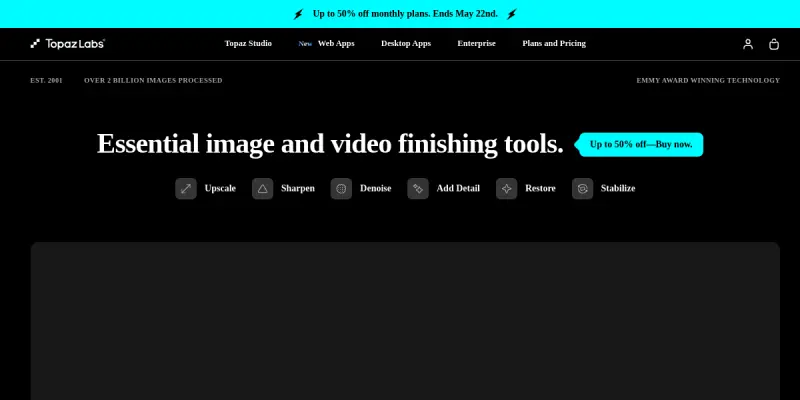
Topaz Photo AI is a desktop software application that leverages deep learning to enhance the quality of photographs and videos. It combines denoising, sharpening, and upscaling into a single workflow, allowing users to improve image clarity and detail with minimal manual intervention. The tool is developed by Topaz Labs, a company known for its AI-driven image processing solutions, and is available for Windows and macOS.
Key Features
- AI Denoise: Reduces digital noise while preserving fine details, even in low-light images.
- AI Sharpening: Reverses blur and softness through a model trained on millions of image pairs.
- AI Upscaling: Increases image resolution up to 4x or more while adding natural-looking detail.
- Face Recovery: Automatically detects and enhances facial details in portraits.
- Batch Processing: Apply enhancements to multiple images or videos at once to save time.
- Lightroom/Photoshop Plugin: Integrates directly into Adobe Lightroom and Photoshop for a seamless editing workflow.
- Raw Support: Works with RAW, JPEG, TIFF, PNG, and other common image formats.
- Video Enhancement: Reduce noise and sharpen video clips with the same AI models used for photos.
Use Cases
Portrait Photography
Photographers can use Topaz Photo AI to clean up skin texture, sharpen eyes, and reduce noise in portraits shot at high ISO, delivering cleaner images without the plastic look of traditional smoothing.
Landscape and Nature Photography
High-ISO or low-light landscape shots benefit from the denoise and sharpen modules, while the upscale feature allows printing large-format images from smaller sensor captures.
Restoration of Old or Low-Quality Images
Scanned photos, mobile shots, or archived images can be denoised and sharpened to recover lost details, making them suitable for printing or digital archives.
Video Content Creation
YouTubers and video editors can clean up footage shot in dim conditions or from consumer cameras, improving overall production quality without spending hours on manual correction.
E-commerce and Product Photography
Sharpen product images and remove noise to present items clearly on e-commerce platforms, especially when using compressed or low-light source images.
Pricing & Plans
Topaz Photo AI is available on a freemium model. Users can download a free trial that applies a watermark to outputs. Paid licenses start with a one-time purchase for a single computer, with options for upgrades to newer major versions at a discount. No subscription is required, but ongoing updates may be included for a limited period. Enterprise or team pricing is not publicly listed.
Integrations & Compatibility
- Standalone Desktop: Windows 10/11 and macOS 11+ (Big Sur or later).
- Plugin: Compatible with Adobe Lightroom Classic and Photoshop.
- File Formats: Accepts JPEG, TIFF, PNG, DNG, CR2, NEF, ARW, and other RAW formats. Exports to JPEG, TIFF, PNG, and DNG.
- Hardware: Requires a GPU with at least 4 GB VRAM (NVIDIA, AMD, or Apple Silicon).
Who Is It For?
Topaz Photo AI is designed for professional and enthusiast photographers, graphic designers, video editors, and anyone who needs to improve image quality quickly. It is particularly useful for those working with high-ISO, low-light, or low-resolution source material.
Limitations
- Hardware Demands: Requires a modern GPU; older computers may experience slow performance or crashes.
- Artifacts in Complex Scenes: Some images with repetitive patterns or extreme compression may still show artifacts after processing.
- No Mobile Version: Only available on desktop; no iOS or Android app.
- Learning Curve for Batch Settings: Configuring batch presets optimally can take trial and error.
Final Verdict
Topaz Photo AI offers a powerful yet accessible way to enhance photos and videos using AI. Its ability to combine denoising, sharpening, and upscaling in one tool makes it a time-saver for professionals. While it demands capable hardware and may not eliminate all artifacts, the quality of results and plugin integrations make it a strong choice for photographers and video creators who want to push image quality further with minimal manual work.
Tool Facts
Screenshots & Interface
Pros
- ✓ Combines denoising, sharpening, and upscaling into a single step, reducing manual work.
- ✓ The AI models are specialized for image details, producing natural-looking results in most scenarios.
- ✓ Batch processing and Lightroom/Photoshop plugin integration allow seamless integration into existing workflows.
- ✓ One-time purchase pricing avoids recurring subscription fees for long-term users.
Cons
- × The tool requires a modern GPU with sufficient VRAM; older hardware may cause slow performance or crashes.
- × Some images with heavy compression or repetitive patterns can still show artifacts after processing.
- × There is no mobile or web version available; it is limited to Windows and macOS desktop.
How to Use Topaz Photo AI in Your Workflow
Integrating Topaz Photo AI into your professional toolkit enhances efficiency by automating manual steps. By configuring it to suit your specific project requirements, you can optimize output quality and reduce project cycle times. Standard workflows involve testing the tool on simple tasks before scaling its use to complex operations.
Frequently Asked Questions
What is Topaz Photo AI used for?
Topaz Photo AI uses deep learning to denoise, sharpen, and upscale photos and videos. It is designed for photographers and editors who need professional-grade image quality. Its key differentiator is a single AI model that handles multiple enhancement tasks simultaneously.
What is the pricing model for Topaz Photo AI?
Topaz Photo AI uses a Freemium pricing model.
What are the main advantages of Topaz Photo AI?
The key benefits of Topaz Photo AI include: Combines denoising, sharpening, and upscaling into a single step, reducing manual work., The AI models are specialized for image details, producing natural-looking results in most scenarios., Batch processing and Lightroom/Photoshop plugin integration allow seamless integration into existing workflows., One-time purchase pricing avoids recurring subscription fees for long-term users..
What are the main limitations of Topaz Photo AI?
Some limitations or cons of Topaz Photo AI are: The tool requires a modern GPU with sufficient VRAM; older hardware may cause slow performance or crashes., Some images with heavy compression or repetitive patterns can still show artifacts after processing., There is no mobile or web version available; it is limited to Windows and macOS desktop..
Alternative AI Tools
Visme AI
Visme AI is an online graphic design tool that enables users to create presentations, infographics, and other visual content using AI-powered features. It targets marketers, educators, and business professionals seeking to streamline their design workflow. A key differentiator is its all-in-one platform combining design, data visualization, and collaboration tools.

Logopony
Logopony is an AI-powered logo generator that helps small businesses and entrepreneurs create professional logos online. It offers unlimited customization options and a free tier to get started.

Wix ADI
Wix ADI automates website creation by generating custom sites based on user inputs and preferences. It offers 500+ design styles and integrates directly with the Wix editor. This tool targets users seeking a quick, AI-driven solution for establishing a professional web presence.
Rating Details
Based on 0 ratings
Quick Comparisons
Related Tools
More AI tools from the same workflow, industry, or category.
Createimg.ai
Createimg.ai provides text-to-image generation and photo editing tools including background removal. It is designed for e-commerce sellers and creators needing free visual assets.
JetBrains AI
JetBrains AI is an AI-powered toolset integrated into JetBrains IDEs, offering code completion, debugging assistance, and intelligent suggestions for developers. It leverages large language models to help teams write, understand, and refactor code more efficiently. A key differentiator is its seamless integration with JetBrains' existing development environment.
Stable Diffusion Inpaint
Stable Diffusion Inpaint is an AI-powered tool that uses diffusion models to intelligently fill in or replace parts of an image. It is designed for photographers, designers, and content creators who need precise and context-aware image editing. Its key differentiator is the ability to generate new content that seamlessly blends with the existing image.
Crello AI
VistaCreate (formerly Crello) is a cloud-based design tool using AI to generate graphics from text prompts. It features 100K+ templates for social media and marketing.
Reviews
No reviews submitted yet. Be the first to share your experience.
Write a Review
Share Your Experience
Join the community to write reviews, submit ratings, and bookmark your favorite AI tools.