

Vocal ID
Use Vocal ID as the anchor for a real shortlist.
Instead of returning to a broad directory, jump straight into the strongest adjacent matchups for pricing, workflow fit, and differentiation.
Overview
Overview
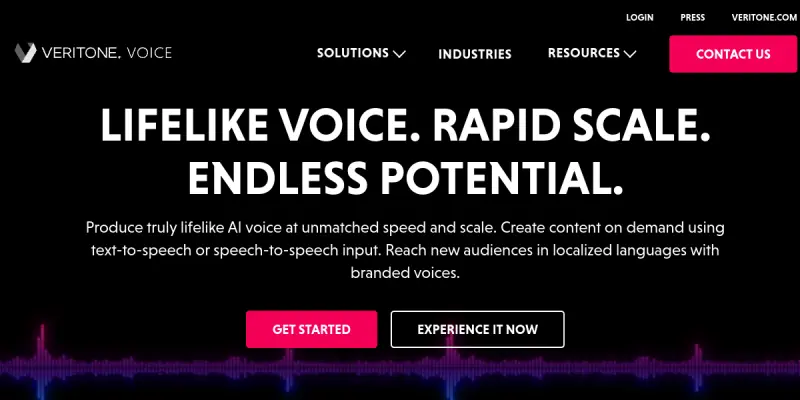
Vocal ID, powered by Veritone Voice, is a cloud-based platform that allows users to generate synthetic voices via text-to-speech and speech-to-speech conversion. It is designed for content creators, marketers, and enterprises seeking consistent, branded voiceovers without the need for human voice actors.
Key Features
- Text-to-Speech Conversion: Convert written text into natural-sounding speech using advanced AI models.
- Speech-to-Speech Transformation: Alter existing audio to change voice characteristics while preserving tone and emotion.
- Voice Cloning: Create a digital replica of a specific voice for personalized applications.
- Multi-Language Support: Generate speech in multiple languages, expanding global reach.
- Custom Voice Creation: Design unique vocal identities tailored to brand guidelines.
- Real-Time Processing: Generate audio with minimal latency, suitable for live applications.
- API Integration: Integrate voice generation capabilities into existing workflows and applications.
- Cloud-Based Platform: Access everything online without local installation, ensuring easy updates and scalability.
Use Cases
Content Creation
Podcasters and video producers can use Vocal ID to generate voiceovers, narrations, and character voices, reducing the time and cost of recording sessions.
Accessibility
Developers can integrate the tool to provide audio versions of text content, aiding visually impaired users or those who prefer listening over reading.
Brand Marketing
Marketers can create consistent voice assets for commercials, social media clips, and interactive voice responses, reinforcing brand identity.
Education & E-Learning
Educators can produce multilingual voiceovers for instructional videos and online courses, making content accessible to a diverse student body.
Virtual Assistants & Chatbots
Companies can deploy custom voices for their virtual agents, providing a more personable and engaging user experience.
Pricing & Plans
Vocal ID operates on a Freemium model. The free tier offers limited usage, while paid plans unlock higher generation quotas and advanced features such as voice cloning and priority support. Detailed pricing is available on the official website.
Integrations & Compatibility
The platform offers an API for integration with third-party applications. It is cloud-based, so it works on any device with a modern web browser and internet connection. No specific ecosystem integrations are publicly listed.
Who Is It For?
This tool is suitable for content creators, marketers, educators, accessibility specialists, and developers who need scalable, high-quality synthetic voice generation.
Limitations
- Internet Dependency: The tool requires a stable internet connection; offline use is not supported.
- Voice Authenticity: Generated voices may still sound slightly artificial compared to a professional human recording.
- Free Tier Restrictions: The free plan has limited features and daily caps, which may not be sufficient for heavy usage.
- Learning Curve: While the interface is intuitive, mastering voice customizations may take time for new users.
Final Verdict
Vocal ID is a solid choice for anyone needing versatile AI voice generation without investing in recording equipment. Its key strengths lie in voice cloning and multi-language support, though the limitations of the free tier and reliance on internet connectivity are worth noting.
Tool Facts
Screenshots & Interface
Pros
- ✓ Voice cloning allows consistent brand voice across all audio content.
- ✓ Multi-language support helps reach global audiences without additional recording.
- ✓ API integration enables embedding voice generation into existing workflows.
- ✓ Real-time processing makes it suitable for live applications.
Cons
- × Requires a stable internet connection; no offline mode is available.
- × Free tier has limited features and daily usage caps.
- × Generated voices may lack the natural nuance of human recordings in some contexts.
How to Use Vocal ID in Your Workflow
Integrating Vocal ID into your professional toolkit enhances efficiency by automating manual steps. By configuring it to suit your specific project requirements, you can optimize output quality and reduce project cycle times. Standard workflows involve testing the tool on simple tasks before scaling its use to complex operations.
Frequently Asked Questions
What is Vocal ID used for?
Vocal ID enables users to generate synthetic voices through text-to-speech and speech-to-speech conversion. Built on Veritone Voice technology, it serves content creators and businesses looking for customizable voice solutions. Its key differentiator is the ability to clone or create unique vocal identities for branding.
What is the pricing model for Vocal ID?
Vocal ID uses a Freemium pricing model.
What are the main advantages of Vocal ID?
The key benefits of Vocal ID include: Voice cloning allows consistent brand voice across all audio content., Multi-language support helps reach global audiences without additional recording., API integration enables embedding voice generation into existing workflows., Real-time processing makes it suitable for live applications..
What are the main limitations of Vocal ID?
Some limitations or cons of Vocal ID are: Requires a stable internet connection; no offline mode is available., Free tier has limited features and daily usage caps., Generated voices may lack the natural nuance of human recordings in some contexts..
Alternative AI Tools

Jukebox (OpenAI)
Open-source generative music model from OpenAI that creates full songs from text prompts. Designed for researchers and developers to explore neural audio generation.

ListenNotes AI
ListenNotes AI is a podcast search and discovery platform that uses AI to transcribe, search, and analyze podcast episodes. It helps researchers, content creators, and marketers find relevant audio content quickly. Its key differentiator is the ability to search inside podcast episodes by their spoken content.

Sonix
Sonix converts audio and video files into text using AI, supporting over 49 languages. It offers speaker detection and automated summaries, making it useful for journalists, researchers, and content creators. The platform emphasizes speed, with most transcriptions completed in minutes.
Rating Details
Based on 0 ratings
Quick Comparisons
Related Tools
More AI tools from the same workflow, industry, or category.
ClipTrend.ai
ClipTrend.ai is an AI image-to-video workspace for creators, marketers, and short-form video teams.
SongR
SongR is a text-to-song app that generates custom music tracks from a few keywords. It is designed for content creators and social media users who need quick, royalty-free songs in genres like pop, rock, hip-hop, and chant. Its key differentiator is instant generation without requiring musical expertise.
Quantum Capture
Quantum Capture generates AI-powered talking head videos from text input. It is designed for content creators and marketers who need quick, studio-quality video clips without expensive equipment. The platform specializes in creating realistic avatars with consistent lip-sync and facial expressions.
Kaltura AI
Kaltura is an enterprise video platform that combines cloud hosting with AI tools for content creation, marketing, and learning management. It helps businesses create branded video experiences for webinars, social media, and internal training.
Reviews
No reviews submitted yet. Be the first to share your experience.
Write a Review
Share Your Experience
Join the community to write reviews, submit ratings, and bookmark your favorite AI tools.