

Webflow AI
Use Webflow AI as the anchor for a real shortlist.
Instead of returning to a broad directory, jump straight into the strongest adjacent matchups for pricing, workflow fit, and differentiation.
Overview
Overview
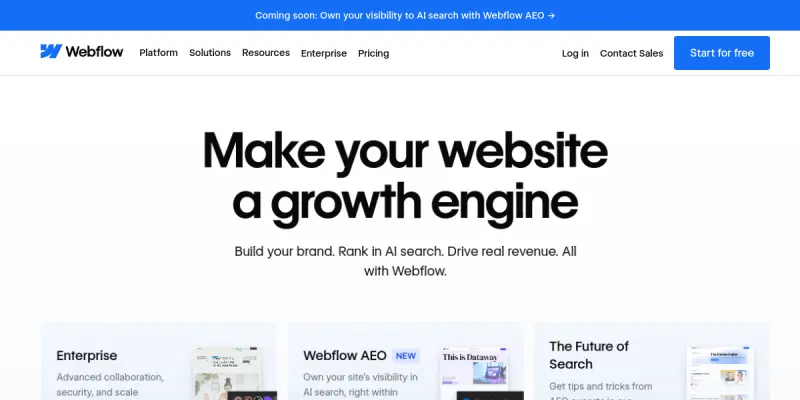
Webflow AI is an integrated design assistant built into the Webflow platform. It leverages generative AI to assist users in creating layouts, generating CMS content, and optimizing sites for search engines. Unlike standalone image generators, Webflow AI focuses on structural design and content management within a complete website-building ecosystem.
Key Features
- Generative Design: Automatically suggests and generates responsive layouts based on user prompts.
- CMS Automation: Helps populate and structure content within the Webflow CMS.
- SEO Optimization: Offers guidance and tools for Answer Engine Optimization (AEO) and standard SEO.
- Code Export: Generates clean, exportable HTML and CSS code.
- Visual Editing: Provides an intuitive interface for refining AI-generated designs.
Use Cases
Rapid Prototyping
Designers can quickly mock up website structures without starting from scratch, significantly reducing the time required for initial wireframing.
Content Management
Marketing teams can use the AI to draft and organize blog posts or product descriptions within the CMS, ensuring consistency across the site.
Non-Coder Development
Entrepreneurs and small business owners can build professional, SEO-optimized sites without writing a single line of code.
Pricing & Plans
Webflow operates on a Freemium model. The Free plan allows users to build sites and test basic AI features. The Standard, CMS, and Business plans unlock more advanced AI capabilities, higher limits on generative designs, and priority support.
Integrations & Compatibility
Webflow AI is natively integrated into the Webflow ecosystem. It connects directly with Webflow CMS, Webflow Hosting, and Webflow E-commerce. It is accessible via the Webflow Designer and Editor interfaces.
Who Is It For?
This tool is designed for web designers, developers looking to speed up their workflow, and marketers who need to manage content across a website without relying heavily on developers.
Limitations
- The design output is often constrained by the available templates and design tokens within Webflow.
- Advanced customization may require manual coding skills to override AI suggestions.
- The AI may struggle with highly unique, non-standard layout requests.
Final Verdict
Webflow AI is a strong contender for users who want the power of a website builder with the assistance of generative AI. It excels at standard layouts and CMS tasks but lacks the freedom of raw code editing.
Tool Facts
Screenshots & Interface
Pros
- ✓ Generates CMS content automatically to streamline content entry.
- ✓ Auto-layout AI simplifies responsive design adjustments.
- ✓ Direct integration with Webflow CMS and Hosting eliminates workflow friction.
- ✓ Exports clean, readable code suitable for developers.
Cons
- × Designs can feel generic due to template constraints.
- × Advanced customization requires manual code intervention.
- × The AI struggles with highly unique, non-standard layout requests.
How to Use Webflow AI in Your Workflow
Integrating Webflow AI into your professional toolkit enhances efficiency by automating manual steps. By configuring it to suit your specific project requirements, you can optimize output quality and reduce project cycle times. Standard workflows involve testing the tool on simple tasks before scaling its use to complex operations.
Frequently Asked Questions
What is Webflow AI used for?
Build and optimize websites with AI. Features auto-layout, CMS generation, and SEO optimization.
What is the pricing model for Webflow AI?
Webflow AI uses a Freemium pricing model.
What are the main advantages of Webflow AI?
The key benefits of Webflow AI include: Generates CMS content automatically to streamline content entry., Auto-layout AI simplifies responsive design adjustments., Direct integration with Webflow CMS and Hosting eliminates workflow friction., Exports clean, readable code suitable for developers..
What are the main limitations of Webflow AI?
Some limitations or cons of Webflow AI are: Designs can feel generic due to template constraints., Advanced customization requires manual code intervention., The AI struggles with highly unique, non-standard layout requests..
Alternative AI Tools

SeaArt AI
SeaArt AI is a platform for generating images, videos, and audio using AI models. It also offers AI chat features and a community space for creators to share and discover content. The tool aims to simplify creative workflows for digital artists and content creators.
LogoGenie
LogoGenie uses artificial intelligence to help users create custom logos quickly. It targets entrepreneurs, small business owners, and freelancers who need brand identity assets without design experience. The tool offers a free tier and a simple, browser-based interface.

Stable Diffusion
Stable Diffusion is an open-source text-to-image model that generates photorealistic visuals from natural language prompts. It is widely used by artists, designers, and developers for creative and commercial projects, and runs locally on consumer hardware.
Rating Details
Based on 0 ratings
Quick Comparisons
Related Tools
More AI tools from the same workflow, industry, or category.
Createimg.ai
Createimg.ai provides text-to-image generation and photo editing tools including background removal. It is designed for e-commerce sellers and creators needing free visual assets.
JetBrains AI
JetBrains AI is an AI-powered toolset integrated into JetBrains IDEs, offering code completion, debugging assistance, and intelligent suggestions for developers. It leverages large language models to help teams write, understand, and refactor code more efficiently. A key differentiator is its seamless integration with JetBrains' existing development environment.
Stable Diffusion Inpaint
Stable Diffusion Inpaint is an AI-powered tool that uses diffusion models to intelligently fill in or replace parts of an image. It is designed for photographers, designers, and content creators who need precise and context-aware image editing. Its key differentiator is the ability to generate new content that seamlessly blends with the existing image.
Crello AI
VistaCreate (formerly Crello) is a cloud-based design tool using AI to generate graphics from text prompts. It features 100K+ templates for social media and marketing.
Reviews
No reviews submitted yet. Be the first to share your experience.
Write a Review
Share Your Experience
Join the community to write reviews, submit ratings, and bookmark your favorite AI tools.