

Wipster AI
Use Wipster AI as the anchor for a real shortlist.
Instead of returning to a broad directory, jump straight into the strongest adjacent matchups for pricing, workflow fit, and differentiation.
Overview
Overview
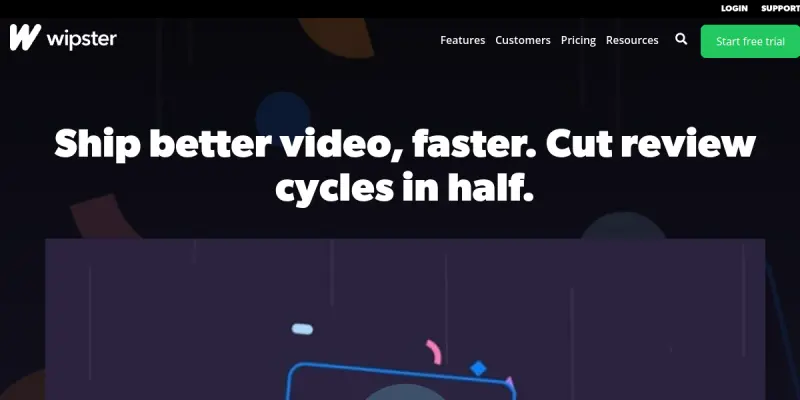
Wipster AI is a cloud-based video review and approval platform built for creative teams, video producers, and marketing agencies. It eliminates the chaos of email attachments and scattered feedback by providing a central workspace where collaborators can upload video projects, review frames, leave time-coded comments, and approve final versions. With integrations for tools like Slack, Trello, and Frame.io, Wipster AI helps teams reduce review cycles and deliver polished content faster.
Key Features
- Time-Coded Feedback: Reviewers can pin comments to specific frames, making it clear exactly which part of the video needs attention.
- Version Comparison: Side-by-side comparison of different versions helps teams track changes and approve the final cut with confidence.
- Approval Workflows: Set up automated approval paths so that the right stakeholders sign off before content is published.
- Slack Integration: Receive notifications and approve or reject videos directly from Slack without switching apps.
- Frame.io Import: Seamlessly bring projects from Frame.io into Wipster for continued collaboration.
- Custom Branding: White-label the review portal with your company’s logo and colors for a professional client experience.
- Analytics Dashboard: Track review activity, approval bottlenecks, and team performance with built-in analytics.
- Security & Permissions: Control who can view, comment, or approve each project with granular role-based permissions.
Use Cases
Video Production Agencies
Agencies managing multiple client projects can use Wipster AI to streamline client feedback rounds. Instead of email chains, clients can directly comment on video timelines, and agencies can respond or adjust without losing context.
Marketing Teams
In-house marketing teams can review promotional videos, social media clips, and ad creative. The version comparison feature ensures the final asset matches the approved creative brief.
Content Creators and Freelancers
Freelance video editors can invite clients into a Wipster workspace for real-time feedback. The platform reduces back-and-forth and helps freelancers deliver projects that meet client expectations on the first try.
Pricing & Plans
Wipster AI offers a Freemium model. The free tier includes basic review and approval features with limited storage and projects. Paid plans start at around $25 per month and unlock unlimited projects, advanced integrations, custom branding, and priority support. Enterprise pricing is available on request with custom storage limits and dedicated onboarding.
Integrations & Compatibility
Wipster AI integrates with Slack, Trello, Frame.io, Dropbox, Google Drive, and Vimeo. It also offers a public API for custom integrations. The platform works on any modern web browser and supports video formats including MP4, MOV, and AVI.
Who Is It For?
Wipster AI is for video production teams, marketing departments, creative agencies, and freelance video editors who need a structured, collaborative review process. It suits teams of all sizes, from solo creators to large enterprise production studios.
Limitations
- The free tier is limited to a small number of projects and storage space, which may not suit heavy users.
- The platform relies on an internet connection; there is no offline mode for reviewing or uploading.
- Some advanced integrations (e.g., Frame.io) require a paid plan.
- No native mobile app for iOS or Android is available; the mobile browser experience is functional but not optimized.
Final Verdict
Wipster AI is a solid choice for teams that need to centralize video review and approval. Its time-coded feedback and version comparison features help reduce confusion and speed up delivery. While the free tier is useful for small projects, serious users will need a paid subscription to unlock the full potential. Competitors like Frame.io and Wipster share similar features, but Wipster AI’s emphasis on collaboration and integrations makes it a strong contender for creative teams seeking a dedicated review platform.
Tool Facts
Screenshots & Interface
Pros
- ✓ Time-coded comments allow reviewers to pin feedback to specific video frames, reducing miscommunication.
- ✓ Built-in version comparison helps teams quickly see changes between different cuts of a project.
- ✓ Slack integration enables approval actions without leaving the messaging app, speeding up workflows.
- ✓ Custom branding options let agencies present a professional, white-labeled experience to their clients.
Cons
- × No offline mode means users cannot review or upload videos without an internet connection.
- × The free tier is limited to a small number of projects and storage, which may not be enough for heavy users.
- × There is no dedicated mobile app, so the mobile browser experience may feel less polished.
- × Advanced integrations like Frame.io are only available on paid plans.
How to Use Wipster AI in Your Workflow
Integrating Wipster AI into your professional toolkit enhances efficiency by automating manual steps. By configuring it to suit your specific project requirements, you can optimize output quality and reduce project cycle times. Standard workflows involve testing the tool on simple tasks before scaling its use to complex operations.
Frequently Asked Questions
What is Wipster AI used for?
Wipster AI is a cloud-based video review and approval platform designed for creative teams and agencies. It streamlines the process of sharing video projects, collecting feedback, and managing version approvals. The platform integrates with popular tools like Slack and Frame.io to centralize collaboration.
What is the pricing model for Wipster AI?
Wipster AI uses a Freemium pricing model.
What are the main advantages of Wipster AI?
The key benefits of Wipster AI include: Time-coded comments allow reviewers to pin feedback to specific video frames, reducing miscommunication., Built-in version comparison helps teams quickly see changes between different cuts of a project., Slack integration enables approval actions without leaving the messaging app, speeding up workflows., Custom branding options let agencies present a professional, white-labeled experience to their clients..
What are the main limitations of Wipster AI?
Some limitations or cons of Wipster AI are: No offline mode means users cannot review or upload videos without an internet connection., The free tier is limited to a small number of projects and storage, which may not be enough for heavy users., There is no dedicated mobile app, so the mobile browser experience may feel less polished., Advanced integrations like Frame.io are only available on paid plans..
Alternative AI Tools
Diigo AI
Diigo is a research tool that enables users to bookmark, annotate, highlight, and archive web content. It includes AI-powered features for content curation and works well for students, researchers, and knowledge workers who need to organize online information.
Listly AI
Listly AI is a web scraping tool that converts online data into structured Excel and Google Sheets formats. It allows users to select specific data elements and collect from multiple pages in a single session. The tool is designed for professionals who need to gather web data without coding.

Butter CMS AI
Butter CMS AI is a headless content management system designed for SaaS, eCommerce, and enterprise teams. It offers flexible APIs for fast integration and features an AI-powered writing assistant. The platform enables developers and marketers to manage and deliver content across multiple channels.
Rating Details
Based on 0 ratings
Quick Comparisons
Related Tools
More AI tools from the same workflow, industry, or category.
fablepilot
FablePilot is a free AI story generator that turns a single prompt into a complete story — no sign-up required. Add illustrations or generate a plot outline.
Ghosts.app
Ghosts is an AI ghostwriter for agencies, creators, and law firms. It produces researched, cited drafts in a specific voice without requiring prompts. Users brief a specialist agent and approve a finished draft.
GrowthBar
GrowthBar is an AI tool for content generation, designed to boost productivity and streamline workflows for writers and content creators, with features like editing and tone adjustment.
GetGenie AI
GetGenie AI is an AI-powered writing and SEO assistant that helps content creators and marketers generate optimized content quickly. It includes built-in keyword research and SERP analysis to improve organic search performance.
Reviews
No reviews submitted yet. Be the first to share your experience.
Write a Review
Share Your Experience
Join the community to write reviews, submit ratings, and bookmark your favorite AI tools.