

CapCut Upscale AI
Use CapCut Upscale AI as the anchor for a real shortlist.
Instead of returning to a broad directory, jump straight into the strongest adjacent matchups for pricing, workflow fit, and differentiation.
Overview
Overview
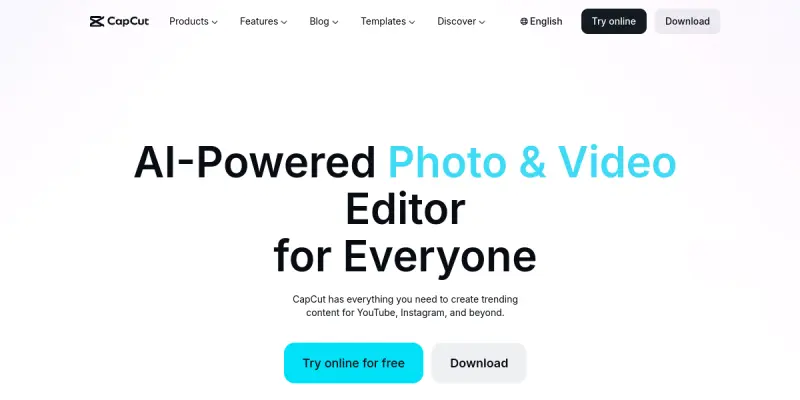
CapCut Upscale AI is a freemium AI-powered tool developed by ByteDance, designed specifically to upscale and enhance the resolution of images and videos. While CapCut is widely known as a general video editing suite, this dedicated Upscale AI feature focuses on improving visual quality using machine learning models. It supports batch processing, making it efficient for creators handling large volumes of content. The tool is accessible via desktop app, mobile app, and online web editor, providing flexibility for different workflows.
Key Features
- AI Upscaling: Uses advanced algorithms to increase resolution without significant loss of detail or introduction of artifacts.
- Batch Processing: Enables users to upscale multiple files simultaneously, saving time in high-volume editing environments.
- Smart Templates: Provides pre-built video templates optimized for various social media platforms like YouTube, Instagram, TikTok, and Facebook.
- Multi-Platform Access: Available on Windows, macOS, iOS, Android, and via web browser for seamless cross-device editing.
- Creative Effects: Includes a library of filters, transitions, and text overlays to enhance videos beyond basic upscaling.
- Auto-Captioning: Generates subtitles automatically using speech recognition, aiding accessibility and engagement.
- Export in 4K: Supports exporting final videos in resolutions up to 4K, suitable for high-definition displays.
- Cloud Sync: Option to save projects in the cloud for easy continuation across different devices.
Use Cases
Social Media Content Creators
YouTubers, Instagram influencers, and TikTok creators can use CapCut Upscale AI to improve the quality of their legacy footage or user-generated clips. By upscaling low-resolution videos to 1080p or 4K, they can maintain a professional look across platforms without re-shooting content.
E-Commerce Product Videos
Online retailers often receive product demonstration videos or customer clips in low resolution. CapCut Upscale AI can enhance these videos for use on product pages or promotional materials, improving visual appeal and conversion rates.
Event Highlights and Montages
Wedding videographers, event planners, and amateur editors can take advantage of batch upscaling to process multiple clips from an event quickly. The smart templates help create polished highlight reels with minimal effort.
Educational Content Producers
Teachers and trainers who record lessons using basic webcams or older devices can upscale their videos to make them clearer for students. Auto-captioning further improves accessibility for learners with hearing impairments.
Pricing & Plans
CapCut Upscale AI operates on a freemium model. The free tier provides basic upscaling capabilities with limited resolution output and watermarked exports. The paid subscription, typically around $7.99–$9.99 per month, unlocks higher resolution upscaling (up to 4K), removes watermarks, and includes priority processing. A yearly subscription is also available at a discounted rate. Enterprise pricing for teams is not publicly disclosed and requires contacting sales.
Integrations & Compatibility
CapCut Upscale AI is compatible with Windows, macOS, iOS, Android, and web browsers. It does not offer direct API integrations with third-party platforms like Adobe Premiere Pro or Final Cut Pro, but exported files can be imported into any video editing software. The tool supports common input formats including MP4, MOV, AVI, JPEG, and PNG.
Who Is It For?
This tool is ideal for social media managers, content creators, video editors, e-commerce businesses, and educators who need to enhance low-resolution videos without investing in expensive hardware or software. It suits both beginners and intermediate users thanks to its drag-and-drop interface and preset templates.
Limitations
- Relies on an active internet connection for cloud-based processing; offline mode is limited.
- The free tier adds a watermark to exports, which may not be suitable for professional use without a subscription.
- Upscaling very large or lengthy videos can take significant time, even with a paid plan.
- Limited to basic editing and upscaling; lacks advanced color grading or motion tracking found in professional suites.
Final Verdict
CapCut Upscale AI is a practical, affordable solution for anyone needing to improve video and image resolution quickly. Its batch processing and smart templates set it apart from simple upscalers, though the reliance on an internet connection and watermark on free exports are considerations. For content creators on a budget, it offers strong value.
Tool Facts
Screenshots & Interface
Pros
- ✓ Batch processing allows upscaling multiple files at once, saving time for volume editors.
- ✓ Available on desktop, mobile, and web, enabling flexible workflows across devices.
- ✓ Smart templates tailored for social media platforms help maintain brand consistency.
- ✓ Freemium pricing makes basic upscaling accessible to users without upfront costs.
Cons
- × Free tier exports include a watermark, limiting professional use without a subscription.
- × Heavy reliance on internet connectivity restricts offline editing capabilities.
- × Upscaling very lengthy or high-resolution videos can be slow, even on paid plans.
- × Lacks advanced editing features like color grading or motion tracking found in professional software.
How to Use CapCut Upscale AI in Your Workflow
Integrating CapCut Upscale AI into your professional toolkit enhances efficiency by automating manual steps. By configuring it to suit your specific project requirements, you can optimize output quality and reduce project cycle times. Standard workflows involve testing the tool on simple tasks before scaling its use to complex operations.
Frequently Asked Questions
What is CapCut Upscale AI used for?
CapCut Upscale AI is a freemium tool that uses artificial intelligence to enhance and upscale video and image resolution. It is designed for content creators on YouTube, Instagram, and other social platforms. The tool offers batch processing and smart templates as key differentiators.
What is the pricing model for CapCut Upscale AI?
CapCut Upscale AI uses a Freemium pricing model.
What are the main advantages of CapCut Upscale AI?
The key benefits of CapCut Upscale AI include: Batch processing allows upscaling multiple files at once, saving time for volume editors., Available on desktop, mobile, and web, enabling flexible workflows across devices., Smart templates tailored for social media platforms help maintain brand consistency., Freemium pricing makes basic upscaling accessible to users without upfront costs..
What are the main limitations of CapCut Upscale AI?
Some limitations or cons of CapCut Upscale AI are: Free tier exports include a watermark, limiting professional use without a subscription., Heavy reliance on internet connectivity restricts offline editing capabilities., Upscaling very lengthy or high-resolution videos can be slow, even on paid plans., Lacks advanced editing features like color grading or motion tracking found in professional software..
Alternative AI Tools

MyHeritage AI
MyHeritage AI's LiveMemory animates still photos using AI, creating short video clips. It is designed for family historians and anyone who wants to bring old photographs to life. The key differentiator is its integration within a genealogy platform.

Skylum AI
Skylum AI is a photo editing software that uses artificial intelligence to automate tasks like background removal, sky replacement, and portrait retouching. It is designed for photographers of all skill levels who want to speed up their editing workflow without sacrificing quality.
Alpaca AI
Alpaca is a cloud-based platform and API that enables commission-free stock and cryptocurrency trading. It is designed for developers building algorithmic trading applications.
Rating Details
Based on 0 ratings
Related Tools
More AI tools from the same workflow, industry, or category.
fr3n
fr3n is a creator platform that combines a link-in-bio page, digital storefront, community spaces, and newsletters into one hub. It helps creators sell digital products, run memberships, and build an audience with first-party data.
Aveva AI
Aveva AI optimizes industrial processes and predictive maintenance by leveraging AI models to detect anomalies and support risk-based decision-making in manufacturing.
Paddle AI
Paddle AI streamlines billing, tax compliance, and revenue management for digital businesses. This SaaS platform automates financial operations, supporting global revenue generation for apps like n8n and AdGuard. It integrates essential payment processing tools into a single interface.
Honeywell Forge AI
Honeywell Forge is an industrial IoT platform that combines digital twin technology with AI to optimize facility operations. It is designed for industrial manufacturers seeking predictive maintenance and operational efficiency.
Reviews
No reviews submitted yet. Be the first to share your experience.
Write a Review
Share Your Experience
Join the community to write reviews, submit ratings, and bookmark your favorite AI tools.