

Captions App AI
Use Captions App AI as the anchor for a real shortlist.
Instead of returning to a broad directory, jump straight into the strongest adjacent matchups for pricing, workflow fit, and differentiation.
Overview
Overview
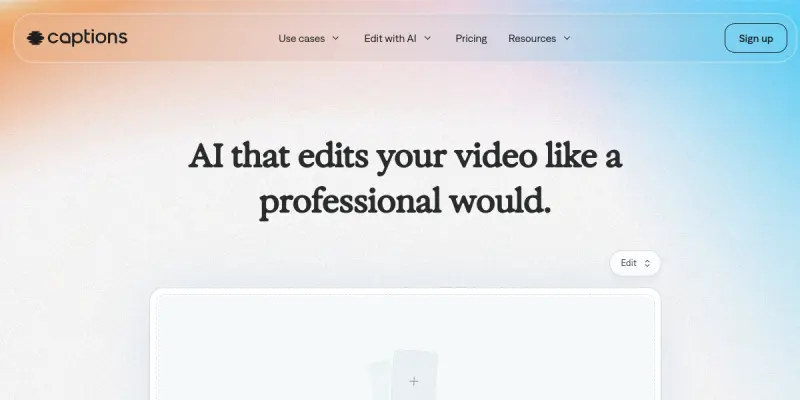
Captions App AI is a SaaS platform that leverages artificial intelligence to streamline video creation and editing. Aimed at content creators, marketers, and social media managers, the tool automates time-consuming tasks such as clipping, captioning, and reframing, enabling users to produce polished videos with minimal effort. By integrating advanced AI models, Captions aims to reduce the gap between amateur and professional-quality output.
Key Features
- AI Auto-Editing: Automatically trims, cuts, and arranges raw footage into a coherent sequence based on the content.
- Smart Captioning: Generates accurate, timestamped captions and subtitles in multiple languages, adjusting for speaker pace and pauses.
- Jump Cut Removal: Detects and removes pauses, filler words, and silent sections to create a smoother viewing experience.
- Aspect Ratio Adaptation: Automatically reframes videos for different platforms (vertical, square, horizontal) while keeping the subject in frame.
- AI Voiceover: Synthesizes natural-sounding voiceovers from text, with options for tone and accent customization.
- Background Music Integration: Suggests and synchronizes royalty-free music tracks that match the video's mood and pace.
- Social Media Export: Directly exports videos in formats optimized for platforms like TikTok, Instagram, YouTube, and LinkedIn.
- Collaborative Workspace: Allows team members to review, comment, and edit projects in real time (team plan).
Use Cases
Social Media Content Creation
Influencers and social media managers can quickly turn raw footage or screen recordings into engaging, captioned shorts for TikTok or Reels. The AI handles caption timing and jump cut removal, drastically reducing editing time.
Educational Video Production
Educators and course creators can use Captions to add precise subtitles, remove verbal fillers, and repurpose long lectures into bite-sized clips suitable for platforms like YouTube or internal training portals.
Marketing and Promotional Videos
Marketing teams can generate product demos, testimonials, and ad creatives with consistent, on-brand styling. The aspect ratio adaptation ensures one source video works across multiple ad placements without manual resizing.
Podcast Highlights
Podcasters can automatically extract interesting segments, add speaker labels and captions, and produce short promotional clips that drive engagement on social media.
Pricing & Plans
Captions App AI operates on a Freemium model. A free tier provides basic editing capabilities and limited exports. Paid subscriptions unlock advanced features such as longer videos, higher resolution exports, team collaboration, and priority support. Specific pricing tiers and amounts are not publicly disclosed on the website; interested users are encouraged to sign up for a trial or contact sales.
Integrations & Compatibility
As a cloud-based SaaS tool, Captions is accessible via web browser and through mobile apps (iOS and Android). It integrates with major social media platforms for direct publishing. There is no public API, but the tool supports importing video files from local storage, cloud drives (Google Drive, Dropbox), and direct recording from device cameras.
Who Is It For?
Captions is designed for content creators, social media managers, marketers, educators, and podcasters who need to produce high-quality videos quickly without deep video editing skills. It is also suitable for small teams that benefit from collaborative workflows.
Limitations
- Internet Dependency: A stable internet connection is required for cloud processing and exporting, limiting offline use.
- Advanced Features Require Payment: The free tier is limited; creating longer or higher-resolution videos necessitates a paid subscription.
- Limited Customization: While the AI automates many tasks, users seeking granular control over every edit may find the tool's automation less flexible than manual editors.
- No Native API: The absence of an API restricts integration with custom workflows or enterprise systems.
Final Verdict
Captions App AI offers a compelling solution for anyone who needs to create professional-looking videos fast. Its AI-driven automation reduces editing time dramatically while maintaining quality. However, its reliance on an internet connection and the need for a paid plan to access standout features may be barriers for some users. Overall, it is a strong choice for social media content creators and marketers who prioritize speed over manual control.
Tool Facts
Screenshots & Interface
Pros
- ✓ AI auto-editing removes manual trimming and jump cuts, cutting editing time by up to 80%.
- ✓ Smart caption generation supports multiple languages and adjusts for speaker pace.
- ✓ Aspect ratio adaptation automatically reframes videos for different social platforms.
- ✓ Built-in music suggestion syncs tracks to video mood without manual searching.
Cons
- × No offline editing mode is available; a stable internet connection is required for all operations.
- × Advanced features such as long-form videos and higher resolutions require a paid subscription.
- × Lack of API support limits integration with custom workflows or enterprise systems.
- × Free tier severely restricts export duration and resolution, pushing users toward paid plans.
How to Use Captions App AI in Your Workflow
Integrating Captions App AI into your professional toolkit enhances efficiency by automating manual steps. By configuring it to suit your specific project requirements, you can optimize output quality and reduce project cycle times. Standard workflows involve testing the tool on simple tasks before scaling its use to complex operations.
Frequently Asked Questions
What is Captions App AI used for?
Captions App AI is an AI-powered video generator and editor designed for content creators. It automates video editing tasks, letting users produce shareable videos quickly without professional skills.
What is the pricing model for Captions App AI?
Captions App AI uses a Freemium pricing model.
What are the main advantages of Captions App AI?
The key benefits of Captions App AI include: AI auto-editing removes manual trimming and jump cuts, cutting editing time by up to 80%., Smart caption generation supports multiple languages and adjusts for speaker pace., Aspect ratio adaptation automatically reframes videos for different social platforms., Built-in music suggestion syncs tracks to video mood without manual searching..
What are the main limitations of Captions App AI?
Some limitations or cons of Captions App AI are: No offline editing mode is available; a stable internet connection is required for all operations., Advanced features such as long-form videos and higher resolutions require a paid subscription., Lack of API support limits integration with custom workflows or enterprise systems., Free tier severely restricts export duration and resolution, pushing users toward paid plans..
Alternative AI Tools

Captions AI
Captions AI is a mobile-first video creation tool that generates and edits short-form video content using AI. Designed for content creators and marketers, it offers automatic captions, AI voiceover, and one-touch editing to streamline video production.

Phrase AI
Phrase AI is an AI-powered translation management platform designed for businesses looking to streamline localization workflows. It offers customizable workflows, AI-driven translation suggestions, and integrations with popular development tools. Its key differentiator is the combination of advanced AI models with a centralized translation management system.

Texterify AI
Texterify is a translation and localization management platform designed for agile teams. It supports cloud and on-premise deployment with a freemium model.
Rating Details
Based on 0 ratings
Related Tools
More AI tools from the same workflow, industry, or category.
fablepilot
FablePilot is a free AI story generator that turns a single prompt into a complete story — no sign-up required. Add illustrations or generate a plot outline.
Ghosts.app
Ghosts is an AI ghostwriter for agencies, creators, and law firms. It produces researched, cited drafts in a specific voice without requiring prompts. Users brief a specialist agent and approve a finished draft.
GrowthBar
GrowthBar is an AI tool for content generation, designed to boost productivity and streamline workflows for writers and content creators, with features like editing and tone adjustment.
GetGenie AI
GetGenie AI is an AI-powered writing and SEO assistant that helps content creators and marketers generate optimized content quickly. It includes built-in keyword research and SERP analysis to improve organic search performance.
Reviews
No reviews submitted yet. Be the first to share your experience.
Write a Review
Share Your Experience
Join the community to write reviews, submit ratings, and bookmark your favorite AI tools.