
Celigo AI
Use Celigo AI as the anchor for a real shortlist.
Instead of returning to a broad directory, jump straight into the strongest adjacent matchups for pricing, workflow fit, and differentiation.
Overview
Overview
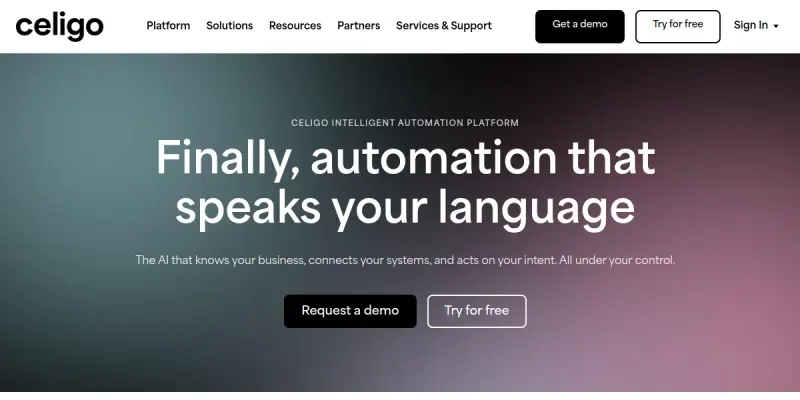
Celigo AI is a comprehensive integration platform as a service (iPaaS) designed to connect disparate business applications, automate data flows, and streamline workflows. It enables organizations to unify data across cloud and on-premise systems without extensive coding. The platform is particularly suited for enterprises looking to reduce manual data entry and accelerate digital transformation.
Key Features
- Pre-built Connectors: Celigo offers hundreds of pre-built connectors for popular SaaS applications like Salesforce, NetSuite, Shopify, and Workday, simplifying integration setup.
- Visual Workflow Builder: Users can design complex automation workflows using a drag-and-drop interface, reducing the need for technical expertise.
- AI-Powered Mapping: The platform uses machine learning to suggest data mappings between systems, speeding up integration creation.
- Real-time Data Sync: Celigo supports both scheduled and event-driven synchronization, ensuring data consistency across applications.
- Error Handling & Monitoring: Built-in error detection and logging tools help users quickly identify and resolve integration issues.
- Custom Logic & Scripting: For advanced users, Celigo allows custom JavaScript or Python scripts within workflows for greater flexibility.
- Role-based Access Control: Admins can define user permissions and restrict access to sensitive data or functions.
- Scalability: The platform is designed to handle high-volume data loads, making it suitable for growing enterprises.
Use Cases
E-commerce Integration
Celigo helps e-commerce businesses connect their online store (e.g., Shopify or Magento) with ERP systems (e.g., NetSuite or SAP) to automate order processing, inventory updates, and customer data synchronization. This reduces manual errors and improves fulfillment speed.
CRM & Marketing Automation
Marketing and sales teams can use Celigo to sync leads, contacts, and campaign data between CRM platforms like Salesforce and marketing tools like HubSpot or Mailchimp. This ensures a unified view of customer interactions.
Finance & Accounting Automation
Finance departments can automate invoice generation, payment reconciliation, and expense reporting by integrating accounting software (e.g., QuickBooks or Xero) with other business systems. Celigo ensures financial data flows accurately and on time.
HR & Employee Management
HR teams can connect HRIS platforms (e.g., BambooHR or Workday) with payroll and benefits systems, automating employee onboarding, offboarding, and data updates across multiple systems.
Supply Chain Optimization
Celigo enables manufacturers and distributors to integrate their supply chain applications, such as inventory management, procurement, and logistics, for real-time visibility and automated stock replenishment.
Pricing & Plans
Celigo offers a free tier with limited connectors and transaction volume, suitable for small teams or testing. Paid plans scale by the number of integrations and data throughput. Exact pricing is not publicly disclosed; interested users must contact sales for a quote. Enterprise plans include dedicated support, custom service-level agreements, and advanced security features.
Integrations & Compatibility
Celigo supports integration with over 200 applications, including Salesforce, NetSuite, Shopify, Workday, HubSpot, Mailchimp, QuickBooks, Xero, SAP, Oracle, and many more. It also offers REST and SOAP API support for custom integrations.
Who Is It For?
Celigo is designed for medium to large enterprises that need to connect multiple cloud and on-premise applications. It is suitable for IT teams, integration architects, and business analysts who require a low-code platform for automating data workflows.
Limitations
- The free tier is limited in connector availability and transaction volume, which may not suit larger businesses.
- Advanced features require a paid subscription, and pricing is opaque.
- Users with no coding experience may still need training to fully leverage the visual workflow builder.
- Performance can degrade during peak usage if the data volume exceeds the plan's limits.
Final Verdict
Celigo AI is a robust iPaaS solution that excels at connecting diverse business applications and automating complex workflows. Its pre-built connectors, AI-assisted mapping, and visual builder make it accessible to non-technical users while still offering customization for developers. The free tier is a good starting point, but the lack of transparent pricing may be a drawback for budget-conscious teams. Overall, it is a solid choice for enterprises seeking to streamline their integration and automation efforts.
Tool Facts
Screenshots & Interface
Pros
- ✓ Hundreds of pre-built connectors for popular SaaS applications reduce manual integration work.
- ✓ Visual drag-and-drop workflow builder enables non-technical users to create automations.
- ✓ AI-powered data mapping suggestions speed up integration configuration.
- ✓ Real-time data synchronization maintains consistency across connected systems.
- ✓ Role-based access control helps organizations manage security and compliance.
Cons
- × Free tier is limited in connectors and transaction volume, which may not be sufficient for larger businesses.
- × Pricing for paid plans is not transparent, requiring potential customers to contact sales.
- × Complex workflows may still require some technical knowledge or training despite the visual builder.
- × Documentation on error handling and troubleshooting could be more comprehensive for advanced users.
How to Use Celigo AI in Your Workflow
Integrating Celigo AI into your professional toolkit enhances efficiency by automating manual steps. By configuring it to suit your specific project requirements, you can optimize output quality and reduce project cycle times. Standard workflows involve testing the tool on simple tasks before scaling its use to complex operations.
Frequently Asked Questions
What is Celigo AI used for?
Celigo AI is an integration platform as a service (iPaaS) that unifies data, applications, and AI workflows. It helps businesses automate processes by connecting SaaS tools and enabling custom integrations. The platform was recognized as a 2025 Gartner Customers' Choice for iPaaS software.
What is the pricing model for Celigo AI?
Celigo AI uses a Free pricing model.
What are the main advantages of Celigo AI?
The key benefits of Celigo AI include: Hundreds of pre-built connectors for popular SaaS applications reduce manual integration work., Visual drag-and-drop workflow builder enables non-technical users to create automations., AI-powered data mapping suggestions speed up integration configuration., Real-time data synchronization maintains consistency across connected systems., Role-based access control helps organizations manage security and compliance..
What are the main limitations of Celigo AI?
Some limitations or cons of Celigo AI are: Free tier is limited in connectors and transaction volume, which may not be sufficient for larger businesses., Pricing for paid plans is not transparent, requiring potential customers to contact sales., Complex workflows may still require some technical knowledge or training despite the visual builder., Documentation on error handling and troubleshooting could be more comprehensive for advanced users..
Alternative AI Tools

OneNote AI
OneNote AI is Microsoft's cloud-based note-taking application that helps users capture ideas, organize notes, clip web content, and collaborate in real time. It is designed for students, professionals, and teams who need a flexible digital notebook with cross-device syncing. A key differentiator is its deep integration with the Microsoft 365 ecosystem.

Akiflow AI
Akiflow AI (Aki) is an AI-powered assistant for task management and calendar scheduling. It helps busy professionals, solopreneurs, and remote workers organize their day in a single interface. A key differentiator is its natural language command capability for creating tasks and events.

Reclaim AI
Reclaim AI automatically schedules tasks, meetings, and breaks on Google and Outlook calendars to maximize team productivity. This tool optimizes schedules based on priorities and recurring habits. It supports freelancers and teams looking to reclaim unstructured time.
Rating Details
Based on 0 ratings
Quick Comparisons
Related Tools
More AI tools from the same workflow, industry, or category.
Mailbutler AI
Mailbutler AI is an email extension that integrates AI-powered writing, scheduling, and tracking features directly into your existing inbox. It helps professionals and teams streamline email workflows and save time on routine communication tasks.
Lucidspark AI
Lucidspark AI is a virtual whiteboard tool that helps teams brainstorm, organize ideas, and move from concept to execution. It is designed for remote and hybrid teams seeking a structured yet flexible collaboration space. Its integration with Lucidchart sets it apart for end-to-end visual workflow planning.
SignNow AI
SignNow AI automates document signing and workflow management for businesses. It uses AI to extract fields, send documents for signature, and track completion. Ideal for HR, legal, and sales teams.
ProtonMail AI
ProtonMail AI is an integrated writing assistant for secure email, leveraging Swiss privacy standards to draft, summarize, and translate messages within the Proton Mail interface.
Reviews
No reviews submitted yet. Be the first to share your experience.
Write a Review
Share Your Experience
Join the community to write reviews, submit ratings, and bookmark your favorite AI tools.