

Evernote AI
Use Evernote AI as the anchor for a real shortlist.
Instead of returning to a broad directory, jump straight into the strongest adjacent matchups for pricing, workflow fit, and differentiation.
Overview
Overview
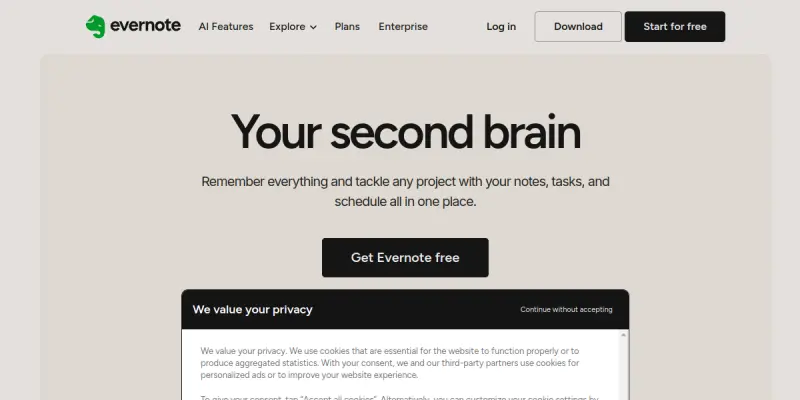
Evernote is a comprehensive note-taking application that has evolved to include advanced artificial intelligence capabilities. The platform allows users to capture text, images, audio, and web pages into a single digital workspace. The introduction of AI features, such as Smart Search and note summarization, aims to reduce the time spent managing information overload. It serves as a central hub for personal and professional organization.
Key Features
- AI-Powered Smart Search: Quickly finds specific text within images, scanned PDFs, and even handwriting.
- Smart Note: Automatically summarizes long meetings or lengthy documents to extract key points instantly.
- Web Clipper: A browser extension that saves articles, research papers, and videos directly to your notes.
- Audio Transcription: Records meetings and automatically transcribes the audio into searchable text.
- Cross-Platform Sync: Seamlessly syncs notes across desktop, mobile, and web applications.
- Templates: Provides structured templates for meeting notes, project management, and personal journals.
Use Cases
Academic Research
Students and researchers can use Evernote AI to organize vast amounts of literature. The AI can summarize long research papers and highlight key findings, allowing for faster literature reviews and note-taking during lectures.
Project Management
Teams can use Evernote to track project progress, share documents, and manage meeting minutes. The AI features assist in searching through past discussions to find specific decisions or action items without digging through multiple files.
Meeting Minutes
Professionals can record meetings and rely on the built-in transcription and summarization tools to generate accurate meeting notes automatically, ensuring no action items are missed.
Pricing & Plans
Evernote offers a freemium model:
- Free: Basic note-taking and search functionality.
- Plus ($8.00/mo): Includes offline access and priority support.
- Premium ($15.00/mo): Includes advanced AI features like Smart Note and improved search.
- Personal ($25.00/mo): Offers unlimited device usage and the most advanced AI tools.
Integrations & Compatibility
Evernote integrates with popular productivity tools including Google Drive, Microsoft Outlook, Slack, Microsoft Teams, Zoom, and Zapier. It is available on Windows, macOS, iOS, and Android devices.
Who Is It For?
Evernote is designed for students, researchers, writers, and professionals who need a robust system to organize their thoughts, documents, and tasks. It is particularly useful for anyone who accumulates large amounts of digital information.
Limitations
- Cost: Advanced AI features like Smart Note are locked behind the expensive Premium and Personal plans.
- Offline Functionality: While offline mode exists, some features can be buggy or require manual re-syncing when connection is restored.
- Interface Complexity: The interface can feel cluttered for new users due to the sheer number of organizational options available.
Final Verdict
Evernote AI enhances a classic productivity tool with useful search and summarization capabilities. While the free tier is functional, unlocking the full potential of the AI features requires a significant monthly investment. It remains a top contender for those seeking a reliable, long-term solution for digital organization.
Tool Facts
Screenshots & Interface
Pros
- ✓ Smart Search locates specific text within images, scanned PDFs, and handwriting instantly
- ✓ Smart Note summarizes long meeting transcripts to extract key action items
- ✓ Cross-platform sync ensures notes are accessible on desktop, mobile, and web
Cons
- × Advanced AI features like Smart Note are locked behind expensive Premium plans
- × Occasional sync issues occur when switching between online and offline modes
- × The interface can feel cluttered and overwhelming for new users
How to Use Evernote AI in Your Workflow
Integrating Evernote AI into your professional toolkit enhances efficiency by automating manual steps. By configuring it to suit your specific project requirements, you can optimize output quality and reduce project cycle times. Standard workflows involve testing the tool on simple tasks before scaling its use to complex operations.
Frequently Asked Questions
What is Evernote AI used for?
Evernote AI summarizes notes and searches content instantly, helping knowledge workers manage projects and tasks efficiently.
What is the pricing model for Evernote AI?
Evernote AI uses a Free pricing model.
What are the main advantages of Evernote AI?
The key benefits of Evernote AI include: Smart Search locates specific text within images, scanned PDFs, and handwriting instantly, Smart Note summarizes long meeting transcripts to extract key action items, Cross-platform sync ensures notes are accessible on desktop, mobile, and web.
What are the main limitations of Evernote AI?
Some limitations or cons of Evernote AI are: Advanced AI features like Smart Note are locked behind expensive Premium plans, Occasional sync issues occur when switching between online and offline modes, The interface can feel cluttered and overwhelming for new users.
Alternative AI Tools
Docparser AI
Docparser AI automates data extraction from PDFs and documents. It converts unstructured data into clean, structured formats for efficient business workflows.

ClickUp AI
ClickUp AI embeds generative AI across tasks, documents, and team workflows within the ClickUp platform. It helps project managers and teams automate status updates, summarize notes, and generate content directly from their workspace. Its key differentiator is the unified 'Brain' feature that queries all company knowledge in one place.

Supernotes AI
Supernotes AI is a collaborative note-taking tool that uses a notecard format with Markdown, LaTeX, and emoji support. Designed for teams and individuals, it differentiates itself with a modular, card-based system for organizing and linking ideas.
Rating Details
Based on 0 ratings
Quick Comparisons
Related Tools
More AI tools from the same workflow, industry, or category.
Mailbutler AI
Mailbutler AI is an email extension that integrates AI-powered writing, scheduling, and tracking features directly into your existing inbox. It helps professionals and teams streamline email workflows and save time on routine communication tasks.
Lucidspark AI
Lucidspark AI is a virtual whiteboard tool that helps teams brainstorm, organize ideas, and move from concept to execution. It is designed for remote and hybrid teams seeking a structured yet flexible collaboration space. Its integration with Lucidchart sets it apart for end-to-end visual workflow planning.
SignNow AI
SignNow AI automates document signing and workflow management for businesses. It uses AI to extract fields, send documents for signature, and track completion. Ideal for HR, legal, and sales teams.
ProtonMail AI
ProtonMail AI is an integrated writing assistant for secure email, leveraging Swiss privacy standards to draft, summarize, and translate messages within the Proton Mail interface.
Reviews
No reviews submitted yet. Be the first to share your experience.
Write a Review
Share Your Experience
Join the community to write reviews, submit ratings, and bookmark your favorite AI tools.