

JetBrains AI
Use JetBrains AI as the anchor for a real shortlist.
Instead of returning to a broad directory, jump straight into the strongest adjacent matchups for pricing, workflow fit, and differentiation.
Overview
Overview
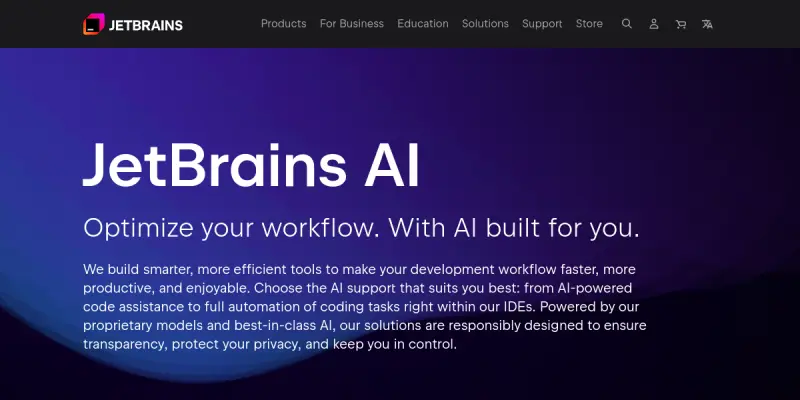
JetBrains AI is an AI-powered assistant integrated directly into JetBrains IDEs such as IntelliJ IDEA, PyCharm, WebStorm, and others. It provides intelligent code completion, automated code generation, file modification suggestions, and natural language-powered code explanations. Designed for professional developers, JetBrains AI aims to reduce repetitive tasks and accelerate the development workflow without leaving the editor.
Key Features
- AI-Powered Code Completion: Offers context-aware code suggestions that go beyond simple autocomplete, predicting entire logical blocks.
- Chat with AI: Developers can ask questions, request refactoring, or get code explanations directly via a built-in chat panel.
- File Modification: The AI can suggest and apply changes to the open file based on a natural language prompt, streamlining iterative edits.
- Commit Message Generation: Automatically generates meaningful commit messages from the diff of staged changes.
- Code Review Assistance: Highlights potential issues and suggests improvements before code is committed.
- Multiple Model Support: Allows users to choose from different LLMs, including proprietary JetBrains models and integrations with third-party providers.
Use Cases
Accelerating Everyday Development
Developers can use JetBrains AI to generate boilerplate code, fix syntax errors, and refactor functions. This reduces time spent on repetitive tasks and allows more focus on complex logic.
Learning and Onboarding
New team members can ask the AI to explain existing code, generate documentation stubs, or suggest best practices. This accelerates the ramp-up period for unfamiliar codebases.
Improving Code Quality
By using AI code review suggestions and automated commit message generation, teams can maintain consistent code style and improve project history readability.
Automating Documentation
JetBrains AI can help generate docstrings, comments, and even unit test scaffolds, ensuring that documentation stays up to date with minimal manual effort.
Pricing & Plans
JetBrains AI is offered as a freemium service. Users can access basic features within their existing JetBrains IDE licenses, with premium AI usage tiers available for higher daily request limits and access to advanced models. Pricing details are available on the JetBrains AI website, including team and enterprise licensing options. As of this update, a free tier exists with limited monthly interactions.
Integrations & Compatibility
JetBrains AI is built into JetBrains IDEs, including IntelliJ IDEA, PyCharm, WebStorm, GoLand, RubyMine, CLion, PhpStorm, and others. It also integrates with JetBrains Space and GitHub for version control and project management. It requires a stable internet connection to function, though some features may be used offline with limitations.
Who Is It For?
JetBrains AI is designed for software developers, technical leads, and development teams who already use JetBrains products. It is especially beneficial for those looking to increase productivity through contextual code assistance and automation.
Limitations
- Internet Dependency: Most AI features require an active internet connection to access the language models.
- Context Window Limits: The AI may struggle with very large files or complex cross-file refactoring tasks.
- Potential for Inaccurate Suggestions: Like all LLM-based tools, it can generate plausible but incorrect code, requiring developer oversight.
Final Verdict
JetBrains AI is a powerful addition to the JetBrains ecosystem, offering a natural extension of the IDE's capabilities. For teams already invested in JetBrains tools, it provides immediate value with minimal setup. The freemium model allows exploration, but heavy users may need a paid plan. Careful code review remains essential.
Tool Facts
Screenshots & Interface
Pros
- ✓ Seamlessly integrates into JetBrains IDEs, requiring no extra context switching.
- ✓ Generates accurate, context-aware code completions and file modifications from natural language prompts.
- ✓ Supports multiple LLM backends, giving users flexibility in model choice.
- ✓ Automates commit message generation, improving version control hygiene.
Cons
- × Internet connectivity is required for most AI features, limiting offline use.
- × Advanced features and higher usage quotas require a paid subscription beyond the freemium tier.
- × Generated code can contain errors or security issues, requiring careful developer review.
- × Not available for non-JetBrains editors or standalone use.
How to Use JetBrains AI in Your Workflow
Integrating JetBrains AI into your professional toolkit enhances efficiency by automating manual steps. By configuring it to suit your specific project requirements, you can optimize output quality and reduce project cycle times. Standard workflows involve testing the tool on simple tasks before scaling its use to complex operations.
Frequently Asked Questions
What is JetBrains AI used for?
JetBrains AI is an AI-powered toolset integrated into JetBrains IDEs, offering code completion, debugging assistance, and intelligent suggestions for developers. It leverages large language models to help teams write, understand, and refactor code more efficiently. A key differentiator is its seamless integration with JetBrains' existing development environment.
What is the pricing model for JetBrains AI?
JetBrains AI uses a Freemium pricing model.
What are the main advantages of JetBrains AI?
The key benefits of JetBrains AI include: Seamlessly integrates into JetBrains IDEs, requiring no extra context switching., Generates accurate, context-aware code completions and file modifications from natural language prompts., Supports multiple LLM backends, giving users flexibility in model choice., Automates commit message generation, improving version control hygiene..
What are the main limitations of JetBrains AI?
Some limitations or cons of JetBrains AI are: Internet connectivity is required for most AI features, limiting offline use., Advanced features and higher usage quotas require a paid subscription beyond the freemium tier., Generated code can contain errors or security issues, requiring careful developer review., Not available for non-JetBrains editors or standalone use..
Alternative AI Tools

Brandify
Brandify is an AI-powered brand visibility platform that helps businesses appear in AI-driven search results and reach high-intent audiences. It offers omnichannel ad delivery across CTV, OTT, geofencing, display, search, and social media. The tool is designed for marketers seeking to capture attention across multiple digital channels through a single interface.

SeaArt AI
SeaArt AI is a platform for generating images, videos, and audio using AI models. It also offers AI chat features and a community space for creators to share and discover content. The tool aims to simplify creative workflows for digital artists and content creators.

Drawtify AI
Drawtify AI is an online design platform combining vector graphics and AI image generation. It provides a drag-and-drop editor with pre-made templates for creating marketing materials and social media posts.
Rating Details
Based on 0 ratings
Quick Comparisons
Related Tools
More AI tools from the same workflow, industry, or category.
Createimg.ai
Createimg.ai provides text-to-image generation and photo editing tools including background removal. It is designed for e-commerce sellers and creators needing free visual assets.
Stable Diffusion Inpaint
Stable Diffusion Inpaint is an AI-powered tool that uses diffusion models to intelligently fill in or replace parts of an image. It is designed for photographers, designers, and content creators who need precise and context-aware image editing. Its key differentiator is the ability to generate new content that seamlessly blends with the existing image.
LogoTypeMaker
LogoTypeMaker is a web-based tool for creating custom logos without design skills. It generates branding assets based on user input and style preferences. The platform offers a free trial to test the service.
Crello AI
VistaCreate (formerly Crello) is a cloud-based design tool using AI to generate graphics from text prompts. It features 100K+ templates for social media and marketing.
Reviews
No reviews submitted yet. Be the first to share your experience.
Write a Review
Share Your Experience
Join the community to write reviews, submit ratings, and bookmark your favorite AI tools.