

LogoTypeMaker
Use LogoTypeMaker as the anchor for a real shortlist.
Instead of returning to a broad directory, jump straight into the strongest adjacent matchups for pricing, workflow fit, and differentiation.
Overview
Overview
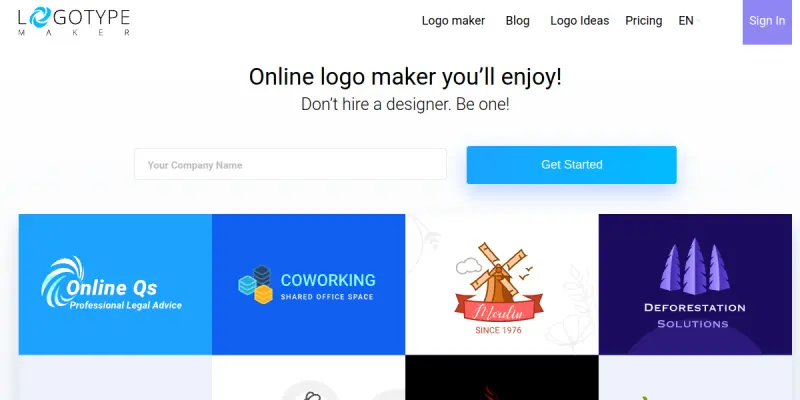
LogoTypeMaker is a web-based platform designed to simplify the process of creating professional logos. Targeted at entrepreneurs and small business owners, it allows users to generate visual branding assets without needing specialized design skills. By combining user-provided text with customizable templates, the tool streamlines the branding workflow.
Key Features
- Text-to-Logo Generation: Input your business name and tagline to generate initial concepts.
- Template Library: Choose from a wide array of design styles, including modern, minimalist, and vintage.
- Color Customization: Adjust color palettes to ensure brand consistency.
- Icon Integration: Upload or select icons to enhance the visual appeal of the logo.
- High-Resolution Download: Export logos in PNG or SVG formats suitable for print and web.
- Real-Time Preview: See changes instantly as you modify text and design elements.
- Drag-and-Drop Editor: Intuitive interface for moving and resizing elements.
Use Cases
Small Business Branding
New startups often lack time and budget for professional design agencies. LogoTypeMaker provides a cost-effective solution to establish a brand identity quickly, ensuring a professional look for websites and business cards.
Marketing Campaigns
Businesses running campaigns can quickly generate variations of logos for different social media platforms or marketing materials. The ability to customize text and colors makes it easy to adapt branding assets for specific campaigns.
Personal Projects
Beyond business, individuals can use the tool for personal branding, such as creating logos for hobbies, blogs, or community groups where a custom visual identity is desired without the complexity of vector editing software.
Pricing & Plans
The tool operates on a paid model. While specific pricing tiers are listed on the official website, users typically access basic features with a subscription or one-time purchase. Enterprise or team plans may be available for larger organizations requiring bulk assets.
Integrations & Compatibility
As a web-based SaaS application, LogoTypeMaker is compatible with all major web browsers, including Chrome, Firefox, Safari, and Edge. It requires no software installation and works seamlessly on desktop and mobile devices.
Who Is It For?
This tool is ideal for non-designers, freelancers, small business owners, and marketing professionals who need a fast and affordable way to create logos. It bridges the gap between complex design software and generic stock images.
Limitations
- Subscription Requirement: While the interface is free, downloading final high-quality assets usually requires a paid plan.
- Design Flexibility: The level of customization is more limited compared to professional vector software like Adobe Illustrator.
- Template Dependency: Users may find the design options somewhat restrictive if they have a very specific, unique vision.
Final Verdict
LogoTypeMaker is a practical tool for anyone needing a logo quickly. It successfully lowers the barrier to entry for graphic design, making it a viable option for small businesses and personal projects. However, users seeking high-end design control should be aware of the limitations.
Tool Facts
Screenshots & Interface
Pros
- ✓ Generates professional logos quickly without prior design experience
- ✓ User-friendly interface simplifies the design process
- ✓ Offers multiple export formats for different use cases
Cons
- × Downloadable assets require a paid subscription
- × Design flexibility is lower than professional software
- × Template library may be restricted for free users
How to Use LogoTypeMaker in Your Workflow
Integrating LogoTypeMaker into your professional toolkit enhances efficiency by automating manual steps. By configuring it to suit your specific project requirements, you can optimize output quality and reduce project cycle times. Standard workflows involve testing the tool on simple tasks before scaling its use to complex operations.
Frequently Asked Questions
What is LogoTypeMaker used for?
LogoTypeMaker is a web-based tool for creating custom logos without design skills. It generates branding assets based on user input and style preferences. The platform offers a free trial to test the service.
What is the pricing model for LogoTypeMaker?
LogoTypeMaker uses a Paid pricing model.
What are the main advantages of LogoTypeMaker?
The key benefits of LogoTypeMaker include: Generates professional logos quickly without prior design experience, User-friendly interface simplifies the design process, Offers multiple export formats for different use cases.
What are the main limitations of LogoTypeMaker?
Some limitations or cons of LogoTypeMaker are: Downloadable assets require a paid subscription, Design flexibility is lower than professional software, Template library may be restricted for free users.
Alternative AI Tools
Prototype AI
Prototype AI is a SaaS tool that uses AI to generate UI/UX design assets, such as wireframes and prototypes. It is designed for product designers and teams who want to accelerate their design workflows. Its key differentiator is the ability to convert natural language prompts into editable design components.

Locofy
Locofy is an AI-powered tool that converts Figma and Penpot designs into clean, developer-friendly frontend code. It is built for frontend developers and design teams aiming to accelerate prototyping and handoff. A key differentiator is its support for on-premise or cloud deployment with SOC2 and ISO certifications.

Playground AI
Playground AI is an online image generation tool that helps users create custom designs, logos, and social media graphics. It offers a text-to-image workflow suitable for designers and content creators seeking quick visual assets. Its key differentiator is a large library of community-created styles and models.
Rating Details
Based on 0 ratings
Related Tools
More AI tools from the same workflow, industry, or category.
Createimg.ai
Createimg.ai provides text-to-image generation and photo editing tools including background removal. It is designed for e-commerce sellers and creators needing free visual assets.
JetBrains AI
JetBrains AI is an AI-powered toolset integrated into JetBrains IDEs, offering code completion, debugging assistance, and intelligent suggestions for developers. It leverages large language models to help teams write, understand, and refactor code more efficiently. A key differentiator is its seamless integration with JetBrains' existing development environment.
Stable Diffusion Inpaint
Stable Diffusion Inpaint is an AI-powered tool that uses diffusion models to intelligently fill in or replace parts of an image. It is designed for photographers, designers, and content creators who need precise and context-aware image editing. Its key differentiator is the ability to generate new content that seamlessly blends with the existing image.
Crello AI
VistaCreate (formerly Crello) is a cloud-based design tool using AI to generate graphics from text prompts. It features 100K+ templates for social media and marketing.
Reviews
No reviews submitted yet. Be the first to share your experience.
Write a Review
Share Your Experience
Join the community to write reviews, submit ratings, and bookmark your favorite AI tools.