

Leadfeeder
Use Leadfeeder as the anchor for a real shortlist.
Instead of returning to a broad directory, jump straight into the strongest adjacent matchups for pricing, workflow fit, and differentiation.
Overview
Overview
Leadfeeder is a sales intelligence platform designed to help businesses identify and engage with anonymous website visitors. By tracking IP addresses and company domains, the tool reveals which companies are visiting a website, transforming unknown traffic into actionable sales opportunities. It bridges the gap between marketing and sales by providing clear visibility into buying intent and company data. The platform integrates directly with popular Customer Relationship Management (CRM) systems to ensure that identified leads are automatically added to sales pipelines.
Key Features
- Visitor Identification: Tracks anonymous traffic and assigns it to specific companies rather than individual IP addresses.
- CRM Integration: Seamlessly syncs identified companies and leads directly into Salesforce, HubSpot, Pipedrive, and others.
- Company Data Enrichment: Provides detailed insights into visitors, including company size, industry, location, and employee count.
- Lead Scoring: Helps prioritize prospects by analyzing visit frequency and behavior patterns.
- List Building: Allows users to create targeted lists of specific companies to pursue.
- Contact Information: Offers email addresses and contact details for key decision-makers at visited companies.
- Marketing Attribution: Tracks which marketing campaigns are driving traffic and which companies are engaging.
- Geolocation Data: Provides geographic location data to help tailor outreach strategies.
- Notification Alerts: Sends real-time alerts when a target company visits the site.
- Custom Reporting: Offers customizable dashboards to monitor lead sources and website performance.
Use Cases
B2B Lead Generation
Sales teams can use Leadfeeder to identify companies browsing their site before they even request a meeting, allowing for proactive outreach strategies.
Outbound Sales
Marketing teams can build lists of target companies based on industry and location to fuel outbound campaigns.
Closing Deals
Account managers can use the tool to see if a prospect is researching their services, providing an entry point for conversations.
Marketing Attribution
Businesses can determine which specific campaigns are driving the most valuable traffic and adjust budgets accordingly.
Competitor Analysis
Companies can monitor which competitors are visiting their site to gauge market interest and adjust their strategies.
Pricing & Plans
Leadfeeder provides a free tier that allows users to see anonymous website traffic and basic company data. Paid plans, such as the Pro and Plus tiers, unlock advanced features including CRM synchronization, detailed reporting, and access to contact information. Pricing is typically based on the number of companies tracked or the size of the user's domain.
Integrations & Compatibility
Leadfeeder integrates with a wide range of tools including Salesforce, HubSpot, Pipedrive, and Zoho. It also connects with marketing automation platforms and email tools to create a unified workflow for sales and marketing teams.
Who Is It For?
This tool is specifically designed for B2B marketers, sales representatives, and business owners who rely on website traffic to generate leads. It is essential for teams looking to increase their pipeline visibility.
Limitations
- Accuracy Issues: Visitor identification can be inaccurate if visitors use VPNs, proxies, or shared IP addresses.
- Compliance Requirements: GDPR compliance requires specific configuration and user opt-in for European visitors.
- User Satisfaction: Recent user reviews indicate low satisfaction, with some users reporting issues with reliability and support.
Final Verdict
Leadfeeder is a functional tool for identifying company-level website traffic and integrating that data into sales workflows. However, potential users should be aware of the low user satisfaction rating and accuracy limitations. It is recommended to utilize the free tier to determine if the accuracy and features meet specific business needs.
Tool Facts
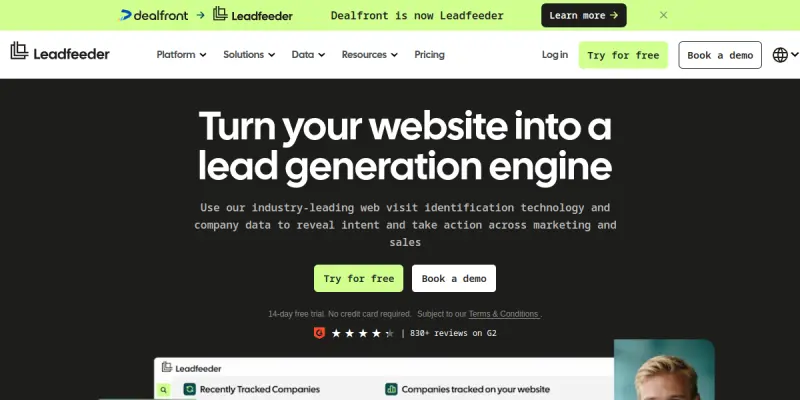
Screenshots & Interface
Pros
- ✓ Identifies anonymous website visitors by company name rather than individual IP addresses
- ✓ Seamless integration with major CRMs like Salesforce and HubSpot
- ✓ Provides detailed company insights including employee count and location
- ✓ Offers a free tier to test core lead generation features
Cons
- × Accuracy can be affected by VPNs, proxies, or shared IP addresses used by visitors
- × GDPR compliance requires explicit opt-in tracking for users in European markets
- × User satisfaction is low (2/5) based on recent reviews indicating reliability issues
How to Use Leadfeeder in Your Workflow
Integrating Leadfeeder into your professional toolkit enhances efficiency by automating manual steps. By configuring it to suit your specific project requirements, you can optimize output quality and reduce project cycle times. Standard workflows involve testing the tool on simple tasks before scaling its use to complex operations.
Frequently Asked Questions
What is Leadfeeder used for?
Leadfeeder identifies companies visiting your website through IP tracking and reveals anonymous traffic. It connects with your CRM to turn anonymous visitors into actionable sales opportunities. The platform provides detailed company data to help prioritize leads.
What is the pricing model for Leadfeeder?
Leadfeeder uses a Free pricing model.
What are the main advantages of Leadfeeder?
The key benefits of Leadfeeder include: Identifies anonymous website visitors by company name rather than individual IP addresses, Seamless integration with major CRMs like Salesforce and HubSpot, Provides detailed company insights including employee count and location, Offers a free tier to test core lead generation features.
What are the main limitations of Leadfeeder?
Some limitations or cons of Leadfeeder are: Accuracy can be affected by VPNs, proxies, or shared IP addresses used by visitors, GDPR compliance requires explicit opt-in tracking for users in European markets, User satisfaction is low (2/5) based on recent reviews indicating reliability issues.
Alternative AI Tools

Clearbit
Clearbit is a HubSpot native data provider that helps sales teams enrich CRM records, score and route leads, and identify visitor buying intent. It uses AI to automate data enrichment and deliver actionable insights for businesses using HubSpot.

Salesloft
Salesloft is a sales engagement platform that automates communication across email, phone, and LinkedIn to streamline workflows and track performance.

DiscoverOrg AI
DiscoverOrg AI is a B2B sales intelligence platform that provides targeted lead lists from a comprehensive business contact database. It helps sales teams find and connect with qualified prospects through data-driven insights and advanced filtering options.
Rating Details
Based on 0 ratings
Quick Comparisons
Related Tools
More AI tools from the same workflow, industry, or category.
KalTalk
KalTalk is an AI-powered sales and support tool for businesses that centralizes customer interactions into a shared inbox. It offers visitor intent tracking and a grounded knowledge base to help teams respond faster and more accurately across multiple channels.
SimilarTech AI
SimilarTech identifies the technologies websites use, including web servers and CMS platforms. It provides traffic data and competitor insights for B2B research.
Mailshake AI
Mailshake automates sales outreach via email, phone, and social campaigns. It helps users build automated cadences to improve response rates. The platform integrates with CRMs like Salesforce and HubSpot.
Agile CRM AI
Agile CRM AI is a freemium customer relationship management platform that uses artificial intelligence to help sales teams automate workflows, prioritize leads, and manage contacts. It is ideal for small to medium businesses seeking an affordable AI-powered CRM.
Reviews
No reviews submitted yet. Be the first to share your experience.
Write a Review
Share Your Experience
Join the community to write reviews, submit ratings, and bookmark your favorite AI tools.