

Litmaps
Use Litmaps as the anchor for a real shortlist.
Instead of returning to a broad directory, jump straight into the strongest adjacent matchups for pricing, workflow fit, and differentiation.
Overview
Overview
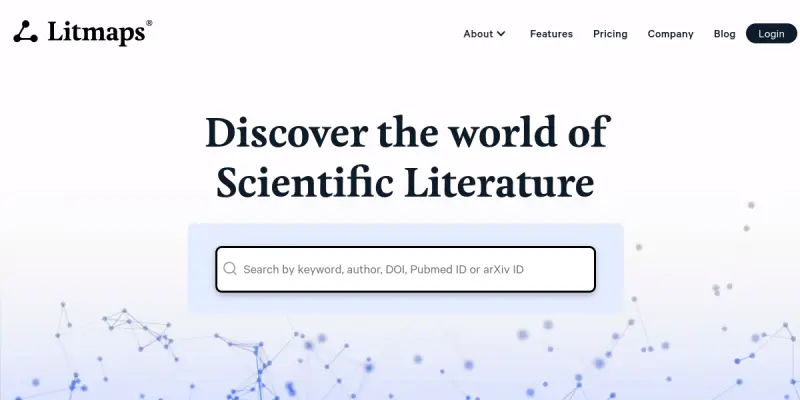
Litmaps is a literature mapping platform that helps researchers discover, organize, and visualize academic papers. By leveraging citation networks and interactive maps, it enables users to explore connections between publications and identify key research trends quickly. The tool caters to students, academics, and professionals who need to conduct systematic literature reviews efficiently.
Key Features
- Citation Mapping: Visualize citation networks to see how papers are connected and discover influential works.
- Search & Discovery: Use seed papers or keywords to find relevant literature across multiple databases.
- Interactive Visualizations: Explore dynamic maps that highlight relationships between publications, authors, and topics.
- Collaboration Tools: Share maps and collections with collaborators for team-based reviews.
- Import & Export: Import references from Zotero, Mendeley, and other reference managers, and export results in various formats.
- Alerts & Updates: Set alerts for new publications that match your search criteria.
Use Cases
Academic Research
Researchers can use Litmaps to conduct comprehensive literature reviews, identify gaps in existing studies, and track the evolution of research topics over time.
PhD and Graduate Studies
PhD students and graduate researchers benefit from Litmaps' visualization tools to understand the landscape of their field and find seminal papers quickly.
Grant Writing
When preparing grant proposals, researchers can quickly map out the relevant literature to support their arguments and demonstrate their knowledge of the field.
Systematic Reviews
Litmaps helps systematic review teams collaborate on screening, organizing, and documenting the literature in a structured manner.
Pricing & Plans
Litmaps operates on a freemium model. The free tier includes basic search and mapping features with limited capacity. Paid plans unlock advanced features such as unlimited maps, larger citation databases, priority support, and team collaboration options. Detailed pricing is available on the Litmaps website.
Integrations & Compatibility
Litmaps integrates with popular reference managers including Zotero and Mendeley. It also supports BibTeX and RIS export formats. The platform is web-based and works on modern browsers; no installation is required.
Who Is It For?
Litmaps is designed for researchers, academics, PhD students, and professionals who conduct literature reviews. It is particularly useful for those in the sciences and social sciences but can be adapted for any field.
Limitations
- The free tier has limited features and citation capacity.
- Requires a stable internet connection to access the web platform.
- The accuracy of search results depends on the quality and completeness of the underlying databases.
Final Verdict
Litmaps is a valuable tool for anyone involved in literature review work. Its interactive visualizations and integration with reference managers streamline the discovery and organization of academic papers. While the free tier imposes some restrictions, the paid plans offer significant additional capacity for serious researchers.
Tool Facts
Screenshots & Interface
Pros
- ✓ Interactive citation maps provide a visual overview of research landscapes.
- ✓ Seamless import from Zotero and Mendeley saves time on data entry.
- ✓ Alerts for new publications keep researchers up to date without manual searching.
- ✓ Collaboration features allow teams to work together on shared maps.
Cons
- × The free tier has limited citation capacity and features.
- × Requires an internet connection to use the web-based platform.
- × Search results may be incomplete if the underlying database lacks coverage.
How to Use Litmaps in Your Workflow
Integrating Litmaps into your professional toolkit enhances efficiency by automating manual steps. By configuring it to suit your specific project requirements, you can optimize output quality and reduce project cycle times. Standard workflows involve testing the tool on simple tasks before scaling its use to complex operations.
Frequently Asked Questions
What is Litmaps used for?
Litmaps is a literature mapping tool that helps researchers discover relevant academic papers through interactive visualizations. It enables users to explore citation networks, track research trends, and streamline the review process. The platform is designed for students, academics, and anyone conducting systematic literature reviews.
What is the pricing model for Litmaps?
Litmaps uses a Freemium pricing model.
What are the main advantages of Litmaps?
The key benefits of Litmaps include: Interactive citation maps provide a visual overview of research landscapes., Seamless import from Zotero and Mendeley saves time on data entry., Alerts for new publications keep researchers up to date without manual searching., Collaboration features allow teams to work together on shared maps..
What are the main limitations of Litmaps?
Some limitations or cons of Litmaps are: The free tier has limited citation capacity and features., Requires an internet connection to use the web-based platform., Search results may be incomplete if the underlying database lacks coverage..
Alternative AI Tools

Busuu AI
Busuu AI is a language learning platform that combines AI-powered lessons with a community of native speakers. It offers personalized study plans for learners of all levels. A key differentiator is its interactive speaking exercises with real-time feedback.
LearnDash AI
LearnDash AI is a WordPress plugin that uses artificial intelligence to generate course content, quizzes, and lesson plans.

Check-plagiarism AI
Check-plagiarism AI (Red Paper™) is a specialized academic tool designed to identify plagiarism and AI-generated text. It generates detailed reports suitable for students and researchers to verify content integrity.
Rating Details
Based on 0 ratings
Quick Comparisons
Related Tools
More AI tools from the same workflow, industry, or category.
fr3n
fr3n is a creator platform that combines a link-in-bio page, digital storefront, community spaces, and newsletters into one hub. It helps creators sell digital products, run memberships, and build an audience with first-party data.
Aveva AI
Aveva AI optimizes industrial processes and predictive maintenance by leveraging AI models to detect anomalies and support risk-based decision-making in manufacturing.
Paddle AI
Paddle AI streamlines billing, tax compliance, and revenue management for digital businesses. This SaaS platform automates financial operations, supporting global revenue generation for apps like n8n and AdGuard. It integrates essential payment processing tools into a single interface.
Honeywell Forge AI
Honeywell Forge is an industrial IoT platform that combines digital twin technology with AI to optimize facility operations. It is designed for industrial manufacturers seeking predictive maintenance and operational efficiency.
Reviews
No reviews submitted yet. Be the first to share your experience.
Write a Review
Share Your Experience
Join the community to write reviews, submit ratings, and bookmark your favorite AI tools.