

LogoGarden
Use LogoGarden as the anchor for a real shortlist.
Instead of returning to a broad directory, jump straight into the strongest adjacent matchups for pricing, workflow fit, and differentiation.
Overview
Overview
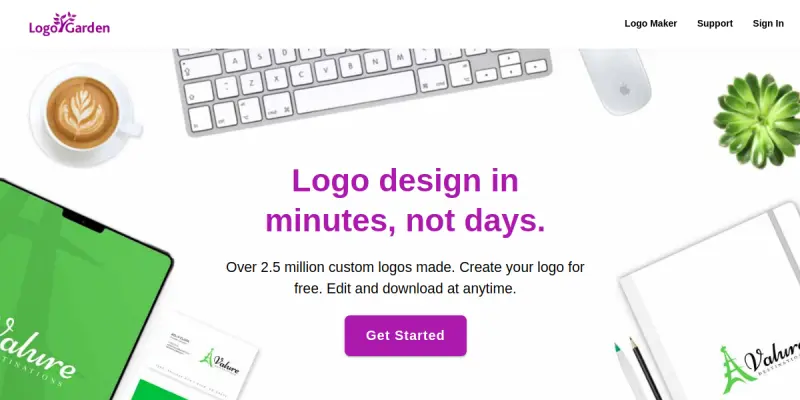
LogoGarden is an online logo design platform that enables businesses to create custom logos without professional design experience. With a library of hundreds of vector icons and a wide selection of fonts, users can mix and match elements to produce a unique brand identity. The tool is primarily aimed at entrepreneurs, startups, and small business owners who need a polished logo quickly and affordably.
Key Features
- Extensive Icon Library: Choose from hundreds of professionally designed vector icons across various industries and styles.
- Font Collection: Access a broad range of typefaces to complement your logo design.
- Drag-and-Drop Editor: Modify colors, sizes, and layouts with an intuitive visual interface.
- Real-Time Preview: See how your logo looks on different backgrounds and formats before finalizing.
- High-Resolution Downloads: Export your logo in PNG, SVG, EPS, and PDF formats suitable for print and web.
- No Design Skills Required: The platform guides users step-by-step, making logo creation accessible to everyone.
Use Cases
Small Business Branding
A local bakery can use LogoGarden to craft a logo featuring a pastry icon and a friendly script font, establishing a consistent visual identity for storefront signage and social media.
Startup Logo Creation
A tech startup can quickly generate a minimalist logo with geometric icons and a modern sans-serif typeface, saving costs on hiring a designer during early stages.
Event Logos
Event organizers can design temporary logos for conferences or meetups using themed icons and bold fonts, downloadable in high resolution for banners and badges.
Pricing & Plans
LogoGarden operates on a paid model. Specific pricing tiers are not publicly disclosed on the website; users are directed to start designing and are shown upgrade options after creating a logo. A free basic version may allow previewing but requires payment for high-resolution downloads.
Integrations & Compatibility
LogoGarden is a web-based tool accessible from any modern browser. Exported files can be imported into design software like Adobe Illustrator or Canva for further editing. Direct integrations with social media platforms or e-commerce stores are not advertised.
Who Is It For?
LogoGarden is ideal for:
- Entrepreneurs launching a new business
- Small business owners seeking an affordable branding solution
- Non-designers who want a professional logo without learning complex software
- Freelancers and consultants needing a quick logo for their personal brand
Limitations
- The free version likely offers only low-resolution watermarked logos; full downloads require payment.
- Customization is limited to available icons and fonts; users cannot upload their own vector artwork.
- Branding guidance (color psychology, font pairing) is minimal compared to dedicated design tools.
- No direct API for bulk logo generation or integration with design workflows.
Final Verdict
LogoGarden is a straightforward logo maker that serves its core audience well. It excels in simplicity and speed, making it a practical choice for basic logo needs. However, users seeking extensive customization or unique designs may find the library restrictive. For entrepreneurs on a tight budget, it offers a viable entry-level branding solution.
Tool Facts
Screenshots & Interface
Pros
- ✓ Hundreds of vector icons and fonts allow for diverse logo styles.
- ✓ Drag-and-drop editor makes logo creation accessible without design skills.
- ✓ Exports in multiple high-resolution formats (PNG, SVG, EPS, PDF).
- ✓ Real-time preview helps users see how logos appear on different backgrounds.
Cons
- × High-resolution downloads require a paid plan; free version offers only watermarked low-res output.
- × Customization is restricted to the existing icon and font libraries; no upload of custom artwork.
- × Limited branding guidance; users must rely on their own design sense.
How to Use LogoGarden in Your Workflow
Integrating LogoGarden into your professional toolkit enhances efficiency by automating manual steps. By configuring it to suit your specific project requirements, you can optimize output quality and reduce project cycle times. Standard workflows involve testing the tool on simple tasks before scaling its use to complex operations.
Frequently Asked Questions
What is LogoGarden used for?
LogoGarden is an online logo maker that lets you design business logos from hundreds of icons and fonts. It targets small business owners and entrepreneurs who need a quick, customizable logo without design skills. Its key differentiator is the extensive library of high-quality vector icons.
What is the pricing model for LogoGarden?
LogoGarden uses a Paid pricing model.
What are the main advantages of LogoGarden?
The key benefits of LogoGarden include: Hundreds of vector icons and fonts allow for diverse logo styles., Drag-and-drop editor makes logo creation accessible without design skills., Exports in multiple high-resolution formats (PNG, SVG, EPS, PDF)., Real-time preview helps users see how logos appear on different backgrounds..
What are the main limitations of LogoGarden?
Some limitations or cons of LogoGarden are: High-resolution downloads require a paid plan; free version offers only watermarked low-res output., Customization is restricted to the existing icon and font libraries; no upload of custom artwork., Limited branding guidance; users must rely on their own design sense..
Alternative AI Tools

Logopony
Logopony is an AI-powered logo generator that helps small businesses and entrepreneurs create professional logos online. It offers unlimited customization options and a free tier to get started.

Tailor Brands
Tailor Brands offers an AI-powered platform for creating logos, branding materials, and business assets. It guides entrepreneurs through business formation and brand identity development. The service combines design automation with legal business setup tools.

BlueWillow
BlueWillow is a free AI image generator that lets you create artwork from text prompts. It serves users who want a no-cost alternative to Midjourney, with a focus on Discord-based generation. Its key differentiator is providing high-quality outputs without a subscription.
Rating Details
Based on 0 ratings
Quick Comparisons
Related Tools
More AI tools from the same workflow, industry, or category.
Createimg.ai
Createimg.ai provides text-to-image generation and photo editing tools including background removal. It is designed for e-commerce sellers and creators needing free visual assets.
JetBrains AI
JetBrains AI is an AI-powered toolset integrated into JetBrains IDEs, offering code completion, debugging assistance, and intelligent suggestions for developers. It leverages large language models to help teams write, understand, and refactor code more efficiently. A key differentiator is its seamless integration with JetBrains' existing development environment.
Stable Diffusion Inpaint
Stable Diffusion Inpaint is an AI-powered tool that uses diffusion models to intelligently fill in or replace parts of an image. It is designed for photographers, designers, and content creators who need precise and context-aware image editing. Its key differentiator is the ability to generate new content that seamlessly blends with the existing image.
Crello AI
VistaCreate (formerly Crello) is a cloud-based design tool using AI to generate graphics from text prompts. It features 100K+ templates for social media and marketing.
Reviews
No reviews submitted yet. Be the first to share your experience.
Write a Review
Share Your Experience
Join the community to write reviews, submit ratings, and bookmark your favorite AI tools.