

Meshy
Use Meshy as the anchor for a real shortlist.
Instead of returning to a broad directory, jump straight into the strongest adjacent matchups for pricing, workflow fit, and differentiation.
Overview
Overview
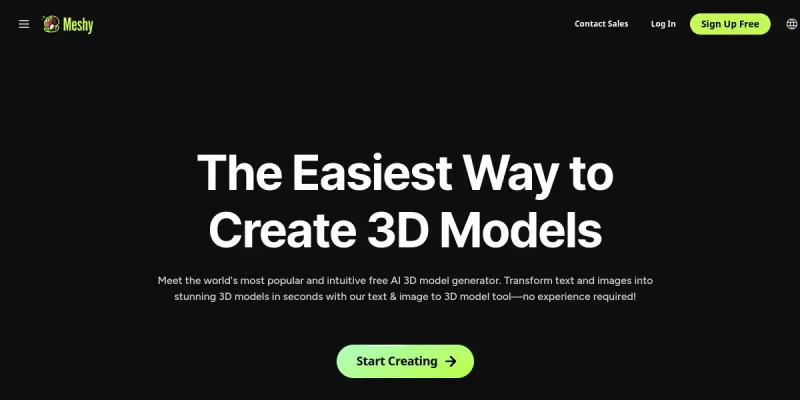
Meshy is an AI-powered platform designed to streamline the creation of 3D assets. By leveraging advanced generative models, it allows users to convert simple text prompts or 2D images into fully textured 3D models. This tool bridges the gap between conceptual design and production-ready assets, significantly reducing the time required for manual modeling.
Key Features
- Text-to-3D: Converts descriptive text prompts into 3D geometry instantly.
- Image-to-3D: Uploads a 2D image to generate a matching 3D model.
- 3D AI Painting: Refines and textures the generated models directly within the interface.
- Pose-based Animation: Allows users to animate models by selecting poses.
- Text-to-Texture: Generates texture maps based on text descriptions.
- Developer API: Provides robust access for developers to integrate 3D generation into their own applications.
- Free Tier: Offers a limited free plan for testing and small projects.
Use Cases
Game Development
Game developers can use Meshy to rapidly prototype character models, environments, and props. The ability to generate textures and geometry from text descriptions speeds up the concept art phase and asset creation pipeline.
E-Commerce
Online retailers can create 3D product visualizations from simple photos or descriptions. This enhances the customer shopping experience by allowing users to inspect products in 3D, reducing return rates.
Digital Art and Design
Artists use Meshy to explore new concepts quickly. It serves as a starting point for detailed sculpting or rendering, providing a solid foundation for complex artistic projects.
Rapid Prototyping
Engineers and product designers can generate initial 3D models to test form and fit before committing to expensive manufacturing processes.
Pricing & Plans
Meshy operates on a freemium model. The free tier allows users to generate a limited number of models to test the capabilities of the AI. Paid tiers likely offer higher generation limits, faster processing times, and access to advanced features like higher-resolution outputs or more complex animations. Specific pricing details should be checked on their official website.
Integrations & Compatibility
Meshy offers a developer API that allows integration into various software stacks. It is designed to be compatible with standard 3D file formats, facilitating easy export to popular engines like Unity, Unreal Engine, or Blender. The API supports common HTTP requests, making it accessible for web and mobile application development.
Who Is It For?
This tool is ideal for 3D artists, game developers, and content creators who need to produce 3D assets quickly. It is also suitable for e-commerce businesses looking to digitize their product catalog and for hobbyists interested in experimenting with generative AI in 3D space.
Limitations
- The generated models may require manual cleanup and optimization for high-fidelity production.
- Pose-based animation can sometimes result in unnatural joint movements.
- Long-form video generation is resource-intensive and may be slow or costly.
- The free tier has strict limits on generation credits and frequency.
Final Verdict
Meshy represents a significant step forward in accessible 3D generation. While it may not replace the need for skilled modelers in high-end production, it excels as a rapid prototyping tool and a creative assistant. For users needing quick 3D assets, it is a highly effective solution.
Tool Facts
Screenshots & Interface
Pros
- ✓ Offers a developer API for custom integrations
- ✓ Generates high-quality 3D models from text prompts and images
- ✓ Includes a 3D AI painting feature to refine model textures
Cons
- × Generating long-form video or animations consumes credits rapidly
- × Model accuracy may require manual adjustments for complex characters
How to Use Meshy in Your Workflow
Integrating Meshy into your professional toolkit enhances efficiency by automating manual steps. By configuring it to suit your specific project requirements, you can optimize output quality and reduce project cycle times. Standard workflows involve testing the tool on simple tasks before scaling its use to complex operations.
Frequently Asked Questions
What is Meshy used for?
Meshy is an AI tool that transforms text prompts and images into 3D models instantly. It offers a free tier for creators and developers. This platform streamlines 3D asset creation for game design and digital art.
What is the pricing model for Meshy?
Meshy uses a Freemium pricing model.
What are the main advantages of Meshy?
The key benefits of Meshy include: Offers a developer API for custom integrations, Generates high-quality 3D models from text prompts and images, Includes a 3D AI painting feature to refine model textures.
What are the main limitations of Meshy?
Some limitations or cons of Meshy are: Generating long-form video or animations consumes credits rapidly, Model accuracy may require manual adjustments for complex characters.
Alternative AI Tools

Avaturn
Generate photorealistic 3D avatars from selfies. Customize features and export as standard 3D models (GLB, FBX). Includes a developer SDK for app and metaverse integration.

Timebolt
Timebolt is a video editing tool that automatically removes silence and filler words from talking-head videos, podcasts, and presentations. It uses AI to generate jump cuts, enabling creators to trim content in a fraction of the time required for manual editing. The tool is designed for content creators and podcasters who want to speed up their post-production workflow.
Vidyard AI
Vidyard AI is a video platform that uses AI to generate screen recordings and personalized video messages. It helps teams create engaging content for sales outreach and marketing. The tool simplifies the video creation process without requiring advanced editing skills.
Rating Details
Based on 0 ratings
Quick Comparisons
Related Tools
More AI tools from the same workflow, industry, or category.
ClipTrend.ai
ClipTrend.ai is an AI image-to-video workspace for creators, marketers, and short-form video teams.
SongR
SongR is a text-to-song app that generates custom music tracks from a few keywords. It is designed for content creators and social media users who need quick, royalty-free songs in genres like pop, rock, hip-hop, and chant. Its key differentiator is instant generation without requiring musical expertise.
Quantum Capture
Quantum Capture generates AI-powered talking head videos from text input. It is designed for content creators and marketers who need quick, studio-quality video clips without expensive equipment. The platform specializes in creating realistic avatars with consistent lip-sync and facial expressions.
Kaltura AI
Kaltura is an enterprise video platform that combines cloud hosting with AI tools for content creation, marketing, and learning management. It helps businesses create branded video experiences for webinars, social media, and internal training.
Reviews
No reviews submitted yet. Be the first to share your experience.
Write a Review
Share Your Experience
Join the community to write reviews, submit ratings, and bookmark your favorite AI tools.