

Wisecut
Use Wisecut as the anchor for a real shortlist.
Instead of returning to a broad directory, jump straight into the strongest adjacent matchups for pricing, workflow fit, and differentiation.
Overview
Overview
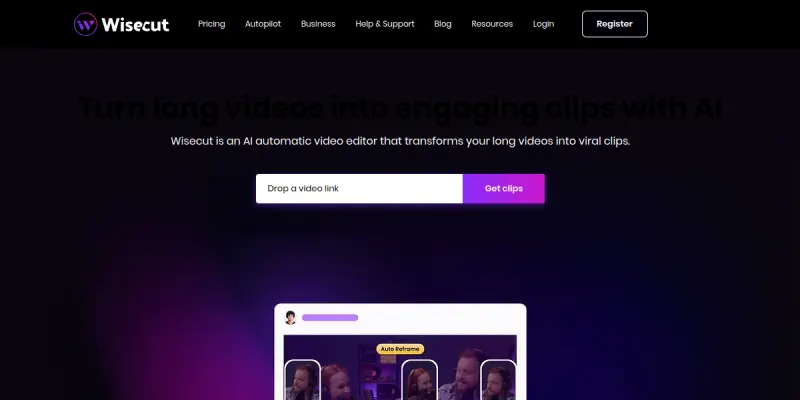
Wisecut is a browser-based AI video editing platform designed specifically for creating short-form video content. Unlike traditional video editors that require complex timelines and manual cuts, Wisecut leverages artificial intelligence to automatically identify and remove silence, add captions, and adjust audio levels. This tool allows creators to transform long videos into engaging social media clips for platforms like YouTube Shorts, TikTok, and Instagram Reels with minimal effort.
Key Features
- Auto Silence Removal: Automatically detects and cuts out silent moments, ensuring your video pacing remains fast and engaging.
- Auto Captions: Generates captions automatically and offers multi-language translation support to reach a global audience.
- Audio Ducking: Lowers background music volume when you speak to ensure your voice is always clear.
- Vertical Video Scaling: Instantly scales horizontal videos to vertical formats (9:16) with one click, perfect for mobile-first platforms.
- Background Music Suggestions: Suggests royalty-free background music tracks that match the mood of your video.
- Browser-Based Interface: Operates entirely in the web browser, eliminating the need for software downloads or high-end hardware.
Use Cases
Social Media Content Creation
Wisecut is ideal for influencers, marketers, and content creators who need to produce high volumes of content quickly. The ability to auto-generate captions and remove silence drastically reduces the time spent editing, allowing for a faster content creation workflow.
Course and Tutorial Videos
Educators and trainers can use Wisecut to trim unnecessary pauses from their lectures. By removing long silences, the educational material becomes more digestible and keeps the viewer's attention from start to finish.
Marketing and Brand Promotion
Marketing teams can use the tool to repurpose long-form webinars or presentations into bite-sized clips for social media campaigns. The auto-scaling feature ensures the content looks professional on any device.
Pricing & Plans
Wisecut operates on a Freemium model. The free tier allows users to export videos with a watermark and limited resolution options. Paid plans typically offer higher resolution exports, removal of watermarks, and access to premium features like advanced caption styles and priority processing.
Integrations & Compatibility
Wisecut is a standalone web application. While it does not offer deep API integrations for other software, it supports direct uploads to major social media platforms and works on all modern web browsers (Chrome, Firefox, Safari).
Who Is It For?
This tool is best suited for YouTubers, TikTok creators, social media managers, and small business owners who lack professional video editing skills but need to maintain a high production quality for their social channels.
Limitations
- Wisecut lacks a traditional timeline editor, making it unsuitable for complex post-production editing.
- The browser-based nature of the tool can lead to performance issues when processing very large video files.
- Auto-generated captions sometimes contain errors that require manual correction.
- Advanced audio mixing and transition effects are limited compared to desktop software like Adobe Premiere.
Final Verdict
Wisecut is a highly effective tool for streamlining the video editing process for short-form content. While it cannot replace professional editing suites for complex projects, its automated features for silence removal and captions provide immense value for creators focusing on social media. It strikes a good balance between power and ease of use, making it a strong contender in the AI editor space.
Tool Facts
Screenshots & Interface
Pros
- ✓ Automatically detects and removes long silences to keep pacing fast
- ✓ Generates auto-generated captions with auto-translate support
- ✓ Provides background music recommendations that match the video's mood
- ✓ Scales horizontal videos to vertical formats with one click
- ✓ Offers a browser-based interface that requires no software installation
Cons
- × Lacks advanced timeline editing capabilities compared to desktop software
- × Browser-based performance can be slow with large video files
- × Auto-generated captions may require manual proofreading for accuracy
- × Advanced audio effects and transitions are limited
How to Use Wisecut in Your Workflow
Integrating Wisecut into your professional toolkit enhances efficiency by automating manual steps. By configuring it to suit your specific project requirements, you can optimize output quality and reduce project cycle times. Standard workflows involve testing the tool on simple tasks before scaling its use to complex operations.
Frequently Asked Questions
What is Wisecut used for?
Wisecut is an AI video editor that automatically removes silence and adds captions to create short-form clips for social media. It streamlines the editing process for content creators.
What is the pricing model for Wisecut?
Wisecut uses a Freemium pricing model.
What are the main advantages of Wisecut?
The key benefits of Wisecut include: Automatically detects and removes long silences to keep pacing fast, Generates auto-generated captions with auto-translate support, Provides background music recommendations that match the video's mood, Scales horizontal videos to vertical formats with one click, Offers a browser-based interface that requires no software installation.
What are the main limitations of Wisecut?
Some limitations or cons of Wisecut are: Lacks advanced timeline editing capabilities compared to desktop software, Browser-based performance can be slow with large video files, Auto-generated captions may require manual proofreading for accuracy, Advanced audio effects and transitions are limited.
Alternative AI Tools

Wistia AI
Wistia is a video hosting platform with AI-powered editing tools. It helps businesses create, host, and market video content efficiently. Its key differentiator is the integrated AI for auto-clipping and engagement analytics.

Jupitrr AI
Jupitrr AI offers an all-in-one video operating system that helps businesses research, script, edit, and publish videos daily. It integrates AI agents, automated cutting tools, and an AI-powered video editor. The platform is suitable for teams seeking a streamlined video production workflow.
Vidyard AI
Vidyard AI is a video platform that uses AI to generate screen recordings and personalized video messages. It helps teams create engaging content for sales outreach and marketing. The tool simplifies the video creation process without requiring advanced editing skills.
Rating Details
Based on 0 ratings
Quick Comparisons
Related Tools
More AI tools from the same workflow, industry, or category.
ClipTrend.ai
ClipTrend.ai is an AI image-to-video workspace for creators, marketers, and short-form video teams.
SongR
SongR is a text-to-song app that generates custom music tracks from a few keywords. It is designed for content creators and social media users who need quick, royalty-free songs in genres like pop, rock, hip-hop, and chant. Its key differentiator is instant generation without requiring musical expertise.
Quantum Capture
Quantum Capture generates AI-powered talking head videos from text input. It is designed for content creators and marketers who need quick, studio-quality video clips without expensive equipment. The platform specializes in creating realistic avatars with consistent lip-sync and facial expressions.
Kaltura AI
Kaltura is an enterprise video platform that combines cloud hosting with AI tools for content creation, marketing, and learning management. It helps businesses create branded video experiences for webinars, social media, and internal training.
Reviews
No reviews submitted yet. Be the first to share your experience.
Write a Review
Share Your Experience
Join the community to write reviews, submit ratings, and bookmark your favorite AI tools.