

Opus 55 Video Verified
Use Opus 55 Video as the anchor for a real shortlist.
Instead of returning to a broad directory, jump straight into the strongest adjacent matchups for pricing, workflow fit, and differentiation.
Overview
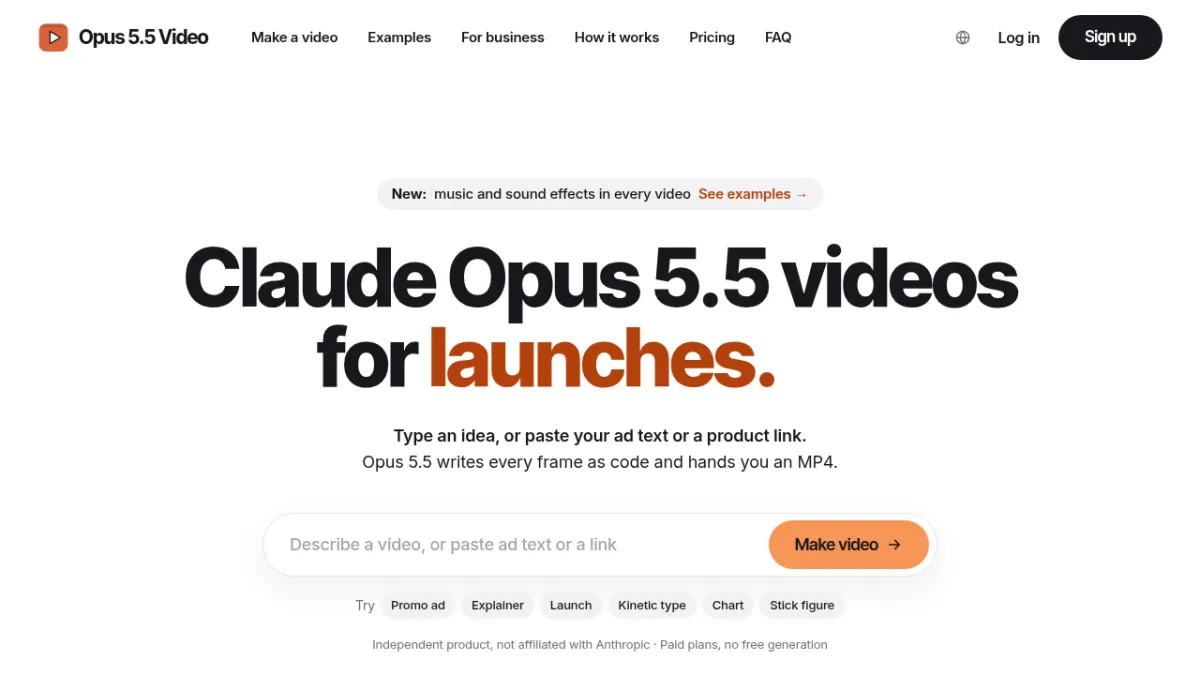
Opus 55 Video creates animated launch and explainer videos. Paste a product page or describe the idea; the AI writes the script and animation code, and your browser renders the MP4 in Sketch or Motion style for launches and social posts.
Tool Facts
Screenshots & Interface
How to Use Opus 55 Video in Your Workflow
Integrating Opus 55 Video into your professional toolkit enhances efficiency by automating manual steps. By configuring it to suit your specific project requirements, you can optimize output quality and reduce project cycle times. Standard workflows involve testing the tool on simple tasks before scaling its use to complex operations.
Frequently Asked Questions
What is Opus 55 Video used for?
Animated product videos from a link or a brief
What is the pricing model for Opus 55 Video?
Opus 55 Video uses a Paid pricing model.
Alternative AI Tools

Plask
Plask performs AI motion capture using a webcam or video files, creating rigged 3D characters without hardware.
MediaSilo AI
MediaSilo is a cloud-based video management platform that streamlines collaboration through secure video hosting and AI-assisted editing workflows.

Reface
Reface is an advanced AI-powered tool within Video & Animation specializing in AI Video Generators, built to streamline workflow productivity.
Rating Details
Based on 0 ratings
Quick Comparisons
Related Tools
More AI tools from the same workflow, industry, or category.
Opa Opa AI
Turn your selfie into the Opa Opa bouncy hair effect
SceneFlare
AI image and video creation workspace for models, tools, effects, and production-ready content
VORAvideo
AI Video Generator: Create Professional Videos in 3 Minutes
Cat Clapping
Turn photos of you and your cat into a clapping video.
Reviews
No reviews submitted yet. Be the first to share your experience.
Write a Review
Share Your Experience
Join the community to write reviews, submit ratings, and bookmark your favorite AI tools.