

Pictory
Use Pictory as the anchor for a real shortlist.
Instead of returning to a broad directory, jump straight into the strongest adjacent matchups for pricing, workflow fit, and differentiation.
Overview
Overview
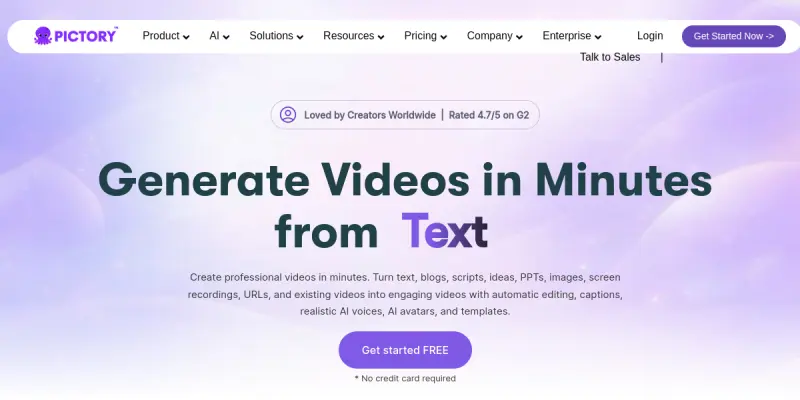
Pictory is a cloud-based AI video generation platform designed for content creators, marketers, and businesses who need to produce professional-looking videos quickly. It accepts a wide variety of input formats — including text, URLs, PowerPoint presentations, images, audio recordings, and even raw video clips — and automatically assembles them into polished, branded videos. The tool adds AI-generated voiceovers, auto-captions, and optional AI avatars to enhance viewer engagement. Pictory aims to democratize video production by eliminating the need for advanced editing skills or expensive software.
Key Features
- Text-to-Video: Paste a script or article, and Pictory generates a complete video with relevant stock footage, transitions, and voiceover.
- URL to Video: Enter a blog post URL, and the AI extracts key points to create a short, shareable video summary.
- PPT to Video: Upload a PowerPoint file, and Pictory converts each slide into a video segment with narration.
- AI Voiceovers: Choose from a library of natural-sounding AI voices in multiple languages and accents.
- Auto-Captions: Automatically generate and style captions that sync with the spoken audio for accessibility and engagement.
- Branding Kits: Apply your brand’s colors, logos, and fonts consistently across all videos.
- AI Avatars: Select from a range of pre-built avatars to present your content, adding a human touch.
- Video Editing Tools: Trim, split, and rearrange clips, adjust voiceover timing, and add background music directly in the browser.
Use Cases
Social Media Content
Marketers can repurpose long-form content (blog posts, podcasts, webinars) into short, engaging videos for Instagram, TikTok, LinkedIn, and YouTube Shorts. Pictory’s auto-captioning and vertical video support optimize for mobile viewing.
Training and Education
Educators and trainers can convert lesson plans, PowerPoint decks, or written guides into instructional videos. The AI voiceover and avatar features make it easy to create consistent, professional training materials without being on camera.
Corporate Communications
Internal comms teams can turn announcements, newsletters, and updates into quick video summaries that are more likely to be watched by employees. Branding kits ensure all videos adhere to company guidelines.
Sales and Marketing Presentations
Sales teams can transform product sheets, case studies, and landing pages into compelling video pitches. The ability to add a custom avatar or voiceover helps personalize outreach without recording each video individually.
Pricing & Plans
Pictory operates on a freemium model. The free plan includes limited video exports (up to 10 videos per month) with watermarked output and access to basic features. Paid tiers (Starter, Professional, and Team) increase export limits, remove watermarks, unlock premium AI voices and avatars, and offer higher-resolution exports. Enterprise pricing is available upon request for large teams with custom needs. Exact pricing figures are not disclosed in public materials and are subject to change.
Integrations & Compatibility
Pictory is a web-based application that works on any modern browser (Chrome, Firefox, Safari, Edge). It does not offer native mobile apps but is accessible via mobile browsers. The platform supports direct export to popular video hosting services like YouTube, Vimeo, and social media platforms. It also allows downloading video files in MP4 format for use in other tools. No native API or plugin integrations with other software (such as CMS or marketing automation tools) are documented.
Who Is It For?
Pictory is best suited for content creators, social media managers, marketers, small business owners, educators, and anyone who needs to produce videos quickly without a steep learning curve. It is less ideal for professional video editors who require granular control over every frame or those needing advanced effects, color grading, or multi-track audio editing.
Limitations
- Limited Free Tier: The free plan produces watermarked videos and caps exports at 10 per month, which may be restrictive for heavy users.
- Template-Driven Output: Videos are assembled from stock templates and footage, so highly customized or unique visual styles can be difficult to achieve.
- AI Voice Quality: While good, the AI voiceovers can sometimes sound robotic or lack emotional nuance compared to human narration.
- No Advanced Editing: Users seeking frame-by-frame control, keyframe animation, or professional color grading will find Pictory’s editing capabilities basic.
Final Verdict
Pictory is a solid entry-level tool for rapid video creation, especially for marketers and small teams who need to produce consistent, branded videos at scale. Its strength lies in its simplicity and wide range of input formats. However, it is not a replacement for full-featured video editing suites, and the limitations of the free plan may push power users toward paid tiers or alternative tools. Overall, Pictory is a practical choice for anyone looking to shorten their video production workflow without sacrificing quality.
Tool Facts
Screenshots & Interface
Pros
- ✓ Reduces video production time from hours to minutes by automating assembly and voiceover.
- ✓ Supports multiple input formats including text, URLs, PPTs, images, and audio recordings.
- ✓ Offers built-in auto-captioning and branding kits to ensure consistent output.
- ✓ Includes a library of AI voices in multiple languages for global content creation.
- ✓ Provides a free tier that lets users test core features before committing.
Cons
- × Free plan adds a watermark and limits exports to 10 videos per month.
- × Video output relies on stock templates and footage, limiting creative flexibility.
- × AI voiceovers can occasionally sound robotic or lack emotional inflection.
- × No native API or integration with popular marketing platforms is available.
How to Use Pictory in Your Workflow
Integrating Pictory into your professional toolkit enhances efficiency by automating manual steps. By configuring it to suit your specific project requirements, you can optimize output quality and reduce project cycle times. Standard workflows involve testing the tool on simple tasks before scaling its use to complex operations.
Frequently Asked Questions
What is Pictory used for?
Pictory is an AI-powered video generator for content creators and marketers. It transforms text, URLs, presentations, and media into professional branded videos with automatic captions and voiceovers, reducing production time from hours to minutes.
What is the pricing model for Pictory?
Pictory uses a Freemium pricing model.
What are the main advantages of Pictory?
The key benefits of Pictory include: Reduces video production time from hours to minutes by automating assembly and voiceover., Supports multiple input formats including text, URLs, PPTs, images, and audio recordings., Offers built-in auto-captioning and branding kits to ensure consistent output., Includes a library of AI voices in multiple languages for global content creation., Provides a free tier that lets users test core features before committing..
What are the main limitations of Pictory?
Some limitations or cons of Pictory are: Free plan adds a watermark and limits exports to 10 videos per month., Video output relies on stock templates and footage, limiting creative flexibility., AI voiceovers can occasionally sound robotic or lack emotional inflection., No native API or integration with popular marketing platforms is available..
Alternative AI Tools
Copy.ai
Copy.ai is an AI-powered copywriting platform that helps businesses generate marketing copy, social media posts, and product descriptions. It suits marketing teams, content creators, and e-commerce sellers. The tool includes 25+ templates and supports multilingual content generation.

InVideo
Create AI films and ads with Agent One
Synthesia
Synthesia is an AI video generation platform that lets businesses create professional videos using realistic AI avatars and text-to-speech voiceovers in over 120 languages. It is designed for marketing, training, and internal communications. Its key differentiator is creating studio-quality videos from simple text scripts without cameras or studios.
Rating Details
Based on 0 ratings
Quick Comparisons
Related Tools
More AI tools from the same workflow, industry, or category.
fablepilot
FablePilot is a free AI story generator that turns a single prompt into a complete story — no sign-up required. Add illustrations or generate a plot outline.
Ghosts.app
Ghosts is an AI ghostwriter for agencies, creators, and law firms. It produces researched, cited drafts in a specific voice without requiring prompts. Users brief a specialist agent and approve a finished draft.
GrowthBar
GrowthBar is an AI tool for content generation, designed to boost productivity and streamline workflows for writers and content creators, with features like editing and tone adjustment.
GetGenie AI
GetGenie AI is an AI-powered writing and SEO assistant that helps content creators and marketers generate optimized content quickly. It includes built-in keyword research and SERP analysis to improve organic search performance.
Reviews
No reviews submitted yet. Be the first to share your experience.
Write a Review
Share Your Experience
Join the community to write reviews, submit ratings, and bookmark your favorite AI tools.