

SFX Engine AI
Use SFX Engine AI as the anchor for a real shortlist.
Instead of returning to a broad directory, jump straight into the strongest adjacent matchups for pricing, workflow fit, and differentiation.
Overview
Overview
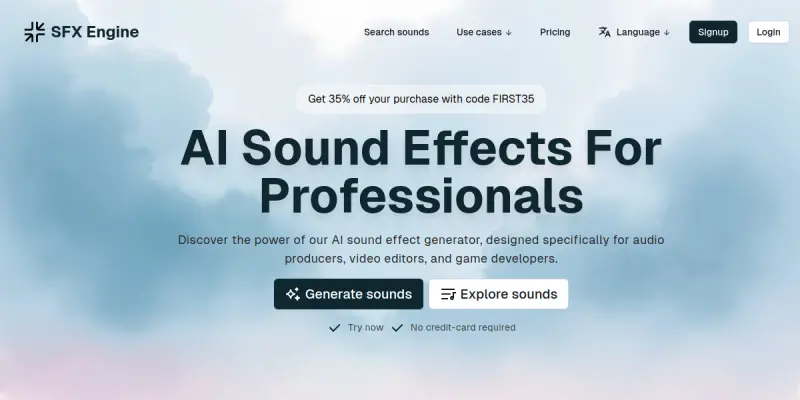
SFX Engine AI is a web-based platform designed to generate unique sound effects through artificial intelligence. It allows users to create custom audio clips without the need for physical recording equipment or extensive audio engineering expertise. The tool focuses on accessibility, enabling content creators to generate audio assets quickly for various media projects.
Key Features
- Text-to-Sound Generation: Convert text prompts into specific audio effects and ambient noises.
- Wide Audio Library: Access a collection of pre-generated sounds and styles within the platform.
- Customization Controls: Adjust parameters to tailor the output to specific project needs.
- Multiple Output Formats: Export files in standard audio formats suitable for various media workflows.
- No Software Installation: Operates entirely in a browser with a responsive interface.
- Freemium Model: Includes basic functionality without requiring an upfront purchase.
Use Cases
Game Development
Developers can create immersive soundscapes and specific ambient noises for different game environments without hiring a composer or recording samples.
Video Production
Editors can generate background noise, transitions, and unique sound effects to enhance video storytelling and pacing without manual sound searching.
Podcasting
Creators can produce intro music, jingles, and sound effects to elevate the production value of audio content effortlessly.
Pricing & Plans
SFX Engine AI operates on a freemium pricing model. The free tier allows users to generate a limited number of sound effects per month or within a certain timeframe. Paid subscriptions generally unlock higher generation limits, access to premium sound libraries, and commercial usage rights.
Integrations & Compatibility
The platform is web-based and accessible through any modern web browser. While specific native integrations are not detailed, the export options allow for compatibility with standard video editing software like Adobe Premiere and Final Cut Pro, as well as digital audio workstations (DAWs).
Who Is It For?
This tool is ideal for content creators, indie game developers, and video editors who need quick, reliable sound effects without the time or cost of traditional recording sessions. It is also suitable for hobbyists exploring AI audio generation.
Limitations
- Internet Dependency: The tool requires a stable internet connection to process requests and generate audio files.
- Customization Limits: Advanced users seeking granular control over waveform editing may find the interface too simplified compared to professional DAWs.
- Subscription Requirement: Advanced features and high-volume generation often require a paid plan.
Final Verdict
SFX Engine AI provides a convenient solution for generating sound effects on demand. Its browser-based nature makes it accessible to a broad audience, though power users might prefer traditional audio software for specific editing tasks.
Tool Facts
Screenshots & Interface
Pros
- ✓ Generates a wide variety of sound effects on demand without manual recording.
- ✓ Web-based interface requires no software installation or system resources.
- ✓ Offers a free tier for testing basic features before committing to a paid plan.
Cons
- × Requires an active internet connection to process and generate audio files.
- × Free tier may have limitations on file length, resolution, or usage rights.
- × Customization options are text-based rather than offering granular waveform editing.
How to Use SFX Engine AI in Your Workflow
Integrating SFX Engine AI into your professional toolkit enhances efficiency by automating manual steps. By configuring it to suit your specific project requirements, you can optimize output quality and reduce project cycle times. Standard workflows involve testing the tool on simple tasks before scaling its use to complex operations.
Frequently Asked Questions
What is SFX Engine AI used for?
SFX Engine AI generates unique sound effects for videos, games, and podcasts using artificial intelligence. The platform offers a freemium model with tools suitable for both beginners and professionals.
What is the pricing model for SFX Engine AI?
SFX Engine AI uses a Freemium pricing model.
What are the main advantages of SFX Engine AI?
The key benefits of SFX Engine AI include: Generates a wide variety of sound effects on demand without manual recording., Web-based interface requires no software installation or system resources., Offers a free tier for testing basic features before committing to a paid plan..
What are the main limitations of SFX Engine AI?
Some limitations or cons of SFX Engine AI are: Requires an active internet connection to process and generate audio files., Free tier may have limitations on file length, resolution, or usage rights., Customization options are text-based rather than offering granular waveform editing..
Alternative AI Tools

Speechmatics
Speechmatics provides AI-powered speech recognition, transcription, and translation for enterprise use. It offers a Speech API for developers to integrate voice capabilities into applications.

Lovo AI
Lovo AI is a text-to-speech platform that offers over 500 voices across 100 languages. It includes an online video editor and the ability to clone voices. This tool serves content creators, marketers, and educators looking for realistic voiceovers.

Epidemic Sound AI
Epidemic Sound AI provides content creators with a library of royalty-free music, sound effects, and AI-driven soundtracking tools. It simplifies video audio production for YouTubers, filmmakers, and social media creators by offering cleared tracks with global licensing.
Rating Details
Based on 0 ratings
Related Tools
More AI tools from the same workflow, industry, or category.
ClipTrend.ai
ClipTrend.ai is an AI image-to-video workspace for creators, marketers, and short-form video teams.
SongR
SongR is a text-to-song app that generates custom music tracks from a few keywords. It is designed for content creators and social media users who need quick, royalty-free songs in genres like pop, rock, hip-hop, and chant. Its key differentiator is instant generation without requiring musical expertise.
Quantum Capture
Quantum Capture generates AI-powered talking head videos from text input. It is designed for content creators and marketers who need quick, studio-quality video clips without expensive equipment. The platform specializes in creating realistic avatars with consistent lip-sync and facial expressions.
Kaltura AI
Kaltura is an enterprise video platform that combines cloud hosting with AI tools for content creation, marketing, and learning management. It helps businesses create branded video experiences for webinars, social media, and internal training.
Reviews
No reviews submitted yet. Be the first to share your experience.
Write a Review
Share Your Experience
Join the community to write reviews, submit ratings, and bookmark your favorite AI tools.