

Splitter AI
Use Splitter AI as the anchor for a real shortlist.
Instead of returning to a broad directory, jump straight into the strongest adjacent matchups for pricing, workflow fit, and differentiation.
Overview
Overview
Splitter.ai is a cloud-based artificial intelligence platform designed to simplify audio processing tasks for creators, musicians, and content producers. By leveraging advanced machine learning algorithms, the tool allows users to deconstruct mixed audio tracks into their individual components, such as vocals, drums, bass, and instruments. Unlike traditional audio editing software that requires manual work, Splitter automates the separation process, making professional audio manipulation accessible to users with varying levels of technical expertise.
Key Features
- AI-Powered Stem Separation: Utilizes deep learning to isolate vocals and instruments from mixed tracks.
- Cloud-Based Processing: No software installation required; runs entirely in the browser.
- Multiple Export Formats: Supports various audio formats including WAV and MP3.
- Free Tier Availability: Offers basic stem separation capabilities at no cost.
- User-Friendly Interface: Simple drag-and-drop functionality for easy file uploads.
- Fast Processing Speed: Delivers results quickly for standard audio files.
- Batch Processing: Capable of handling multiple files sequentially.
Use Cases
Music Production and Remixing
Producers and DJs can use Splitter to isolate specific stems from a track. This allows for the creation of remixes, mashups, or the extraction of acapellas and instrumentals without needing the original multi-track stems.
Podcast and Content Creation
Content creators often need to remove background music or noise from their recordings. Splitter can help clean up voiceovers by isolating the human voice from the background audio, ensuring clearer communication for the audience.
Karaoke and Background Music
Users can generate instrumental versions of their favorite songs for karaoke sessions or use isolated audio tracks as royalty-free background music for videos and presentations.
Music Education and Analysis
Music students and teachers can utilize the tool to analyze song structures, identify different instruments, and understand how complex audio layers are mixed together.
Pricing & Plans
Splitter.ai operates on a freemium model. The free tier provides access to basic stem separation tools, which is sufficient for casual users and hobbyists. For users requiring higher quality, faster processing, or access to more advanced features, a paid subscription plan is available.
Integrations & Compatibility
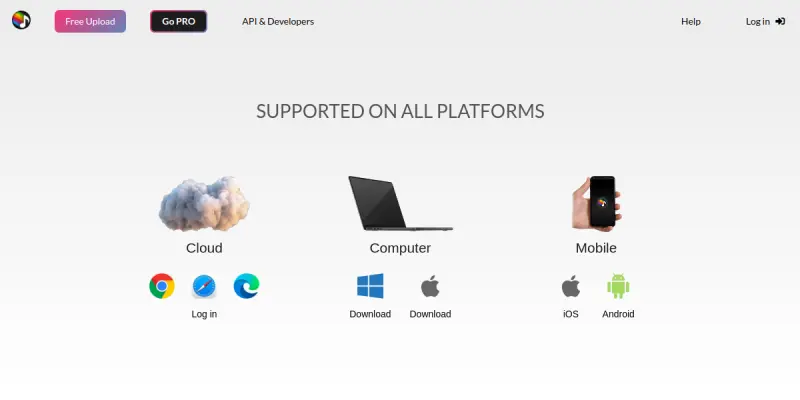
Splitter is a web-first application, meaning it is compatible with any modern web browser on desktop and mobile devices. It does not require native software integrations but can be used in conjunction with other digital audio workstations (DAWs) or video editing software as a preprocessing step.
Who Is It For?
This tool is primarily designed for musicians, podcasters, video editors, and content creators who need to manipulate audio files quickly. It is also useful for hobbyists interested in music production and those looking to create karaoke tracks or clean up audio recordings.
Limitations
- The free tier may impose restrictions on the number of files that can be processed per day or the maximum file length.
- Cloud processing requires a stable and high-speed internet connection.
- Audio quality can vary depending on the complexity and clarity of the original recording.
Final Verdict
Splitter.ai provides a valuable solution for users looking to perform stem separation without investing in expensive software. Its combination of a functional free tier and cloud accessibility makes it a convenient option for quick audio edits.
Tool Facts
Screenshots & Interface
Pros
- ✓ Isolates vocals and instruments into separate audio stems
- ✓ Provides a functional free tier for basic stem separation
- ✓ Offers a cloud-based interface requiring no software installation
Cons
- × Free tier has limitations on file length or processing speed
- × Processing quality can degrade with noisy or low-quality source audio
- × Requires a consistent internet connection for cloud-based operations
How to Use Splitter AI in Your Workflow
Integrating Splitter AI into your professional toolkit enhances efficiency by automating manual steps. By configuring it to suit your specific project requirements, you can optimize output quality and reduce project cycle times. Standard workflows involve testing the tool on simple tasks before scaling its use to complex operations.
Frequently Asked Questions
What is Splitter AI used for?
Splitter.ai separates audio stems into individual tracks using advanced AI. It offers a free tier for stem separation, catering to musicians and content creators.
What is the pricing model for Splitter AI?
Splitter AI uses a Free pricing model.
What are the main advantages of Splitter AI?
The key benefits of Splitter AI include: Isolates vocals and instruments into separate audio stems, Provides a functional free tier for basic stem separation, Offers a cloud-based interface requiring no software installation.
What are the main limitations of Splitter AI?
Some limitations or cons of Splitter AI are: Free tier has limitations on file length or processing speed, Processing quality can degrade with noisy or low-quality source audio, Requires a consistent internet connection for cloud-based operations.
Alternative AI Tools

Murf AI
Murf AI is a text-to-speech platform that generates realistic voiceovers for videos, podcasts, and presentations. It offers a browser-based studio and an API for developers to integrate synthetic voices into applications.

Otter.ai
Otter.ai converts spoken conversations into searchable text and summaries. It leverages AI to create live transcripts for meetings and interviews. The tool helps users stay organized by automatically capturing key points.

ScreenApp AI
ScreenApp AI is a platform that provides AI-powered screen recording, transcription, summarization, and video analysis for teams, educators, and professionals. It distinguishes itself by offering automated note-taking and content repurposing directly from recordings.
Rating Details
Based on 0 ratings
Quick Comparisons
Related Tools
More AI tools from the same workflow, industry, or category.
ClipTrend.ai
ClipTrend.ai is an AI image-to-video workspace for creators, marketers, and short-form video teams.
SongR
SongR is a text-to-song app that generates custom music tracks from a few keywords. It is designed for content creators and social media users who need quick, royalty-free songs in genres like pop, rock, hip-hop, and chant. Its key differentiator is instant generation without requiring musical expertise.
Quantum Capture
Quantum Capture generates AI-powered talking head videos from text input. It is designed for content creators and marketers who need quick, studio-quality video clips without expensive equipment. The platform specializes in creating realistic avatars with consistent lip-sync and facial expressions.
Kaltura AI
Kaltura is an enterprise video platform that combines cloud hosting with AI tools for content creation, marketing, and learning management. It helps businesses create branded video experiences for webinars, social media, and internal training.
Reviews
No reviews submitted yet. Be the first to share your experience.
Write a Review
Share Your Experience
Join the community to write reviews, submit ratings, and bookmark your favorite AI tools.