

Stable Diffusion
Use Stable Diffusion as the anchor for a real shortlist.
Instead of returning to a broad directory, jump straight into the strongest adjacent matchups for pricing, workflow fit, and differentiation.
Key details Tap to expand
Underlying AI Models
Overview
Overview
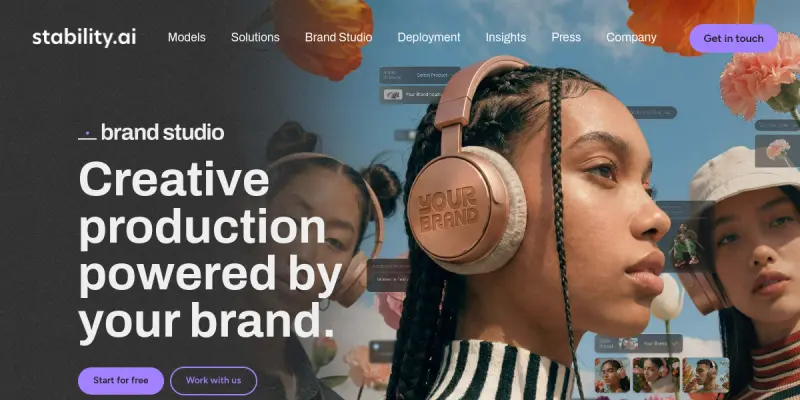
Stable Diffusion is a powerful open-source text-to-image generation model developed by Stability AI. Released in 2022, it uses a latent diffusion architecture to produce high-quality, photorealistic images from simple text prompts. Unlike many proprietary image generators, Stable Diffusion can run locally on consumer-grade GPUs, giving users full control over the generation process and privacy.
Key Features
- Latent Diffusion Architecture: Operates in a compressed latent space to efficiently generate images while maintaining high fidelity and detail.
- Text-to-Image Generation: Converts natural language prompts into photorealistic or artistic images with fine-grained control via negative prompts and guidance scale.
- Image-to-Image Editing: Transforms existing images by applying modifications based on text instructions or inpainting masks.
- Local and Cloud Inference: Can run on personal hardware (requires a GPU with at least 4GB VRAM) or through cloud APIs like Stability AI's own platform.
- Open-Weight Model: The model weights are publicly available under a permissive license, allowing developers to fine-tune, customize, and integrate into their own applications.
- Community Ecosystem: Supported by a vast ecosystem of tools, interfaces (e.g., Automatic1111, ComfyUI), extensions, and hundreds of user-trained checkpoints and LoRAs.
Use Cases
Digital Art and Illustration
Artists use Stable Diffusion to generate concept art, character designs, and surreal compositions. The ability to iterate quickly on prompts helps in exploring creative directions without manual sketching.
Marketing and Advertising
Designers create visual assets for social media posts, ad banners, and product mockups. The open-source nature allows brands to fine-tune the model on their own products for consistent, on-brand imagery.
Game Development
Game studios leverage Stable Diffusion for generating textures, concept art, and in-game assets. Running locally eliminates ongoing API costs and integrates seamlessly into the development pipeline.
Education and Research
Educators and researchers study latent diffusion techniques, fine-tune the model for specific domains (e.g., medical imaging, satellite imagery), and develop new generative methods using the available codebase.
Pricing & Plans
Stable Diffusion is completely free and open source. Users can download the model weights and run inference on their own hardware at no cost. For those who prefer cloud inference, Stability AI offers a commercial API with pay-as-you-go pricing, but the core model remains freely accessible.
Integrations & Compatibility
The model integrates with numerous front-end interfaces (Automatic1111's WebUI, ComfyUI, InvokeAI) and can be accessed via Python libraries (diffusers, stable-diffusion-webui). It also supports popular third-party extensions like ControlNet, LoRA, and Dreambooth for enhanced control.
Who Is It For?
Stable Diffusion is designed for artists, designers, developers, researchers, and hobbyists who want a powerful, customizable, and private image generation tool. It is particularly suited for users with GPU-equipped hardware who require full ownership of their generated content.
Limitations
- Requires a dedicated GPU with at least 4GB VRAM for comfortable local use, which may exclude users with older or integrated graphics.
- Output quality heavily depends on prompt engineering and understanding of model parameters, so beginners may face a learning curve.
- The open-weight nature means no official customer support or guaranteed uptime — the community and forums are the primary help channels.
- Generated images can sometimes contain artifacts or anatomical errors, especially in complex scenes.
Final Verdict
Stable Diffusion remains one of the most influential open-source AI image generators available. Its combination of high-quality output, local inference, and extensive customizability makes it a top choice for anyone serious about generative art. While the learning curve and hardware requirements can be barriers, the active community and constant stream of improvements more than compensate.
Tool Facts
Screenshots & Interface
Pros
- ✓ Runs locally on consumer GPUs, preserving user privacy and eliminating API costs.
- ✓ Open-source model weights enable full customizability and fine-tuning for specific domains.
- ✓ Vast community ecosystem provides hundreds of pre-trained checkpoints, LoRAs, and extensions.
- ✓ Supports both text-to-image and image-to-image workflows including inpainting and outpainting.
Cons
- × Requires a dedicated GPU with at least 4GB VRAM for comfortable local use, limiting accessibility.
- × Output quality is highly dependent on prompt engineering and parameter tuning, presenting a learning curve.
- × Generated images occasionally exhibit artifacts or anatomical inaccuracies, especially in complex compositions.
- × As an open-source project, there is no official customer support or guaranteed service uptime.
How to Use Stable Diffusion in Your Workflow
Integrating Stable Diffusion into your professional toolkit enhances efficiency by automating manual steps. By configuring it to suit your specific project requirements, you can optimize output quality and reduce project cycle times. Standard workflows involve testing the tool on simple tasks before scaling its use to complex operations.
Frequently Asked Questions
What is Stable Diffusion used for?
Stable Diffusion is an open-source text-to-image model that generates photorealistic visuals from natural language prompts. It is widely used by artists, designers, and developers for creative and commercial projects, and runs locally on consumer hardware.
What is the pricing model for Stable Diffusion?
Stable Diffusion uses a Free / Open Source pricing model.
What are the main advantages of Stable Diffusion?
The key benefits of Stable Diffusion include: Runs locally on consumer GPUs, preserving user privacy and eliminating API costs., Open-source model weights enable full customizability and fine-tuning for specific domains., Vast community ecosystem provides hundreds of pre-trained checkpoints, LoRAs, and extensions., Supports both text-to-image and image-to-image workflows including inpainting and outpainting..
What are the main limitations of Stable Diffusion?
Some limitations or cons of Stable Diffusion are: Requires a dedicated GPU with at least 4GB VRAM for comfortable local use, limiting accessibility., Output quality is highly dependent on prompt engineering and parameter tuning, presenting a learning curve., Generated images occasionally exhibit artifacts or anatomical inaccuracies, especially in complex compositions., As an open-source project, there is no official customer support or guaranteed service uptime..
Alternative AI Tools

Cutout.pro
Cutout.pro is a freemium visual design platform offering AI-powered photo and video editing tools. It serves designers and content creators who need background removal, image restoration, and AI generation capabilities. Its key differentiator is the integration of text-to-speech and digital human features alongside traditional editing.
LogoGenie
LogoGenie uses artificial intelligence to help users create custom logos quickly. It targets entrepreneurs, small business owners, and freelancers who need brand identity assets without design experience. The tool offers a free tier and a simple, browser-based interface.
Erase.bg
Erase.bg uses AI to automatically remove image backgrounds for humans, animals, and products. It delivers high-resolution PNGs for free, suitable for e-commerce and design projects.
Rating Details
Based on 0 ratings
Underlying AI Models
Related Tools
More AI tools from the same workflow, industry, or category.
Createimg.ai
Createimg.ai provides text-to-image generation and photo editing tools including background removal. It is designed for e-commerce sellers and creators needing free visual assets.
JetBrains AI
JetBrains AI is an AI-powered toolset integrated into JetBrains IDEs, offering code completion, debugging assistance, and intelligent suggestions for developers. It leverages large language models to help teams write, understand, and refactor code more efficiently. A key differentiator is its seamless integration with JetBrains' existing development environment.
Stable Diffusion Inpaint
Stable Diffusion Inpaint is an AI-powered tool that uses diffusion models to intelligently fill in or replace parts of an image. It is designed for photographers, designers, and content creators who need precise and context-aware image editing. Its key differentiator is the ability to generate new content that seamlessly blends with the existing image.
Crello AI
VistaCreate (formerly Crello) is a cloud-based design tool using AI to generate graphics from text prompts. It features 100K+ templates for social media and marketing.
Reviews
No reviews submitted yet. Be the first to share your experience.
Write a Review
Share Your Experience
Join the community to write reviews, submit ratings, and bookmark your favorite AI tools.