

Timebolt
Use Timebolt as the anchor for a real shortlist.
Instead of returning to a broad directory, jump straight into the strongest adjacent matchups for pricing, workflow fit, and differentiation.
Overview
Overview
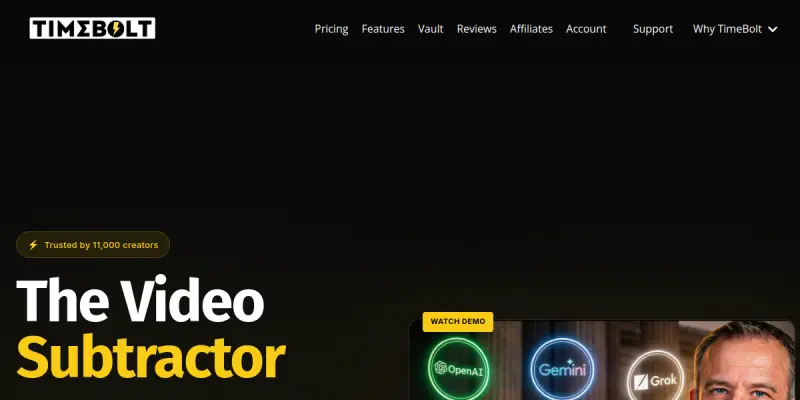
Timebolt is an AI-powered video editing tool that automatically detects and removes silence, filler words (like "um," "uh," "ah"), and rough takes from talking-head videos and podcasts. Instead of manually scrubbing through timelines, editors can upload their footage and let Timebolt generate a clean, jump-cut edit in seconds. The software focuses on speed and simplicity, targeting content creators who produce frequent long-form or short-form video content.
Key Features
- AI Silence Detection: Automatically identifies and removes sections of silence from video and audio tracks, tightening the overall edit.
- Filler Word Removal: Detects common filler words and phrases, allowing users to cut or reduce them with one click.
- Jump Cut Generator: Produces continuous jump cuts from talking segments, maintaining visual flow without manual keyframing.
- Export to Multiple Formats: Supports exporting edited videos in standard formats (MP4, MOV) with customizable resolution and quality.
- Timeline Preview: Provides a visual timeline showing all detected silence and filler segments before applying edits.
- Custom Sensitivity Settings: Allows users to adjust how aggressively silence and filler are detected, offering fine control over the editing output.
- Batch Processing: Enables processing multiple video files in one go, saving time for users with large volumes of content.
- API Access: Offers a developer API for integrating Timebolt’s editing capabilities into custom workflows or platforms.
Use Cases
Podcast Editing
Podcasters can upload raw episode recordings and use Timebolt to automatically strip out silent pauses, repeated fillers, and awkward breaks. The result is a polished audio and video track ready for distribution on platforms like YouTube or Spotify.
Social Media Content Creation
Creators producing short clips for TikTok, Instagram Reels, or YouTube Shorts can leverage jump cuts to keep viewers engaged. Timebolt’s fast editing cycle helps maintain a consistent posting schedule without spending hours in traditional editing software.
Educational and Training Videos
Instructors recording lectures or tutorials can remove ums, ahs, and long gaps, making the material more concise and professional. The tool helps maintain audience attention in asynchronous learning environments.
Corporate Communications
Internal teams preparing video announcements, town halls, or training modules can use Timebolt to quickly edit talking-head segments, ensuring a polished final product without relying on a dedicated video editor.
Pricing & Plans
Timebolt operates on a freemium pricing model. The free tier allows a limited number of minutes of video processing per month (typically around 30 minutes). Paid plans offer higher minute quotas, priority processing, and API access. Specific pricing tiers and monthly/annual options are available on the official Timebolt website. Enterprise and team plans with custom limits and dedicated support may be offered upon request.
Integrations & Compatibility
Timebolt is a web-based SaaS application that runs in modern browsers (Chrome, Firefox, Safari, Edge). It accepts common video formats (MP4, MOV, AVI) and audio formats (MP3, WAV). The tool includes a developer API for integration with custom scripts, platforms, or other editing pipelines. No native desktop app or direct integration with major editing suites (e.g., Premiere Pro, DaVinci Resolve) is currently documented.
Who Is It For?
Timebolt is primarily designed for solo content creators, podcasters, social media managers, and small video production teams who want to accelerate the editing of talking-head videos. It is less suited for complex multi-camera projects or cinematic editing.
Limitations
- Limited Feature Set: Timebolt focuses narrowly on silence and filler word removal; it does not offer advanced color grading, transitions, or audio mixing capabilities.
- No Native Integration: The lack of direct plugins for popular video editors like Premiere Pro or Final Cut Pro may slow down workflows for users who rely on those tools.
- Browser Dependency: As a web-based tool, performance can be affected by internet connection speed and browser limitations compared to desktop applications.
- Free Tier Restrictions: The free tier caps processing minutes, which may be insufficient for users with heavy production schedules without upgrading.
Final Verdict
Timebolt delivers on its core promise: fast, AI-driven removal of silence and filler words from talking-head video. It is a practical utility for busy content creators who need to clean up raw footage quickly. However, its narrow scope and lack of deeper integration with professional editing ecosystems mean it is best used as a preprocessing step rather than a full editing solution. For creators focused on efficiency and simplicity, Timebolt is worth trying, especially via its free tier.
Tool Facts
Screenshots & Interface
Pros
- ✓ Timebolt's AI detection accurately identifies silence and filler words, saving hours of manual editing.
- ✓ The tool offers a developer API for integrating jump-cut capabilities into custom workflows or platforms.
- ✓ Batch processing lets users handle multiple video files at once, improving efficiency for high-volume creators.
- ✓ Customizable sensitivity settings give editors control over how aggressively silence and filler are removed.
Cons
- × Timebolt does not offer advanced editing features like color grading, transitions, or audio mixing.
- × The lack of native plugins for popular desktop editors (e.g., Premiere Pro, Final Cut Pro) may disrupt existing workflows.
- × As a web-based tool, editing performance depends on internet speed and browser capabilities.
- × The free tier restricts the number of minutes of video that can be processed per month.
How to Use Timebolt in Your Workflow
Integrating Timebolt into your professional toolkit enhances efficiency by automating manual steps. By configuring it to suit your specific project requirements, you can optimize output quality and reduce project cycle times. Standard workflows involve testing the tool on simple tasks before scaling its use to complex operations.
Frequently Asked Questions
What is Timebolt used for?
Timebolt is a video editing tool that automatically removes silence and filler words from talking-head videos, podcasts, and presentations. It uses AI to generate jump cuts, enabling creators to trim content in a fraction of the time required for manual editing. The tool is designed for content creators and podcasters who want to speed up their post-production workflow.
What is the pricing model for Timebolt?
Timebolt uses a Freemium pricing model.
What are the main advantages of Timebolt?
The key benefits of Timebolt include: Timebolt's AI detection accurately identifies silence and filler words, saving hours of manual editing., The tool offers a developer API for integrating jump-cut capabilities into custom workflows or platforms., Batch processing lets users handle multiple video files at once, improving efficiency for high-volume creators., Customizable sensitivity settings give editors control over how aggressively silence and filler are removed..
What are the main limitations of Timebolt?
Some limitations or cons of Timebolt are: Timebolt does not offer advanced editing features like color grading, transitions, or audio mixing., The lack of native plugins for popular desktop editors (e.g., Premiere Pro, Final Cut Pro) may disrupt existing workflows., As a web-based tool, editing performance depends on internet speed and browser capabilities., The free tier restricts the number of minutes of video that can be processed per month..
Alternative AI Tools

Vizard AI
Vizard AI helps content creators, marketers, and social media managers repurpose long-form videos into short, shareable clips. It uses AI to identify key moments and automatically generate optimized cuts for platforms like TikTok, Instagram, and YouTube Shorts.

Screencastify AI
Browser-based screen recorder for creating lessons and training videos. Includes free recording tools and simple editing for educators and professionals.
ClipTrend.ai
ClipTrend.ai is an AI image-to-video workspace for creators, marketers, and short-form video teams.
Rating Details
Based on 0 ratings
Quick Comparisons
Related Tools
More AI tools from the same workflow, industry, or category.
ClipTrend.ai
ClipTrend.ai is an AI image-to-video workspace for creators, marketers, and short-form video teams.
SongR
SongR is a text-to-song app that generates custom music tracks from a few keywords. It is designed for content creators and social media users who need quick, royalty-free songs in genres like pop, rock, hip-hop, and chant. Its key differentiator is instant generation without requiring musical expertise.
Quantum Capture
Quantum Capture generates AI-powered talking head videos from text input. It is designed for content creators and marketers who need quick, studio-quality video clips without expensive equipment. The platform specializes in creating realistic avatars with consistent lip-sync and facial expressions.
Kaltura AI
Kaltura is an enterprise video platform that combines cloud hosting with AI tools for content creation, marketing, and learning management. It helps businesses create branded video experiences for webinars, social media, and internal training.
Reviews
No reviews submitted yet. Be the first to share your experience.
Write a Review
Share Your Experience
Join the community to write reviews, submit ratings, and bookmark your favorite AI tools.