

WhiteSmoke
Use WhiteSmoke as the anchor for a real shortlist.
Instead of returning to a broad directory, jump straight into the strongest adjacent matchups for pricing, workflow fit, and differentiation.
Overview
Overview
WhiteSmoke is a comprehensive writing software suite designed to assist users in producing error-free documents across various languages. Unlike standalone spell checkers, this platform integrates grammar correction, style enhancement, and translation capabilities into a single interface. It serves as a valuable resource for both native speakers looking to polish their prose and non-native speakers aiming to improve their English proficiency.
Key Features
- Integrated Grammar & Spell Check: Scans text for grammatical errors, spelling mistakes, and punctuation issues in real-time.
- Style Checker: Analyzes writing tone and structure to ensure the text meets professional standards.
- Translation Tool: Offers translation services to bridge language barriers within the writing process.
- Writing Templates: Provides pre-built templates for business correspondence, academic essays, and other formal writing styles.
- Text Prediction: Suggests words and phrases to improve flow and reduce typing errors.
- English Video Courses: Includes educational content to help users understand the rules of English grammar and style.
- Browser Integration: Compatible with Microsoft Word, Outlook, and web browsers for seamless editing.
Use Cases
Academic Writing
Students and researchers can use WhiteSmoke to ensure their essays, theses, and research papers adhere to strict grammatical standards. The style checker helps in maintaining an objective and formal tone appropriate for academic publications.
Business Communication
Professionals rely on the tool to draft emails, reports, and proposals that are free of errors. The business writing templates assist in creating clear, persuasive, and professional documents quickly.
ESL Learning
For English as a Second Language (ESL) learners, the combination of grammar checking and video courses provides a structured learning environment. It helps users identify and correct common mistakes while understanding the underlying rules.
Cross-Language Translation
Writers working with multiple languages can utilize the built-in translation features to draft content in one language and verify it in another, streamlining the localization process.
Pricing & Plans
WhiteSmoke operates on a Freemium model. Users can access basic grammar checking features for free, though these are often limited in scope. For advanced features like comprehensive style checking, translation, and access to all templates, a subscription is required. Specific pricing tiers vary based on the selected software package (e.g., the All-in-One version), which includes desktop software and browser extensions.
Integrations & Compatibility
The tool integrates directly into popular writing environments. It is compatible with Microsoft Word, Microsoft Outlook, and Google Chrome. This integration allows users to check their text without leaving their preferred document editor.
Who Is It For?
This tool is best suited for non-native English speakers, professional writers, students, and anyone looking to improve the quality of their written communication. It is particularly beneficial for those who need a robust set of tools to handle grammar, style, and translation in one place.
Limitations
- The correction suggestions can sometimes be overly prescriptive, altering the user's intended voice.
- The interface and user experience feel dated compared to modern AI-driven writing assistants.
- The translation accuracy is not on par with dedicated, specialized translation engines.
Final Verdict
WhiteSmoke offers a solid, all-in-one solution for basic grammar, spelling, and style correction. While it lacks the advanced generative capabilities of newer AI tools, its structured approach to writing assistance makes it a reliable choice for users focused on accuracy and professional formatting. It remains a strong contender for those needing traditional editing tools combined with translation resources.
Tool Facts
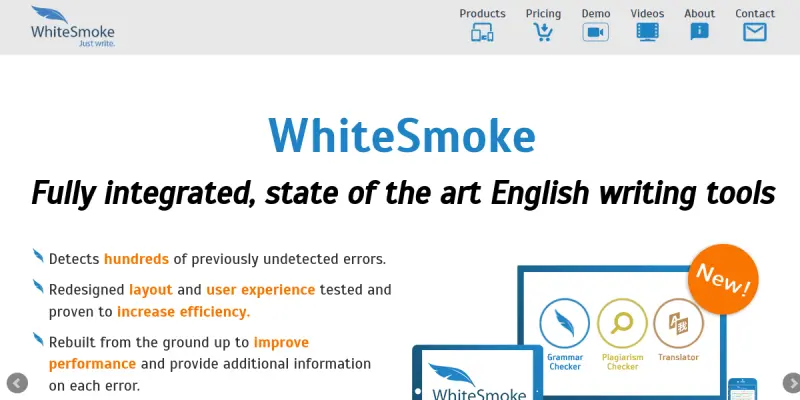
Screenshots & Interface
Pros
- ✓ Comprehensive grammar and style checking within standard word processors.
- ✓ Integrated translation features that work alongside writing checks.
- ✓ Provides educational resources like English video courses for language learners.
Cons
- × Correction suggestions can be overly rigid, often changing the user's intended voice.
- × The interface and user experience feel dated compared to modern SaaS writing tools.
- × The translation features lack the nuance of specialized localization tools.
How to Use WhiteSmoke in Your Workflow
Integrating WhiteSmoke into your professional toolkit enhances efficiency by automating manual steps. By configuring it to suit your specific project requirements, you can optimize output quality and reduce project cycle times. Standard workflows involve testing the tool on simple tasks before scaling its use to complex operations.
Frequently Asked Questions
What is WhiteSmoke used for?
WhiteSmoke is an all-in-one writing software suite that combines grammar checking, spell checking, and style editing. It offers translation capabilities and English learning resources to help users improve their written communication across various languages. The tool functions as a comprehensive writing assistant for professional and academic contexts.
What is the pricing model for WhiteSmoke?
WhiteSmoke uses a Freemium pricing model.
What are the main advantages of WhiteSmoke?
The key benefits of WhiteSmoke include: Comprehensive grammar and style checking within standard word processors., Integrated translation features that work alongside writing checks., Provides educational resources like English video courses for language learners..
What are the main limitations of WhiteSmoke?
Some limitations or cons of WhiteSmoke are: Correction suggestions can be overly rigid, often changing the user's intended voice., The interface and user experience feel dated compared to modern SaaS writing tools., The translation features lack the nuance of specialized localization tools..
Alternative AI Tools

Dabble Writer
Dabble is novel writing software for fiction authors that combines plot planning, drafting, and organization in one distraction-free environment. It offers tools for story structure, character development, and progress tracking.

Reverso
Reverso is an AI-powered writing assistant that helps users paraphrase, translate, and adjust tone across multiple languages. It is designed for content creators, students, and professionals looking to polish their written communication. Its key differentiator is its focus on multilingual support with contextual suggestions.

Scribens
Scribens is a free grammar checker that corrects a wide variety of mistakes in English, including conjugation, agreement, word confusion, punctuation, and typography. It is designed for students, professionals, and non-native speakers who want to improve their writing accuracy.
Rating Details
Based on 0 ratings
Quick Comparisons
Related Tools
More AI tools from the same workflow, industry, or category.
fablepilot
FablePilot is a free AI story generator that turns a single prompt into a complete story — no sign-up required. Add illustrations or generate a plot outline.
Ghosts.app
Ghosts is an AI ghostwriter for agencies, creators, and law firms. It produces researched, cited drafts in a specific voice without requiring prompts. Users brief a specialist agent and approve a finished draft.
GrowthBar
GrowthBar is an AI tool for content generation, designed to boost productivity and streamline workflows for writers and content creators, with features like editing and tone adjustment.
GetGenie AI
GetGenie AI is an AI-powered writing and SEO assistant that helps content creators and marketers generate optimized content quickly. It includes built-in keyword research and SERP analysis to improve organic search performance.
Reviews
No reviews submitted yet. Be the first to share your experience.
Write a Review
Share Your Experience
Join the community to write reviews, submit ratings, and bookmark your favorite AI tools.