

WordKraft
Use WordKraft as the anchor for a real shortlist.
Instead of returning to a broad directory, jump straight into the strongest adjacent matchups for pricing, workflow fit, and differentiation.
Overview
Overview
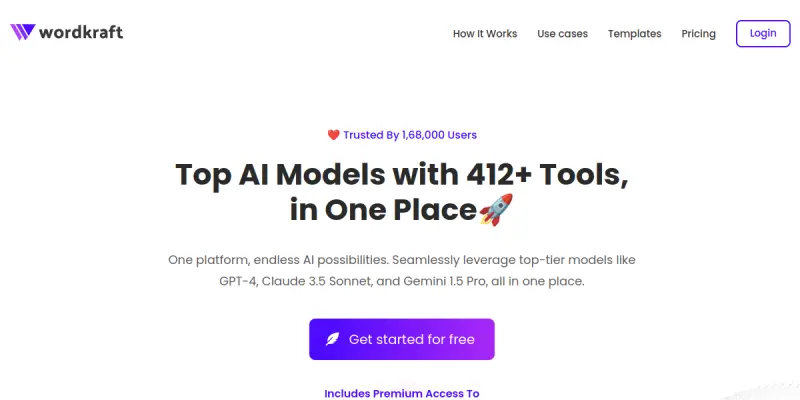
WordKraft is an all-in-one AI platform designed to consolidate access to multiple Large Language Models (LLMs) and utility tools into a single, user-friendly interface. It allows users to switch between top-tier models like GPT-4 and Claude without managing multiple subscriptions, while also offering a suite of 250+ specialized tools for various content creation needs.
Key Features
- Unified Model Access: Seamlessly access GPT-4, Claude 3, Gemini, and Meta's Llama from one dashboard.
- 250+ Specialized Tools: Includes writing assistants, image generators, code helpers, and more.
- Agent Builder: Create and deploy custom AI agents for specific workflows or customer support.
- Multi-Format Output: Generate text, code, and visual content within the same ecosystem.
- Cross-Language Support: Capable of handling multiple languages for global content needs.
Use Cases
Content Marketing Teams
Streamline the creation of blog posts, social media captions, and ad copy by switching between GPT-4 for creativity and Claude for nuanced tone adjustments.
Developers
Utilize the built-in code generation tools and API access capabilities to prototype applications and debug code more efficiently.
Small Business Owners
Create marketing materials, business plans, and customer service responses without the complexity of juggling multiple separate AI subscriptions.
Pricing & Plans
WordKraft appears to operate on a Free model, allowing users to access core features and basic toolsets without immediate cost. Specific details regarding premium tiers, usage limits, or paid subscriptions are not explicitly detailed on their website at this time.
Integrations & Compatibility
The platform emphasizes a standalone dashboard experience. While specific third-party integrations (such as Zapier or Slack) are not explicitly detailed in the provided data, the ability to create AI agents implies potential workflow automation capabilities. The content format is primarily HTML.
Who Is It For?
This tool is designed for content creators, digital marketers, and small business owners who want a centralized hub for AI tasks rather than managing multiple subscriptions. It is suitable for users needing a mix of writing, image, and coding assistance in one place.
Limitations
- Generic Outputs: Like most LLMs, generated content often requires significant manual editing to match specific brand voices or highly technical requirements.
- Reliance on External Models: The quality of the output is dependent on the performance of the underlying API models (GPT-4, Claude, etc.).
- Limited Enterprise Features: While it offers agent building, it may lack advanced features found in dedicated enterprise orchestration tools.
Final Verdict
WordKraft offers a compelling value proposition for users seeking a 'Swiss Army knife' approach to AI tools. By bundling top-tier model access and utility tools into one platform, it reduces the friction of switching between different services. However, users requiring deep customization or enterprise-grade governance should verify specific feature sets before committing.
Tool Facts
Screenshots & Interface
Pros
- ✓ Centralized access to 12+ leading AI models (GPT-4, Claude) in one place
- ✓ Extensive library of 250+ specialized tools beyond basic chat
- ✓ Integrated image generation and agent creation capabilities
Cons
- × Free tier may have hidden usage limits or watermarks
- × Content quality varies depending on which underlying model is selected
- × No publicly detailed pricing tiers or enterprise support information
How to Use WordKraft in Your Workflow
Integrating WordKraft into your professional toolkit enhances efficiency by automating manual steps. By configuring it to suit your specific project requirements, you can optimize output quality and reduce project cycle times. Standard workflows involve testing the tool on simple tasks before scaling its use to complex operations.
Frequently Asked Questions
What is WordKraft used for?
WordKraft is a unified platform providing access to 12+ AI models, including GPT-4 and Claude, alongside 250+ specialized tools for content creation, image generation, and agent building.
What is the pricing model for WordKraft?
WordKraft uses a Free pricing model.
What are the main advantages of WordKraft?
The key benefits of WordKraft include: Centralized access to 12+ leading AI models (GPT-4, Claude) in one place, Extensive library of 250+ specialized tools beyond basic chat, Integrated image generation and agent creation capabilities.
What are the main limitations of WordKraft?
Some limitations or cons of WordKraft are: Free tier may have hidden usage limits or watermarks, Content quality varies depending on which underlying model is selected, No publicly detailed pricing tiers or enterprise support information.
Alternative AI Tools

Animoto
Animoto is a free video maker for marketers to combine photos, clips, and music into professional videos quickly.

Biograph AI
Biograph AI records voice conversations to preserve life stories, automatically transforming them into books, comics, or articles. It is designed for family historians and biographers seeking to digitize oral histories.
Grammarly
Grammarly is a cloud-based AI writing assistant that helps professionals, students, and teams improve their writing. It provides real-time suggestions for spelling, grammar, clarity, and tone across various platforms and document types. Its key differentiator is its seamless integration into browsers, office suites, and mobile apps.
Rating Details
Based on 0 ratings
Quick Comparisons
Related Tools
More AI tools from the same workflow, industry, or category.
fablepilot
FablePilot is a free AI story generator that turns a single prompt into a complete story — no sign-up required. Add illustrations or generate a plot outline.
Ghosts.app
Ghosts is an AI ghostwriter for agencies, creators, and law firms. It produces researched, cited drafts in a specific voice without requiring prompts. Users brief a specialist agent and approve a finished draft.
GrowthBar
GrowthBar is an AI tool for content generation, designed to boost productivity and streamline workflows for writers and content creators, with features like editing and tone adjustment.
GetGenie AI
GetGenie AI is an AI-powered writing and SEO assistant that helps content creators and marketers generate optimized content quickly. It includes built-in keyword research and SERP analysis to improve organic search performance.
Reviews
No reviews submitted yet. Be the first to share your experience.
Write a Review
Share Your Experience
Join the community to write reviews, submit ratings, and bookmark your favorite AI tools.