

Animoto
Use Animoto as the anchor for a real shortlist.
Instead of returning to a broad directory, jump straight into the strongest adjacent matchups for pricing, workflow fit, and differentiation.
Overview
Overview
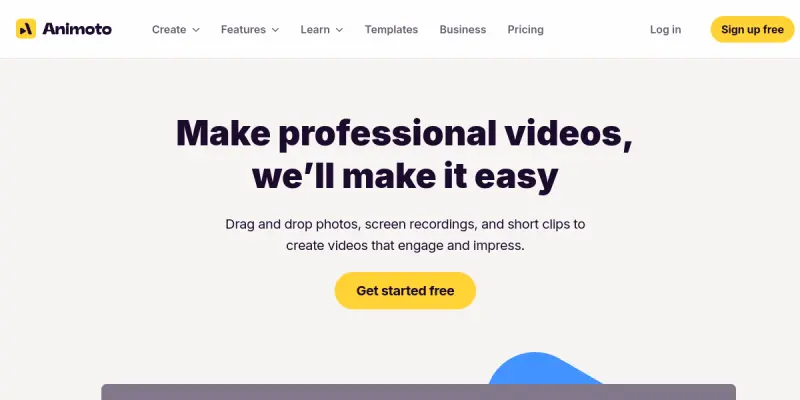
Animoto is a cloud-based video creation platform designed to simplify the process of producing professional marketing videos and presentations. The tool allows users to combine photos, video clips, music, and text into cohesive stories without requiring advanced technical editing skills.
Key Features
- Drag-and-Drop Interface: Users can easily arrange media files on a timeline by simply dragging and dropping them into place.
- Template Library: Offers a wide variety of professionally designed templates tailored for social media, business presentations, and events.
- Music Library: Provides access to a vast collection of royalty-free music tracks and sound effects to enhance video production.
- Branding Tools: Enables users to add logos, custom fonts, and color palettes to maintain brand consistency across videos.
- Social Sharing: Direct integration with platforms like YouTube, Facebook, and Twitter for one-click publishing.
- Auto-Enhance: Automatically adjusts transitions and pacing to ensure a smooth viewing experience.
Use Cases
Social Media Marketing
Animoto is widely used to create short-form promotional videos for Instagram Reels, Facebook ads, and YouTube intros. Its mobile-friendly interface makes it easy to capture content on the go.
Event Recaps
Users can compile highlights from corporate events, weddings, or conferences into polished video montages that can be shared with attendees or posted online.
Product Testimonials
Businesses can combine customer photos and voiceovers into video testimonials to build trust and social proof for their products or services.
Pricing & Plans
Animoto operates on a Freemium model. The free plan allows users to create videos with a watermark and limited export resolution. Paid plans, such as the Plus and Professional tiers, remove watermarks, offer higher resolution exports (1080p and 4K), and provide access to advanced features like longer video lengths and more customization options.
Integrations & Compatibility
The tool is compatible with major social media platforms for direct publishing. It supports standard video formats and offers a web-based interface that works on both desktop and mobile browsers.
Who Is It For?
This tool is ideal for social media managers, small business owners, marketers, and content creators who need to produce professional video content quickly without investing time in learning complex editing software like Adobe Premiere or Final Cut.
Limitations
- The free version includes a visible watermark on all exported videos.
- Advanced editing controls, such as multi-track timelines and precise color grading, are limited compared to desktop software.
- Customization options for transitions and effects are somewhat restricted in the lower-tier plans.
Final Verdict
Animoto provides a streamlined solution for anyone looking to create polished video content without the steep learning curve of traditional video editors. While it lacks the granular control of professional software, its ease of use and template-driven approach make it an excellent choice for quick marketing and social media videos.
Tool Facts
Screenshots & Interface
Pros
- ✓ The drag-and-drop interface significantly lowers the barrier to entry for video editing.
- ✓ Access to a library of royalty-free music and stock footage saves time on asset sourcing.
- ✓ Templates ensure a consistent and professional look across different marketing campaigns.
- ✓ The browser-based platform allows users to work on projects from any device.
Cons
- × The free version includes a visible watermark on all exported videos.
- × Advanced editing features, such as multi-track timelines and color grading, are restricted.
- × Customization options for transitions and effects are somewhat limited compared to desktop software.
How to Use Animoto in Your Workflow
Integrating Animoto into your professional toolkit enhances efficiency by automating manual steps. By configuring it to suit your specific project requirements, you can optimize output quality and reduce project cycle times. Standard workflows involve testing the tool on simple tasks before scaling its use to complex operations.
Frequently Asked Questions
What is Animoto used for?
Animoto is a free video maker for marketers to combine photos, clips, and music into professional videos quickly.
What is the pricing model for Animoto?
Animoto uses a Freemium pricing model.
What are the main advantages of Animoto?
The key benefits of Animoto include: The drag-and-drop interface significantly lowers the barrier to entry for video editing., Access to a library of royalty-free music and stock footage saves time on asset sourcing., Templates ensure a consistent and professional look across different marketing campaigns., The browser-based platform allows users to work on projects from any device..
What are the main limitations of Animoto?
Some limitations or cons of Animoto are: The free version includes a visible watermark on all exported videos., Advanced editing features, such as multi-track timelines and color grading, are restricted., Customization options for transitions and effects are somewhat limited compared to desktop software..
Alternative AI Tools

Ginger
Ginger is an AI-powered writing assistant that helps users improve grammar, style, and clarity across desktop and mobile devices. It is suited for professionals, students, and non-native English speakers who need real-time editing support. Its key differentiator is seamless integration into everyday applications like email and social media.

INK Editor
SmythOS provides open-source infrastructure for building and deploying AI agents. It enables secure and aligned automation at scale through visual workflows.

Scrivener AI
Scrivener AI is a creative writing tool designed for novelists, screenwriters, and non-fiction authors. It provides organizational features for planning, drafting, and revising long-form documents. A standout feature is its corkboard view for visually arranging scenes and chapters.
Rating Details
Based on 0 ratings
Quick Comparisons
Related Tools
More AI tools from the same workflow, industry, or category.
fablepilot
FablePilot is a free AI story generator that turns a single prompt into a complete story — no sign-up required. Add illustrations or generate a plot outline.
Ghosts.app
Ghosts is an AI ghostwriter for agencies, creators, and law firms. It produces researched, cited drafts in a specific voice without requiring prompts. Users brief a specialist agent and approve a finished draft.
GrowthBar
GrowthBar is an AI tool for content generation, designed to boost productivity and streamline workflows for writers and content creators, with features like editing and tone adjustment.
GetGenie AI
GetGenie AI is an AI-powered writing and SEO assistant that helps content creators and marketers generate optimized content quickly. It includes built-in keyword research and SERP analysis to improve organic search performance.
Reviews
No reviews submitted yet. Be the first to share your experience.
Write a Review
Share Your Experience
Join the community to write reviews, submit ratings, and bookmark your favorite AI tools.