

Cleanvoice AI
Use Cleanvoice AI as the anchor for a real shortlist.
Instead of returning to a broad directory, jump straight into the strongest adjacent matchups for pricing, workflow fit, and differentiation.
Overview
Overview
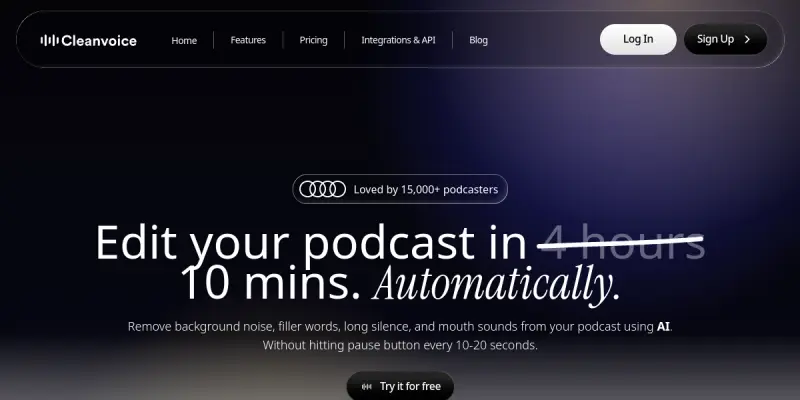
Cleanvoice AI is a cloud-based audio editing tool designed to streamline the post-production process for podcasters, content creators, and voice-over artists. By leveraging advanced artificial intelligence algorithms, the platform automates the removal of unwanted audio artifacts, allowing users to achieve a polished, professional sound without the need for extensive manual editing skills or expensive hardware.
Key Features
- Noise Reduction: Automatically detects and reduces background noise, hiss, hums, and room tone.
- Filler Word Removal: Identifies and removes common filler words like 'um,' 'uh,' 'like,' and 'ah' to improve pacing.
- Mouth Sound Removal: Eliminates lip smacks, clicks, and breath sounds that can be distracting to listeners.
- Silence Removal: Trims dead air and pauses to keep the audio tight and engaging.
- Audio Leveling: Normalizes volume levels across different speakers to ensure a consistent listening experience.
- Batch Processing: Allows users to edit multiple audio files simultaneously, saving significant time on large projects.
Use Cases
Podcast Production
Podcasters can drastically reduce editing time by letting Cleanvoice AI handle the tedious cleanup work. This allows creators to focus more on content creation and interviewing rather than spending hours in a digital audio workstation.
YouTube Video Audio
YouTubers and video creators can clean up voice tracks for vlogs, interviews, or tutorials. The tool ensures that the dialogue is clear and free of distracting background noises, improving overall video production value.
Audiobook Narration
Authors and narrators can polish audiobook chapters by removing breaths and stutters, ensuring a smoother and more professional listening experience for the audience.
Voice-Over Work
Professional voice-over artists can deliver cleaner takes by removing mouth noises and background interference, resulting in a higher quality final product for clients.
Pricing & Plans
Cleanvoice AI typically operates on a usage-based subscription model. Plans usually include a free trial or a limited free tier for testing the features, with paid subscriptions scaling based on the number of audio minutes processed per month. Specific tier names and prices vary by plan, with higher tiers offering increased processing limits and priority support.
Integrations & Compatibility
The tool is primarily accessed via a web browser, making it highly accessible on any device with an internet connection. It supports standard audio file formats such as MP3 and WAV, facilitating easy upload and export workflows.
Who Is It For?
This tool is ideal for content creators, podcasters, YouTubers, voice-over artists, and anyone looking to enhance the quality of spoken audio recordings without learning complex audio engineering software.
Limitations
- Internet Dependency: As a cloud-based service, a stable and fast internet connection is required for uploading and processing files.
- Audio Dynamics: Aggressive noise reduction or silence removal can sometimes alter the natural dynamics and energy of a vocal performance.
- Multitrack Limitations: It is primarily designed for mono or stereo single-track audio editing and does not replace full-featured Digital Audio Workstations (DAWs) for complex mixing.
Final Verdict
Cleanvoice AI offers a valuable solution for anyone looking to quickly clean up spoken audio. Its automated features significantly reduce the time required for basic editing tasks, making professional-sounding audio accessible to beginners and experts alike.
Tool Facts
Screenshots & Interface
Pros
- ✓ Automatically removes filler words and mouth sounds without manual scrubbing.
- ✓ Offers a user-friendly web interface that requires no prior audio editing experience.
- ✓ Provides batch processing capabilities to edit multiple files simultaneously.
- ✓ Delivers consistent results for standard podcast and voice-over audio quality.
Cons
- × Cloud-based processing requires a consistent and reliable internet connection.
- × Some advanced audio editing features are locked behind a paid subscription.
- × May struggle with complex audio environments or background noise that is too similar to the human voice.
How to Use Cleanvoice AI in Your Workflow
Integrating Cleanvoice AI into your professional toolkit enhances efficiency by automating manual steps. By configuring it to suit your specific project requirements, you can optimize output quality and reduce project cycle times. Standard workflows involve testing the tool on simple tasks before scaling its use to complex operations.
Frequently Asked Questions
What is Cleanvoice AI used for?
Cleanvoice AI removes background noise, mouth sounds, and filler words from podcasts to improve audio quality efficiently.
What is the pricing model for Cleanvoice AI?
Cleanvoice AI uses a Paid pricing model.
What are the main advantages of Cleanvoice AI?
The key benefits of Cleanvoice AI include: Automatically removes filler words and mouth sounds without manual scrubbing., Offers a user-friendly web interface that requires no prior audio editing experience., Provides batch processing capabilities to edit multiple files simultaneously., Delivers consistent results for standard podcast and voice-over audio quality..
What are the main limitations of Cleanvoice AI?
Some limitations or cons of Cleanvoice AI are: Cloud-based processing requires a consistent and reliable internet connection., Some advanced audio editing features are locked behind a paid subscription., May struggle with complex audio environments or background noise that is too similar to the human voice..
Alternative AI Tools

MusicGen (Meta)
Audiocraft is an open-source AI library for audio processing and generation. It includes EnCodec for compression and MusicGen for creating music from text or melodic inputs. Best for developers and researchers.

Boomy
Boomy is an AI music generator that creates original songs in seconds. Users select a genre template and customize elements like mood and tempo. The platform focuses on making music creation accessible without musical training.

Swell AI
Swell uses AI to unify customer data and automate success workflows, driving retention and revenue growth.
Rating Details
Based on 0 ratings
Quick Comparisons
Related Tools
More AI tools from the same workflow, industry, or category.
ClipTrend.ai
ClipTrend.ai is an AI image-to-video workspace for creators, marketers, and short-form video teams.
SongR
SongR is a text-to-song app that generates custom music tracks from a few keywords. It is designed for content creators and social media users who need quick, royalty-free songs in genres like pop, rock, hip-hop, and chant. Its key differentiator is instant generation without requiring musical expertise.
Quantum Capture
Quantum Capture generates AI-powered talking head videos from text input. It is designed for content creators and marketers who need quick, studio-quality video clips without expensive equipment. The platform specializes in creating realistic avatars with consistent lip-sync and facial expressions.
Kaltura AI
Kaltura is an enterprise video platform that combines cloud hosting with AI tools for content creation, marketing, and learning management. It helps businesses create branded video experiences for webinars, social media, and internal training.
Reviews
No reviews submitted yet. Be the first to share your experience.
Write a Review
Share Your Experience
Join the community to write reviews, submit ratings, and bookmark your favorite AI tools.