

Epidemic Sound AI
Use Epidemic Sound AI as the anchor for a real shortlist.
Instead of returning to a broad directory, jump straight into the strongest adjacent matchups for pricing, workflow fit, and differentiation.
Overview
Overview
Epidemic Sound AI is a platform that combines a vast library of royalty-free music and sound effects with artificial intelligence to streamline audio production for video content. Designed for creators, editors, and producers, it offers tools that automatically sync music to video, generate sound effects, and suggest tracks based on mood or scene. All content is cleared for use on platforms like YouTube, TikTok, and Instagram, eliminating copyright concerns.
Key Features
- AI Soundtracking: Automatically match music and sound effects to the tempo, mood, and length of your video.
- Sound Effects Library: Access over 90,000 high-quality sound effects, from ambient noise to specific foley.
- Music Search: Filter by genre, mood, tempo, and instrumentation to find the perfect track.
- Royalty-Free Licensing: Every track and effect comes with a clear, worldwide license for digital use.
- Integration with Editing Software: Direct plugins for Adobe Premiere Pro, Final Cut Pro, and DaVinci Resolve.
- Unlimited Downloads: Subscribers can download as many tracks and effects as needed during their plan period.
- Regular Updates: New music and sound effects added weekly.
- Collaborative Playlists: Share and manage track selections with team members.
Use Cases
YouTube Content Creation
Creators can add professional background music, transitions, and sound effects to their videos without worrying about copyright claims. The AI soundtracker can automatically align audio with cuts and pacing.
Podcast Production
Podcasters can enhance their episodes with intro/outro music, scene transitions, and ambient sounds. The search filters help find tracks that match the podcast's tone.
Film and Video Editing
Editors working on short films, commercials, or corporate videos can quickly locate and license music and effects. Integration with popular NLEs speeds up the workflow.
Social Media Marketing
Brands and social media managers can produce short-form content with on-trend audio. The AI tools help match music to the fast-paced editing style of platforms like TikTok and Reels.
Pricing & Plans
Epidemic Sound AI offers a tiered subscription model:
- Personal Plan: $15/month – includes unlimited music and sound effects for personal YouTube channels and social media.
- Commercial Plan: $35/month – adds licensing for commercial use, such as branded content and ads.
- Enterprise Plan: Custom pricing – for agencies, studios, and large teams, offering additional features like multi-seat accounts and priority support. A free trial is available for new users.
Integrations & Compatibility
The platform integrates directly with Adobe Premiere Pro, Final Cut Pro, DaVinci Resolve, and provides a browser-based editor. It is also accessible via desktop and mobile apps for iOS and Android.
Who Is It For?
Epidemic Sound AI is primarily for video content creators, including YouTubers, filmmakers, podcasters, and social media managers. It is also suitable for marketing teams and production studios that need a reliable source of licensed audio.
Limitations
- The AI soundtracking may not always capture the intended mood perfectly, requiring manual adjustments.
- The catalog, while large, may lack highly niche or obscure genres.
- Advanced features like AI soundtracking are only available on paid plans.
- Offline access is limited; most functionality requires an internet connection.
Final Verdict
Epidemic Sound AI is a solid choice for creators who want high-quality, licensed audio without legal hassle. Its AI features add convenience, especially for those with tight deadlines. However, the service is best suited for users who can afford the subscription and value breadth over extreme niche specificity.
Tool Facts
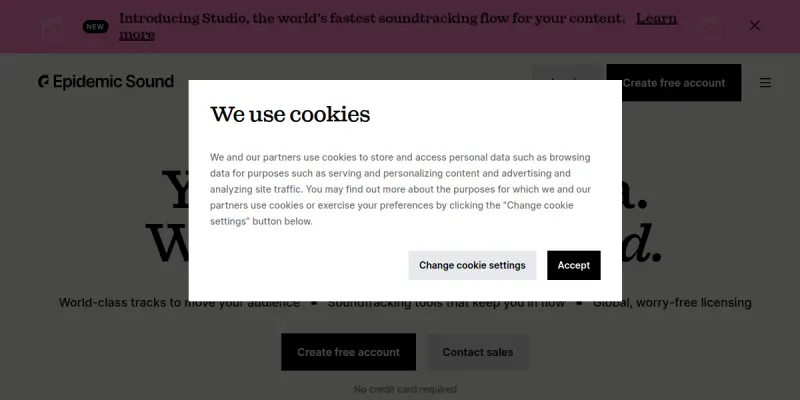
Screenshots & Interface
Pros
- ✓ AI soundtracking automatically syncs music and sound effects to video timing.
- ✓ Unlimited downloads on paid plans provide extensive audio options.
- ✓ Royalty-free licensing covers major platforms like YouTube, TikTok, and Instagram.
- ✓ Integrates directly with popular video editing software such as Adobe Premiere Pro.
Cons
- × AI soundtracking may not perfectly interpret complex video moods.
- × Niche or obscure music genres may be underrepresented in the library.
- × Advanced features like AI soundtracking require a paid subscription.
- × Offline functionality is very limited; a stable internet connection is needed for most tasks.
How to Use Epidemic Sound AI in Your Workflow
Integrating Epidemic Sound AI into your professional toolkit enhances efficiency by automating manual steps. By configuring it to suit your specific project requirements, you can optimize output quality and reduce project cycle times. Standard workflows involve testing the tool on simple tasks before scaling its use to complex operations.
Frequently Asked Questions
What is Epidemic Sound AI used for?
Epidemic Sound AI provides content creators with a library of royalty-free music, sound effects, and AI-driven soundtracking tools. It simplifies video audio production for YouTubers, filmmakers, and social media creators by offering cleared tracks with global licensing.
What is the pricing model for Epidemic Sound AI?
Epidemic Sound AI uses a Free pricing model.
What are the main advantages of Epidemic Sound AI?
The key benefits of Epidemic Sound AI include: AI soundtracking automatically syncs music and sound effects to video timing., Unlimited downloads on paid plans provide extensive audio options., Royalty-free licensing covers major platforms like YouTube, TikTok, and Instagram., Integrates directly with popular video editing software such as Adobe Premiere Pro..
What are the main limitations of Epidemic Sound AI?
Some limitations or cons of Epidemic Sound AI are: AI soundtracking may not perfectly interpret complex video moods., Niche or obscure music genres may be underrepresented in the library., Advanced features like AI soundtracking require a paid subscription., Offline functionality is very limited; a stable internet connection is needed for most tasks..
Alternative AI Tools

Swell AI
Swell uses AI to unify customer data and automate success workflows, driving retention and revenue growth.

Murf AI
Murf AI is a text-to-speech platform that generates realistic voiceovers for videos, podcasts, and presentations. It offers a browser-based studio and an API for developers to integrate synthetic voices into applications.
Soundraw
Soundraw generates original, royalty-free music using AI. It allows content creators to customize tracks by adjusting tempo, genre, and mood. The tool is designed for video producers, podcasters, and musicians seeking unique background music without licensing concerns.
Rating Details
Based on 0 ratings
Related Tools
More AI tools from the same workflow, industry, or category.
ClipTrend.ai
ClipTrend.ai is an AI image-to-video workspace for creators, marketers, and short-form video teams.
SongR
SongR is a text-to-song app that generates custom music tracks from a few keywords. It is designed for content creators and social media users who need quick, royalty-free songs in genres like pop, rock, hip-hop, and chant. Its key differentiator is instant generation without requiring musical expertise.
Quantum Capture
Quantum Capture generates AI-powered talking head videos from text input. It is designed for content creators and marketers who need quick, studio-quality video clips without expensive equipment. The platform specializes in creating realistic avatars with consistent lip-sync and facial expressions.
Kaltura AI
Kaltura is an enterprise video platform that combines cloud hosting with AI tools for content creation, marketing, and learning management. It helps businesses create branded video experiences for webinars, social media, and internal training.
Reviews
No reviews submitted yet. Be the first to share your experience.
Write a Review
Share Your Experience
Join the community to write reviews, submit ratings, and bookmark your favorite AI tools.