

Murf AI
Use Murf AI as the anchor for a real shortlist.
Instead of returning to a broad directory, jump straight into the strongest adjacent matchups for pricing, workflow fit, and differentiation.
Overview
Overview
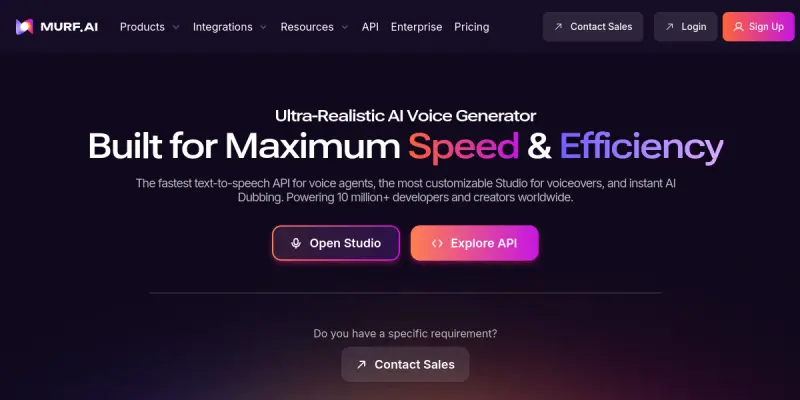
Murf AI is a cloud-based text-to-speech (TTS) platform designed to generate natural-sounding voiceovers for various multimedia projects. It bridges the gap between robotic text-to-speech and human recording by offering a studio-like environment directly in the browser. Whether for personal projects or enterprise needs, Murf provides a comprehensive suite of tools to produce professional audio content.
Key Features
- 120+ Voices: Offers a wide selection of human-like voices in multiple languages and accents.
- Real-Time Voice Cloning: Allows users to create a custom voice model from a short audio sample.
- Browser-Based Studio: Provides a comprehensive, easy-to-use interface for editing scripts and adjusting pacing.
- Video Integration: Seamlessly integrates with video editing tools like Premiere Pro and Final Cut Pro.
- API Access: Offers a developer-friendly API to integrate Murf's voice capabilities into custom applications.
- Script Editor: Includes a built-in script editor with text-to-speech synchronization features.
Use Cases
Video Production
Create professional voiceovers for YouTube videos, explainer animations, and commercials without needing a recording studio or microphone.
E-Learning and Training
Generate engaging narration for online courses, educational videos, and corporate training materials to improve learner retention.
Podcasting and Audiobooks
Produce high-quality audio content for podcasts and audiobooks, saving time and resources typically spent on studio recording sessions.
Presentations
Add a human touch to slideshows and pitch decks with realistic voiceovers that maintain viewer attention.
Pricing & Plans
Murf AI operates on a paid subscription model. They typically offer a free trial to test the features before committing. Paid plans are usually categorized by credit usage or monthly limits, catering to individuals and teams. Enterprise solutions are available for larger organizations requiring custom support and volume licensing.
Integrations & Compatibility
Murf integrates with popular video editing software and content management systems. It also provides a REST API for developers to build voice-enabled applications directly into their own software stacks.
Who Is It For?
This tool is ideal for content creators, video editors, marketers, e-learning developers, and businesses looking to produce audio content at scale without the cost of hiring voice actors.
Limitations
- Requires a stable internet connection for all real-time voice generation.
- May struggle with complex technical jargon or very specific regional accents.
- The free tier is limited, restricting access to premium voices and features.
Final Verdict
Murf AI stands out as a robust solution for anyone needing high-quality synthetic voices. While it requires a paid subscription for full access, its feature set and ease of use make it a top choice for professional content production.
Tool Facts
Screenshots & Interface
Pros
- ✓ Provides over 120 diverse voice options including multiple languages.
- ✓ Offers a browser-based studio for non-technical users to create voiceovers easily.
- ✓ Includes a real-time voice cloning feature for custom brand voices.
- ✓ Offers a comprehensive API for seamless developer integrations.
Cons
- × Requires a stable internet connection for all real-time rendering.
- × Pronunciation accuracy can struggle with specific technical jargon or niche accents.
- × The free tier is limited, restricting access to premium voices and features.
How to Use Murf AI in Your Workflow
Integrating Murf AI into your professional toolkit enhances efficiency by automating manual steps. By configuring it to suit your specific project requirements, you can optimize output quality and reduce project cycle times. Standard workflows involve testing the tool on simple tasks before scaling its use to complex operations.
Frequently Asked Questions
What is Murf AI used for?
Murf AI is a text-to-speech platform that generates realistic voiceovers for videos, podcasts, and presentations. It offers a browser-based studio and an API for developers to integrate synthetic voices into applications.
What is the pricing model for Murf AI?
Murf AI uses a Paid pricing model.
What are the main advantages of Murf AI?
The key benefits of Murf AI include: Provides over 120 diverse voice options including multiple languages., Offers a browser-based studio for non-technical users to create voiceovers easily., Includes a real-time voice cloning feature for custom brand voices., Offers a comprehensive API for seamless developer integrations..
What are the main limitations of Murf AI?
Some limitations or cons of Murf AI are: Requires a stable internet connection for all real-time rendering., Pronunciation accuracy can struggle with specific technical jargon or niche accents., The free tier is limited, restricting access to premium voices and features..
Alternative AI Tools

Boomy
Boomy is an AI music generator that creates original songs in seconds. Users select a genre template and customize elements like mood and tempo. The platform focuses on making music creation accessible without musical training.

Mubert
Mubert is an AI-powered music generation tool that creates original, royalty-free tracks based on user-selected moods, styles, or scenes. It is designed for content creators, video editors, and streamers looking for instant, customizable background music. A free tier allows users to explore its capabilities before committing to a paid plan.

Amazon Polly
Amazon Polly is a cloud-based text-to-speech service that turns text into lifelike speech. It lets developers create applications that talk, using a wide selection of natural-sounding voices across multiple languages. Its key differentiator is deep integration with the AWS ecosystem for scalability and low latency.
Rating Details
Based on 0 ratings
Quick Comparisons
Related Tools
More AI tools from the same workflow, industry, or category.
ClipTrend.ai
ClipTrend.ai is an AI image-to-video workspace for creators, marketers, and short-form video teams.
SongR
SongR is a text-to-song app that generates custom music tracks from a few keywords. It is designed for content creators and social media users who need quick, royalty-free songs in genres like pop, rock, hip-hop, and chant. Its key differentiator is instant generation without requiring musical expertise.
Quantum Capture
Quantum Capture generates AI-powered talking head videos from text input. It is designed for content creators and marketers who need quick, studio-quality video clips without expensive equipment. The platform specializes in creating realistic avatars with consistent lip-sync and facial expressions.
Kaltura AI
Kaltura is an enterprise video platform that combines cloud hosting with AI tools for content creation, marketing, and learning management. It helps businesses create branded video experiences for webinars, social media, and internal training.
Reviews
No reviews submitted yet. Be the first to share your experience.
Write a Review
Share Your Experience
Join the community to write reviews, submit ratings, and bookmark your favorite AI tools.