

FireHydrant AI
Use FireHydrant AI as the anchor for a real shortlist.
Instead of returning to a broad directory, jump straight into the strongest adjacent matchups for pricing, workflow fit, and differentiation.
Overview
Overview
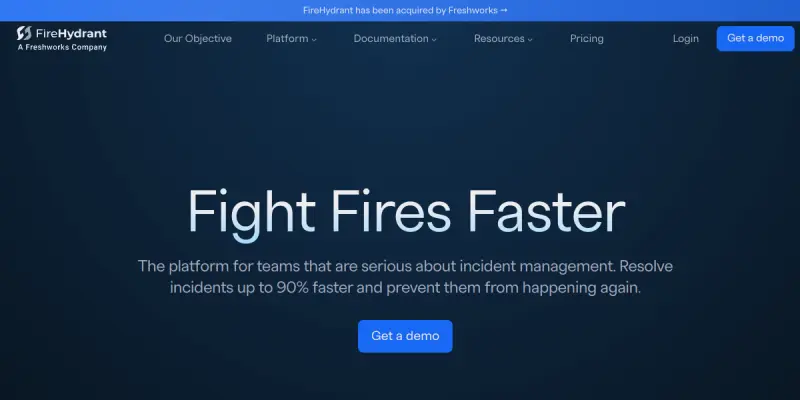
FireHydrant is a comprehensive incident management platform designed to help DevOps and Site Reliability Engineering (SRE) teams streamline their response to system outages. It moves beyond simple alerting by providing a structured framework for managing the entire incident lifecycle, from detection and notification to resolution and post-mortem analysis. By centralizing communication and context, it reduces the chaos often associated with critical system failures.
Key Features
- Automated On-Call Scheduling: FireHydrant automates the rotation of on-call engineers, ensuring 24/7 coverage without manual scheduling errors. This ensures the right person is on duty based on their skills and current workload.
- Incident Workflows: The platform guides users through standard operating procedures (SOPs) during critical incidents. This reduces cognitive load and speeds up resolution times by following a proven playbook.
- Smart Alerting and Routing: It aggregates alerts from various sources and prioritizes them, routing the most critical issues to the right person at the right time, filtering out noise.
- Post-Incident Retrospectives: Built-in tools facilitate retrospective meetings, helping teams document lessons learned and implement changes to prevent recurrence.
- Service Catalog: Users can define their services and dependencies, providing essential context that helps engineers understand the impact of an incident across the infrastructure.
- Centralized Status Page: FireHydrant allows teams to maintain a live status page for their services, keeping stakeholders informed during downtime.
Use Cases
Managing Outages
When a system goes down, FireHydrant acts as a single source of truth. Instead of scattered messages in Slack, all relevant information, logs, and status updates are centralized, allowing the team to focus on fixing the issue rather than gathering context.
Automating Shifts
For teams handling high-traffic applications, manual shift scheduling is error-prone. FireHydrant's scheduling engine ensures that the correct person is on-call, significantly reducing alert fatigue and ensuring continuity.
Compliance and Reporting
Organizations with strict uptime requirements can use FireHydrant to generate detailed reports on incident frequency, mean time to recovery (MTTR), and team performance. This data is crucial for meeting compliance standards and improving engineering processes.
Pricing & Plans
FireHydrant employs a freemium pricing model, making it accessible for small startups while offering scalable solutions for large enterprises. The free tier is suitable for small teams to get started, while the paid "Team" tier unlocks advanced features like custom workflows and integrations. Enterprise pricing is available upon request for custom support and security requirements.
Integrations & Compatibility
The platform integrates deeply with popular tools like Slack, PagerDuty, Jira, GitHub, and Prometheus. These integrations allow FireHydrant to ingest alerts and push status updates, ensuring it fits seamlessly into existing DevOps stacks.
Who Is It For?
This tool is specifically designed for SREs, DevOps engineers, Engineering Managers, and IT Operations teams who are responsible for maintaining system reliability and uptime.
Limitations
- Requires existing monitoring and alerting infrastructure to be effective.
- The onboarding process can be complex for non-technical stakeholders.
- Advanced features are restricted to the paid subscription plans.
- Learning curve for teams new to structured incident management.
Final Verdict
FireHydrant stands out as a top-tier solution for teams that need more than just alerting. By combining structured incident management with automation, it helps teams reduce downtime and improve their overall reliability posture.
Tool Facts
Screenshots & Interface
Pros
- ✓ Automates on-call scheduling to reduce alert fatigue and ensure 24/7 coverage
- ✓ Streamlines incident response with clear workflows and standard operating procedures
- ✓ Centralizes alerting and communication to prevent information silos during outages
Cons
- × Requires existing monitoring infrastructure to be effectively integrated
- × The onboarding and setup process can be complex for non-technical stakeholders
- × Advanced incident management features are locked behind paid tiers
How to Use FireHydrant AI in Your Workflow
Integrating FireHydrant AI into your professional toolkit enhances efficiency by automating manual steps. By configuring it to suit your specific project requirements, you can optimize output quality and reduce project cycle times. Standard workflows involve testing the tool on simple tasks before scaling its use to complex operations.
Frequently Asked Questions
What is FireHydrant AI used for?
Incident management platform for DevOps teams. Automates on-call schedules and incident response workflows to reduce downtime.
What is the pricing model for FireHydrant AI?
FireHydrant AI uses a Freemium pricing model.
What are the main advantages of FireHydrant AI?
The key benefits of FireHydrant AI include: Automates on-call scheduling to reduce alert fatigue and ensure 24/7 coverage, Streamlines incident response with clear workflows and standard operating procedures, Centralizes alerting and communication to prevent information silos during outages.
What are the main limitations of FireHydrant AI?
Some limitations or cons of FireHydrant AI are: Requires existing monitoring infrastructure to be effectively integrated, The onboarding and setup process can be complex for non-technical stakeholders, Advanced incident management features are locked behind paid tiers.
Alternative AI Tools

Workato AI
Workato AI helps businesses automate complex workflows using AI agents without coding. Its Genie tool enables dynamic orchestration across various apps and systems. It is designed for teams seeking to streamline operations through intelligent automation.

Checkmarx AI
Discover how teams secure code without slowing down. Join devs, AppSec pros & leaders to explore autonomous security with demos, insights & more.

Dgraph AI
Dgraph is a graph database designed for high-scale, real-time queries. It targets developers and data engineers building applications that require efficient graph traversal and low-latency data retrieval. Its key differentiator is being fully open-source while handling terabyte-scale workloads.
Rating Details
Based on 0 ratings
Related Tools
More AI tools from the same workflow, industry, or category.
AICode
AICode is a spec-driven AI coding copilot for developers using Visual Studio Code. It enforces a disciplined workflow to prevent AI-generated technical debt and ensures maintainable code. Its key differentiator is forcing line-by-line human review before changes are applied.
Opik
Opik is an open-source platform for LLM observability and evaluation. It helps developers trace, test, and monitor AI applications and autonomous agents throughout development and production.
PlanetScale AI
PlanetScale provides serverless cloud hosting for Vitess and PostgreSQL databases. It targets developers and engineering teams requiring high-performance, scalable database infrastructure. The platform enables instant scaling and branching workflows.
CodeReview AI
CodeReview AI is a tool that uses artificial intelligence to analyze code and suggest improvements. It helps developers identify bugs, security issues, and style inconsistencies automatically. The tool integrates with popular version control systems to fit into existing workflows.
Reviews
No reviews submitted yet. Be the first to share your experience.
Write a Review
Share Your Experience
Join the community to write reviews, submit ratings, and bookmark your favorite AI tools.