
Opik
by Comet
Use Opik as the anchor for a real shortlist.
Instead of returning to a broad directory, jump straight into the strongest adjacent matchups for pricing, workflow fit, and differentiation.
Overview
Overview
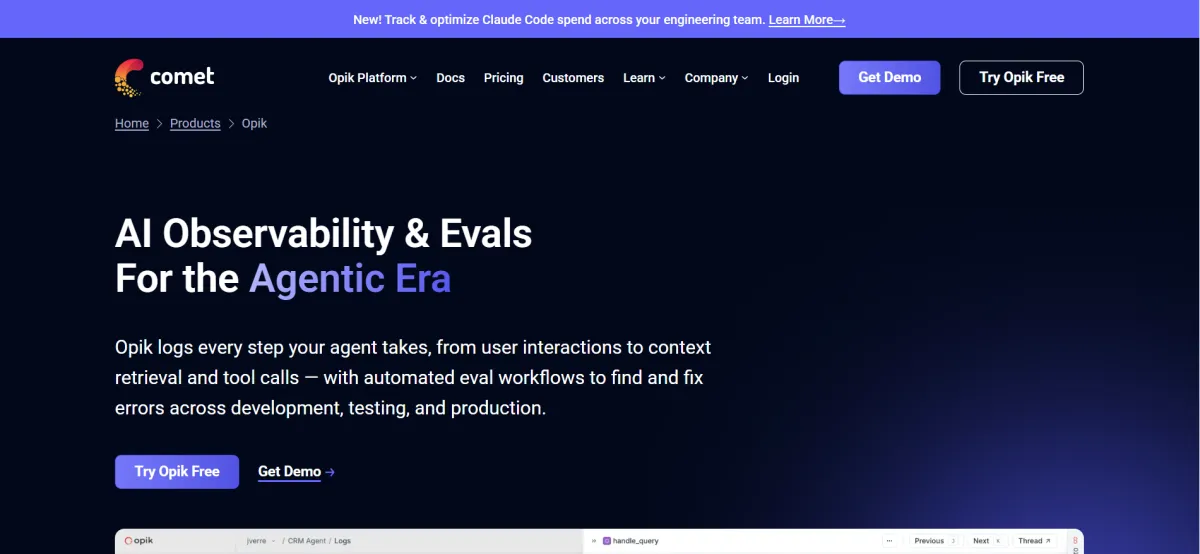
Opik is Comet's open-source platform designed for LLM observability, agent evaluation, and prompt optimization. It provides complete visibility into AI workflows, enabling teams to trace model calls, evaluate performance, and optimize prompts without building custom telemetry infrastructure.
Key Features
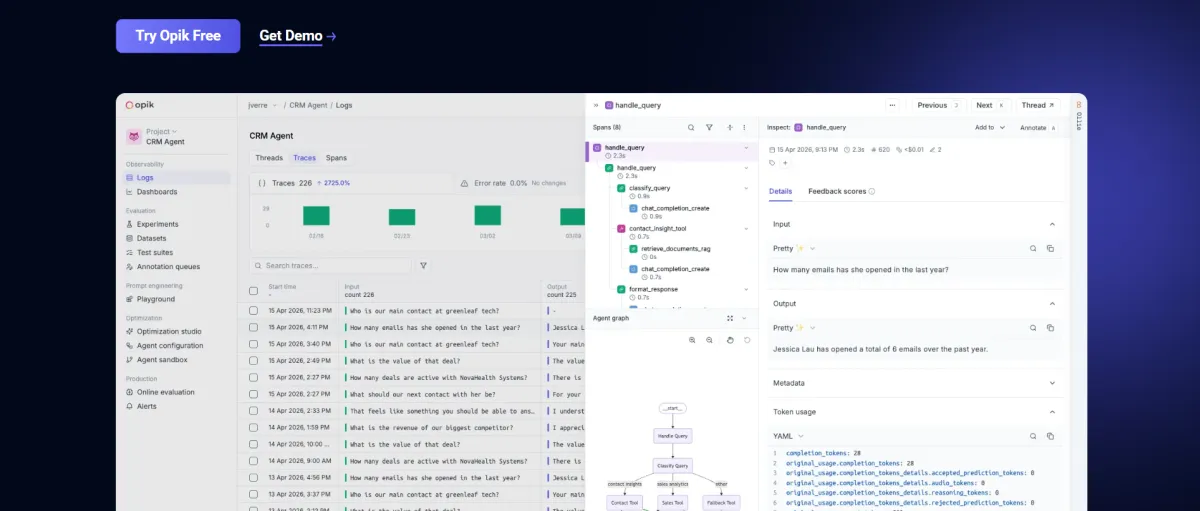
- Real-time Tracing: Visualize every model call, tool execution, and user interaction in a unified dashboard.
- Automated Evaluation: Utilize LLM-as-a-Judge techniques to automatically score model outputs against benchmarks.
- Prompt Optimization: Compare versions of prompts across datasets to identify the most effective variations.
- Multi-Agent Support: Monitor complex, multi-step workflows and autonomous agent behaviors effectively.
- Integration Ecosystem: Seamlessly connects with major frameworks like LangChain, LangGraph, CrewAI, and OpenAI.
- OpenTelemetry Support: Standard telemetry integration suitable for production-grade deployments.
- Flexible Deployment: Available as both a self-hosted open-source solution and a managed cloud service.
Use Cases
Debugging LLM Applications
Developers can trace errors in real-time to understand exactly where a model fails, facilitating rapid debugging and iteration.
Prompt Engineering Optimization
Teams can version and test different prompt variations to improve response quality and reduce hallucinations.
Evaluating Autonomous Agents
Evaluate the tool execution and decision-making logic of AI agents to ensure reliability in production environments.
Production Monitoring
Monitor system performance and identify regressions automatically to maintain application stability.
Pricing & Plans
Opik operates on a Freemium model. The core open-source platform is available for self-hosting at no cost. Cloud plans are available, starting at $19 per user per month for the Pro tier. Enterprise plans offer advanced governance, SSO, and dedicated support with custom pricing.
Integrations & Compatibility
The platform integrates deeply with popular AI frameworks including LangChain, LangGraph, CrewAI, and major LLM providers like OpenAI, Anthropic, and Google Gemini. It also supports OpenTelemetry for standard observability workflows.
Who Is It For?
Opik is designed for software developers, machine learning engineers, and data scientists building AI applications. It is best suited for technical teams requiring granular control over their LLM stack.
Limitations
- The platform has a steep learning curve, requiring a solid understanding of observability concepts.
- It is primarily focused on developer workflows rather than non-technical business users.
- Self-hosting the open-source version requires significant DevOps infrastructure and maintenance effort.
Final Verdict
Opik stands out as a robust, open-source solution for teams needing comprehensive observability and evaluation for their LLM applications. While it may have a steeper learning curve than basic logging tools, its deep integration and evaluation capabilities make it a valuable asset for production AI development.
Tool Facts
Screenshots & Interface
Pros
- ✓ Open-source architecture with self-hosting options.
- ✓ Deep integration with major AI frameworks like LangChain and LangGraph.
- ✓ Built-in evaluation capabilities using LLM-as-a-Judge techniques.
Cons
- × Steep learning curve due to the technical nature of observability concepts.
- × Primarily designed for technical teams rather than business stakeholders.
- × Self-hosting requires significant DevOps infrastructure and maintenance effort.
How to Use Opik in Your Workflow
Integrating Opik into your professional toolkit enhances efficiency by automating manual steps. By configuring it to suit your specific project requirements, you can optimize output quality and reduce project cycle times. Standard workflows involve testing the tool on simple tasks before scaling its use to complex operations.
Frequently Asked Questions
What is Opik?
Opik is an open-source AI observability platform developed by Comet that helps developers trace, evaluate, optimize, and monitor LLM applications and AI agents.
Who should use Opik?
Opik is designed for:
- AI engineers
- LLM application developers
- MLOps teams
- Platform engineers
- Companies deploying production AI systems
Is Opik free?
Yes.
Opik offers:
- Free open-source self-hosted version
- Free cloud plan
- Paid Pro Cloud plan
- Enterprise deployment options
Does Opik support AI agents?
Yes.
Opik can trace complex agent workflows, tool calls, retrieval pipelines, and multi-step reasoning across modern agent frameworks.
Which AI frameworks are supported?
Opik integrates with many popular frameworks including:
- LangChain
- LangGraph
- CrewAI
- OpenAI
- Anthropic
- Google Gemini
- MCP-compatible tools
- OpenTelemetry
- Python SDK
Can Opik monitor production applications?
Yes.
Opik provides production observability with:
- Request tracing
- Token usage
- Latency metrics
- Cost tracking
- User feedback
- Automated evaluations
- Alerts
Does Opik have an API?
Yes.
Opik provides REST APIs along with official Python SDKs for automation, integrations, and custom workflows.
Alternative AI Tools

CodiumAI
CodiumAI (Qodo) is an AI code review tool providing deep codebase context for IDEs and Pull Requests. It features over 15 agentic workflows for automated security and testing.

Codiga
Automated code quality and security scanning tool for VS Code, JetBrains, and CI/CD pipelines. Integrates with GitHub, GitLab, and Bitbucket to enforce coding standards.

EdgeDB AI
EdgeDB AI (now Gel) is an open-source database that simplifies data modeling with a more ergonomic alternative to traditional SQL. It targets developers who want strong type safety and high performance without the complexity of relational databases. Its key differentiator is a declarative query language that reduces boilerplate code.
Rating Details
Based on 0 ratings
Quick Comparisons
Related Tools
More AI tools from the same workflow, industry, or category.
AICode
AICode is a spec-driven AI coding copilot for developers using Visual Studio Code. It enforces a disciplined workflow to prevent AI-generated technical debt and ensures maintainable code. Its key differentiator is forcing line-by-line human review before changes are applied.
PlanetScale AI
PlanetScale provides serverless cloud hosting for Vitess and PostgreSQL databases. It targets developers and engineering teams requiring high-performance, scalable database infrastructure. The platform enables instant scaling and branching workflows.
CodeReview AI
CodeReview AI is a tool that uses artificial intelligence to analyze code and suggest improvements. It helps developers identify bugs, security issues, and style inconsistencies automatically. The tool integrates with popular version control systems to fit into existing workflows.
Kubevious AI
Kubevious AI streamlines workflow productivity for DevOps teams with AI-powered container management. It simplifies complex tasks and enhances efficiency.
Reviews
No reviews submitted yet. Be the first to share your experience.
Write a Review
Share Your Experience
Join the community to write reviews, submit ratings, and bookmark your favorite AI tools.