

Jenkins AI
Use Jenkins AI as the anchor for a real shortlist.
Instead of returning to a broad directory, jump straight into the strongest adjacent matchups for pricing, workflow fit, and differentiation.
Overview
Overview
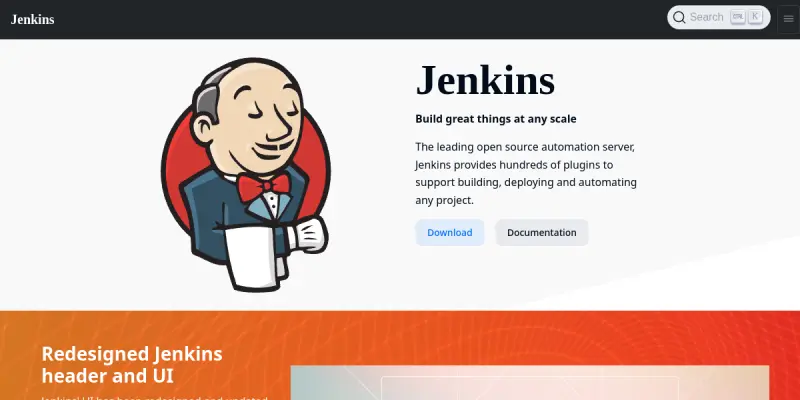
Jenkins is the world's most widely used open-source automation server. It is written in Java and provides hundreds of plugins to support building, deploying, and automating any project. It acts as the central hub for all CI/CD activities, allowing teams to automate their software delivery pipeline. With its robust community support, Jenkins remains a critical infrastructure component for modern software development.
Key Features
- Extensive Plugin Ecosystem: Jenkins offers over 1,800 plugins to integrate with virtually any tool in the CI/CD toolchain, from version control to cloud providers.
- Distributed Builds: Supports running builds on multiple agents (nodes) to distribute workload and speed up execution across a cluster.
- Pipeline as Code: Allows developers to define build processes in code (Declarative Pipeline or Scripted Pipeline) for version control and easy review.
- Security and Access Control: Implements fine-grained role-based access control (RBAC) to secure the server against unauthorized access.
- Version Control Integration: Natively integrates with Git, SVN, Mercurial, and other version control systems for seamless triggering of builds.
- Extensibility via Groovy: Uses Groovy scripting for custom logic and complex build workflows beyond standard configurations.
Use Cases
Continuous Integration
Developers commit code to a version control repository, and Jenkins automatically triggers a build to detect integration errors early in the lifecycle, ensuring code quality.
Continuous Deployment (CD)
Once tests pass, Jenkins can automatically deploy the application to staging or production environments, reducing manual errors and accelerating release cycles.
Microservices Orchestration
Jenkins helps manage complex deployment strategies for microservices architectures, coordinating updates across multiple containers and services.
Infrastructure as Code (IaC)
Jenkins can execute scripts to provision or destroy infrastructure, ensuring the environment matches the code and reducing configuration drift.
Pricing & Plans
Jenkins Core is open-source and free to use under the MIT license. Organizations may pay for premium support, enterprise plugins, or managed hosting services, but the core tool itself does not require a subscription.
Integrations & Compatibility
Jenkins integrates with virtually every major tool in the DevOps ecosystem, including Docker, Kubernetes, Slack, JIRA, GitHub, and GitLab. It can run on any machine with Java installed, including on-premise servers, cloud instances, or containers.
Who Is It For?
This tool is designed for DevOps engineers, Release Managers, and Software Developers who need to automate the software delivery process. It is ideal for teams looking to implement CI/CD practices at scale.
Limitations
- Resource Intensive: Running many builds simultaneously can consume significant CPU and memory resources on the host machine.
- Steep Learning Curve: The configuration and maintenance of Jenkins can be complex and technical for beginners.
- Outdated UI: The web interface is less modern compared to newer SaaS CI/CD tools.
Final Verdict
Jenkins remains a powerhouse in the automation space due to its flexibility and massive community support. While it requires more maintenance than some modern alternatives, its ability to be customized for any workflow makes it an indispensable tool for many organizations.
Tool Facts
Screenshots & Interface
Pros
- ✓ Extensive plugin ecosystem provides over 1,800 integrations with various development tools.
- ✓ Open-source architecture ensures transparency and allows for high levels of customization.
- ✓ Declarative pipeline syntax simplifies complex build definitions and improves maintainability.
Cons
- × Managing configuration across multiple servers can become complex and error-prone over time.
- × The user interface is dated compared to modern, web-native CI/CD platforms.
- × High resource consumption on the host machine when running multiple builds simultaneously.
How to Use Jenkins AI in Your Workflow
Integrating Jenkins AI into your professional toolkit enhances efficiency by automating manual steps. By configuring it to suit your specific project requirements, you can optimize output quality and reduce project cycle times. Standard workflows involve testing the tool on simple tasks before scaling its use to complex operations.
Frequently Asked Questions
What is Jenkins AI used for?
Jenkins is an open-source automation server for continuous integration and delivery. It supports building, testing, and deploying software with an extensive plugin ecosystem.
What is the pricing model for Jenkins AI?
Jenkins AI uses a Paid pricing model.
What are the main advantages of Jenkins AI?
The key benefits of Jenkins AI include: Extensive plugin ecosystem provides over 1,800 integrations with various development tools., Open-source architecture ensures transparency and allows for high levels of customization., Declarative pipeline syntax simplifies complex build definitions and improves maintainability..
What are the main limitations of Jenkins AI?
Some limitations or cons of Jenkins AI are: Managing configuration across multiple servers can become complex and error-prone over time., The user interface is dated compared to modern, web-native CI/CD platforms., High resource consumption on the host machine when running multiple builds simultaneously..
Alternative AI Tools

Grafana AI
AI-powered root cause analysis, dashboard creation, and query suggestions with no expertise required.
Prometheus AI
Prometheus AI is a DevOps platform that uses AI to monitor and optimize infrastructure performance. It helps engineering teams detect anomalies and automate responses to system events. The tool focuses on reducing alert fatigue through intelligent correlation.

Kubetail AI
Kubetail AI assists DevOps teams with AI container management. It streamlines workflows by automating infrastructure tasks and monitoring container health.
Rating Details
Based on 0 ratings
Quick Comparisons
Related Tools
More AI tools from the same workflow, industry, or category.
AICode
AICode is a spec-driven AI coding copilot for developers using Visual Studio Code. It enforces a disciplined workflow to prevent AI-generated technical debt and ensures maintainable code. Its key differentiator is forcing line-by-line human review before changes are applied.
Opik
Opik is an open-source platform for LLM observability and evaluation. It helps developers trace, test, and monitor AI applications and autonomous agents throughout development and production.
PlanetScale AI
PlanetScale provides serverless cloud hosting for Vitess and PostgreSQL databases. It targets developers and engineering teams requiring high-performance, scalable database infrastructure. The platform enables instant scaling and branching workflows.
CodeReview AI
CodeReview AI is a tool that uses artificial intelligence to analyze code and suggest improvements. It helps developers identify bugs, security issues, and style inconsistencies automatically. The tool integrates with popular version control systems to fit into existing workflows.
Reviews
No reviews submitted yet. Be the first to share your experience.
Write a Review
Share Your Experience
Join the community to write reviews, submit ratings, and bookmark your favorite AI tools.