

Logo AI
Use Logo AI as the anchor for a real shortlist.
Instead of returning to a broad directory, jump straight into the strongest adjacent matchups for pricing, workflow fit, and differentiation.
Overview
Overview
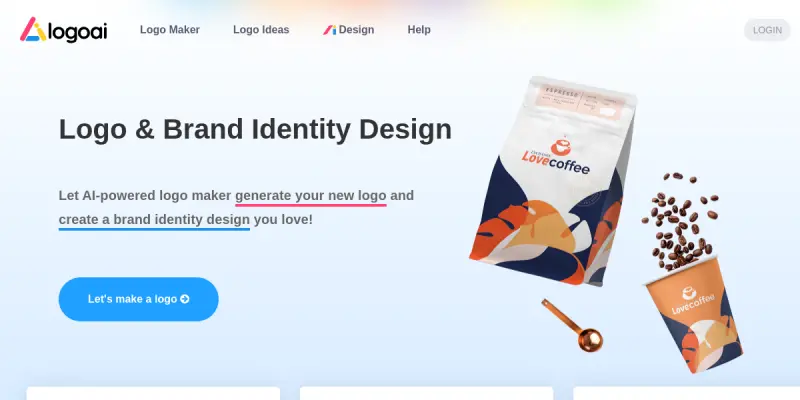
Logo AI is a web-based generative design tool that assists users in creating professional logos and brand identities through artificial intelligence. The platform allows businesses and individuals to input text prompts to generate multiple design concepts instantly. It is designed to democratize the design process, making professional-looking branding accessible without requiring advanced graphic design skills.
Key Features
- Text-to-Logo Generation: Users can generate unique logo concepts by entering their business name and industry.
- Style Variety: The platform offers a broad library of templates ranging from minimalist text-based logos to complex illustrations.
- Vector Export: Designs can be exported in scalable vector formats (SVG) and high-resolution PNGs.
- Brand Kit Components: Includes generation of social media assets, favicons, and color palettes.
- Iterative Refinement: Users can generate multiple variations of a concept to find the best fit.
- Freemium Access: Allows users to create accounts and generate concepts without immediate payment.
Use Cases
Startups and New Businesses
New ventures often need to establish a visual identity quickly but may lack in-house design resources. Logo AI enables these businesses to produce a professional logo and supporting assets rapidly, serving as a foundation for their brand identity.
Freelance Designers
Designers can use the tool for rapid brainstorming and client presentations. It helps in generating rough concepts to present to clients before refining the work in professional design software.
Marketing Teams
Marketing teams can use the platform to quickly create variations of logos for A/B testing or specific campaign themes without coordinating with external designers.
Pricing & Plans
Logo AI operates on a freemium pricing model. The free tier typically allows users to generate logo concepts and browse styles but often includes watermarks on downloadable files or limits the number of downloads. Paid tiers are required to unlock full-resolution downloads, vector file formats, and commercial usage rights. Specific pricing tiers vary based on features like the number of downloads and commercial license duration.
Integrations & Compatibility
The tool is a web-based SaaS application, requiring no software installation. It is compatible with all modern web browsers on desktop and mobile devices. While the schema indicates no specific API integration, the platform functions primarily as a standalone design utility.
Who Is It For?
This tool is primarily for small business owners, entrepreneurs, and non-designers who need a quick, cost-effective solution for their initial branding needs. It is not designed for professional graphic designers seeking high-fidelity, manual vector editing capabilities.
Limitations
- Customization Depth: Users have limited control over specific design elements like font selection or color gradients compared to manual vector software.
- Text Rendering: The AI may struggle with complex typography or very long brand names, sometimes resulting in distorted text.
- Commercial Quality: While the outputs are good for concepts, they may require manual editing in software like Illustrator or Figma to reach professional production standards.
- Generic Feel: Due to the generative nature, some designs may lack a unique, bespoke feel compared to human-designed work.
Final Verdict
Logo AI is a functional entry-level tool for generating quick logo concepts. It is best suited for users who need a starting point or a rough draft rather than a finished, print-ready design. The freemium model makes it low-risk to try, though paid features are necessary for commercial use.
Tool Facts
Screenshots & Interface
Pros
- ✓ Generates multiple unique logo concepts from simple text prompts within seconds
- ✓ Offers a wide variety of style templates suitable for different industries
- ✓ Provides vector file formats (SVG, PNG) for professional use
- ✓ Includes a basic brand kit with social media templates
Cons
- × The free version typically includes watermarks on downloaded assets
- × Customization options for specific colors or fonts are often limited
- × Output quality may vary significantly depending on the complexity of the text prompt
How to Use Logo AI in Your Workflow
Integrating Logo AI into your professional toolkit enhances efficiency by automating manual steps. By configuring it to suit your specific project requirements, you can optimize output quality and reduce project cycle times. Standard workflows involve testing the tool on simple tasks before scaling its use to complex operations.
Frequently Asked Questions
What is Logo AI used for?
Logo AI is a SaaS platform that uses generative AI to create custom logos and brand assets for businesses. It offers a freemium model allowing users to generate initial concepts without upfront cost. The tool focuses on providing instant variations based on user text prompts.
What is the pricing model for Logo AI?
Logo AI uses a Freemium pricing model.
What are the main advantages of Logo AI?
The key benefits of Logo AI include: Generates multiple unique logo concepts from simple text prompts within seconds, Offers a wide variety of style templates suitable for different industries, Provides vector file formats (SVG, PNG) for professional use, Includes a basic brand kit with social media templates.
What are the main limitations of Logo AI?
Some limitations or cons of Logo AI are: The free version typically includes watermarks on downloaded assets, Customization options for specific colors or fonts are often limited, Output quality may vary significantly depending on the complexity of the text prompt.
Alternative AI Tools

Yodayo
Yodayo is an AI-powered image generation platform designed for artists and creative professionals. It provides a suite of generative tools for producing high-quality illustrations and anime-style artwork. Its key differentiator is a strong community focus and integration of multiple popular AI models.

Mural AI
Mural AI is an AI-powered visual workspace that enhances team collaboration, planning, and execution. It helps distributed teams brainstorm, organize tasks, and manage projects using intelligent templates and real-time co-creation. Its key differentiator is the deep integration of AI to automate facilitation and synthesis of ideas.
Logomaster.ai
Logomaster.ai uses artificial intelligence to help users generate custom logos quickly. The tool is designed for entrepreneurs and small business owners who need a professional brand identity without design experience. Its key differentiator is an intuitive editor that allows for easy customization of AI-generated designs.
Rating Details
Based on 0 ratings
Quick Comparisons
Related Tools
More AI tools from the same workflow, industry, or category.
Createimg.ai
Createimg.ai provides text-to-image generation and photo editing tools including background removal. It is designed for e-commerce sellers and creators needing free visual assets.
JetBrains AI
JetBrains AI is an AI-powered toolset integrated into JetBrains IDEs, offering code completion, debugging assistance, and intelligent suggestions for developers. It leverages large language models to help teams write, understand, and refactor code more efficiently. A key differentiator is its seamless integration with JetBrains' existing development environment.
Stable Diffusion Inpaint
Stable Diffusion Inpaint is an AI-powered tool that uses diffusion models to intelligently fill in or replace parts of an image. It is designed for photographers, designers, and content creators who need precise and context-aware image editing. Its key differentiator is the ability to generate new content that seamlessly blends with the existing image.
Crello AI
VistaCreate (formerly Crello) is a cloud-based design tool using AI to generate graphics from text prompts. It features 100K+ templates for social media and marketing.
Reviews
No reviews submitted yet. Be the first to share your experience.
Write a Review
Share Your Experience
Join the community to write reviews, submit ratings, and bookmark your favorite AI tools.