

Deep Image AI
Use Deep Image AI as the anchor for a real shortlist.
Instead of returning to a broad directory, jump straight into the strongest adjacent matchups for pricing, workflow fit, and differentiation.
Overview
Overview
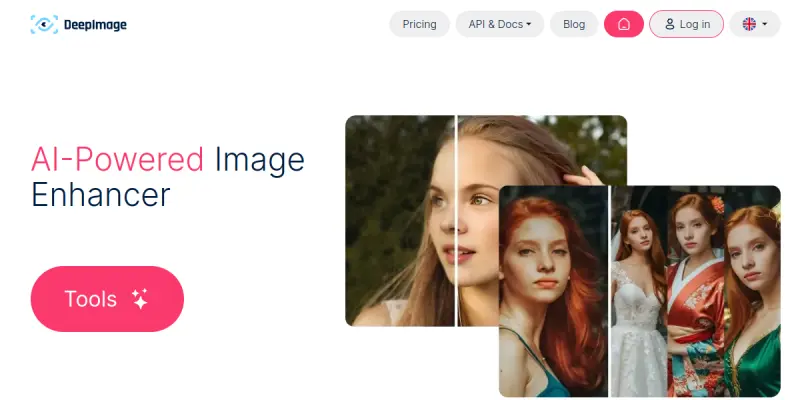
Deep Image AI is a cloud-based platform designed to improve image quality through artificial intelligence. It allows users to upscale photos, remove noise, and enhance resolution without complex software installation. The tool is particularly popular among e-commerce professionals and photographers looking for quick visual improvements.
Key Features
- AI Super Resolution: Doubles image resolution while preserving fine details and edges.
- Batch Processing: Process multiple images simultaneously to save significant time.
- AI Denoise: Eliminates grain and noise from low-light or high-ISO photographs.
- Background Removal: Automatically detects and removes backgrounds to facilitate product photography.
- Face Restoration: Enhances facial features in old or damaged photos.
- AI Upscaler: Upscales images up to 4x the original size for print or web use.
Use Cases
E-commerce Product Photography
Deep Image AI streamlines the workflow for online store owners by automatically enhancing product images. Users can upscale product photos to high resolutions and remove distracting backgrounds, ensuring a professional look across all digital marketplaces without manual editing.
Social Media Content Creation
For marketers and creators, the tool offers rapid image enhancement for social media posts. The ability to upscale images for high-definition displays and remove noise ensures that visuals remain crisp and appealing regardless of the platform.
Photo Restoration and Archiving
Individuals looking to restore old family photos or digitize physical albums benefit from the face restoration and denoising capabilities. The tool can recover details in faded or blurry images, bringing vintage photographs back to life.
Pricing & Plans
Deep Image AI operates on a paid subscription model, typically charged monthly or annually. A free trial is available, allowing users to test the core upscaling and enhancement features before committing to a plan. Higher tiers usually unlock more advanced processing options and higher resolution limits.
Integrations & Compatibility
The platform offers an API integration, allowing developers to incorporate Deep Image AI's image enhancement capabilities into their own applications or workflows. It is compatible with standard web browsers and works with various image formats commonly used in professional photography and design.
Who Is It For?
This tool is best suited for e-commerce managers, digital marketers, photographers, and designers who need to process large volumes of images quickly. It is ideal for those who require high-quality visual assets but lack the time or expertise for manual photo editing in software like Photoshop.
Limitations
- Web-Based Dependency: Since the tool runs in the cloud, a stable internet connection is required for all processing tasks.
- Subscription Cost: Advanced features and high-resolution exports are locked behind a paid subscription, which may be a barrier for casual users.
- Creative Control: The AI-driven approach is automated; users have limited control over specific editing parameters compared to professional desktop software.
- Batch Limitations: While batch processing is a feature, there may be limits on the number of images processed simultaneously depending on the subscription tier.
Final Verdict
Deep Image AI is a powerful utility for anyone needing to quickly enhance and upscale images. Its strengths lie in automation and batch processing, making it a practical choice for businesses rather than creative professionals seeking granular control. While it cannot replace complex editing software for artistic purposes, it excels as a time-saving tool for standard photo improvements.
Tool Facts
Screenshots & Interface
Pros
- ✓ Batch processing capability significantly speeds up image enhancement workflows.
- ✓ AI Super Resolution effectively doubles image resolution while maintaining detail.
- ✓ Web-based interface requires no installation, making it accessible on any device.
- ✓ AI Denoise feature successfully removes grain from low-light photography.
Cons
- × The web-based nature limits offline usage and requires a consistent internet connection.
- × Advanced resolution options and batch processing are restricted to paid subscribers.
- × Automated processing lacks the manual fine-tuning controls found in desktop editing software.
How to Use Deep Image AI in Your Workflow
Integrating Deep Image AI into your professional toolkit enhances efficiency by automating manual steps. By configuring it to suit your specific project requirements, you can optimize output quality and reduce project cycle times. Standard workflows involve testing the tool on simple tasks before scaling its use to complex operations.
Frequently Asked Questions
What is Deep Image AI used for?
Deep Image AI enhances photo quality for eCommerce and design. Features include image upscaling, background removal, and AI avatar generation.
What is the pricing model for Deep Image AI?
Deep Image AI uses a Paid pricing model.
What are the main advantages of Deep Image AI?
The key benefits of Deep Image AI include: Batch processing capability significantly speeds up image enhancement workflows., AI Super Resolution effectively doubles image resolution while maintaining detail., Web-based interface requires no installation, making it accessible on any device., AI Denoise feature successfully removes grain from low-light photography..
What are the main limitations of Deep Image AI?
Some limitations or cons of Deep Image AI are: The web-based nature limits offline usage and requires a consistent internet connection., Advanced resolution options and batch processing are restricted to paid subscribers., Automated processing lacks the manual fine-tuning controls found in desktop editing software..
Alternative AI Tools

Logaster
Logaster is an AI-powered logo design tool that creates professional brand assets for small businesses. It offers a library of templates and an easy-to-use editor to generate logos, business cards, and social media graphics quickly.

Locofy
Locofy is an AI-powered tool that converts Figma and Penpot designs into clean, developer-friendly frontend code. It is built for frontend developers and design teams aiming to accelerate prototyping and handoff. A key differentiator is its support for on-premise or cloud deployment with SOC2 and ISO certifications.

Brandmark
Brandmark is a generative AI tool that helps users create logos, business cards, and social media graphics quickly. It is designed for entrepreneurs and small businesses needing custom visual identity assets without design experience. The tool uses AI to generate brand packages in under a minute.
Rating Details
Based on 0 ratings
Quick Comparisons
Related Tools
More AI tools from the same workflow, industry, or category.
Createimg.ai
Createimg.ai provides text-to-image generation and photo editing tools including background removal. It is designed for e-commerce sellers and creators needing free visual assets.
Stable Diffusion Inpaint
Stable Diffusion Inpaint is an AI-powered tool that uses diffusion models to intelligently fill in or replace parts of an image. It is designed for photographers, designers, and content creators who need precise and context-aware image editing. Its key differentiator is the ability to generate new content that seamlessly blends with the existing image.
LogoTypeMaker
LogoTypeMaker is a web-based tool for creating custom logos without design skills. It generates branding assets based on user input and style preferences. The platform offers a free trial to test the service.
JetBrains AI
JetBrains AI is an AI-powered toolset integrated into JetBrains IDEs, offering code completion, debugging assistance, and intelligent suggestions for developers. It leverages large language models to help teams write, understand, and refactor code more efficiently. A key differentiator is its seamless integration with JetBrains' existing development environment.
Reviews
No reviews submitted yet. Be the first to share your experience.
Write a Review
Share Your Experience
Join the community to write reviews, submit ratings, and bookmark your favorite AI tools.